

Your photo
The person, pet or product you want to keep.
Pick a color or a scene, or describe one. You, your pet or your product stay the same.
 Original
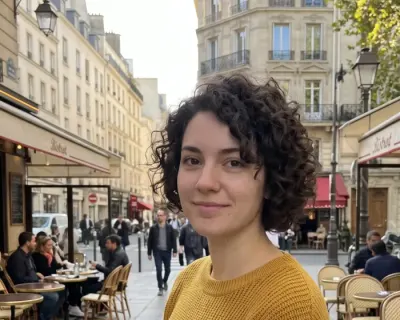 Edited
By editing you confirm the photo is yours or you have permission to edit it. Terms
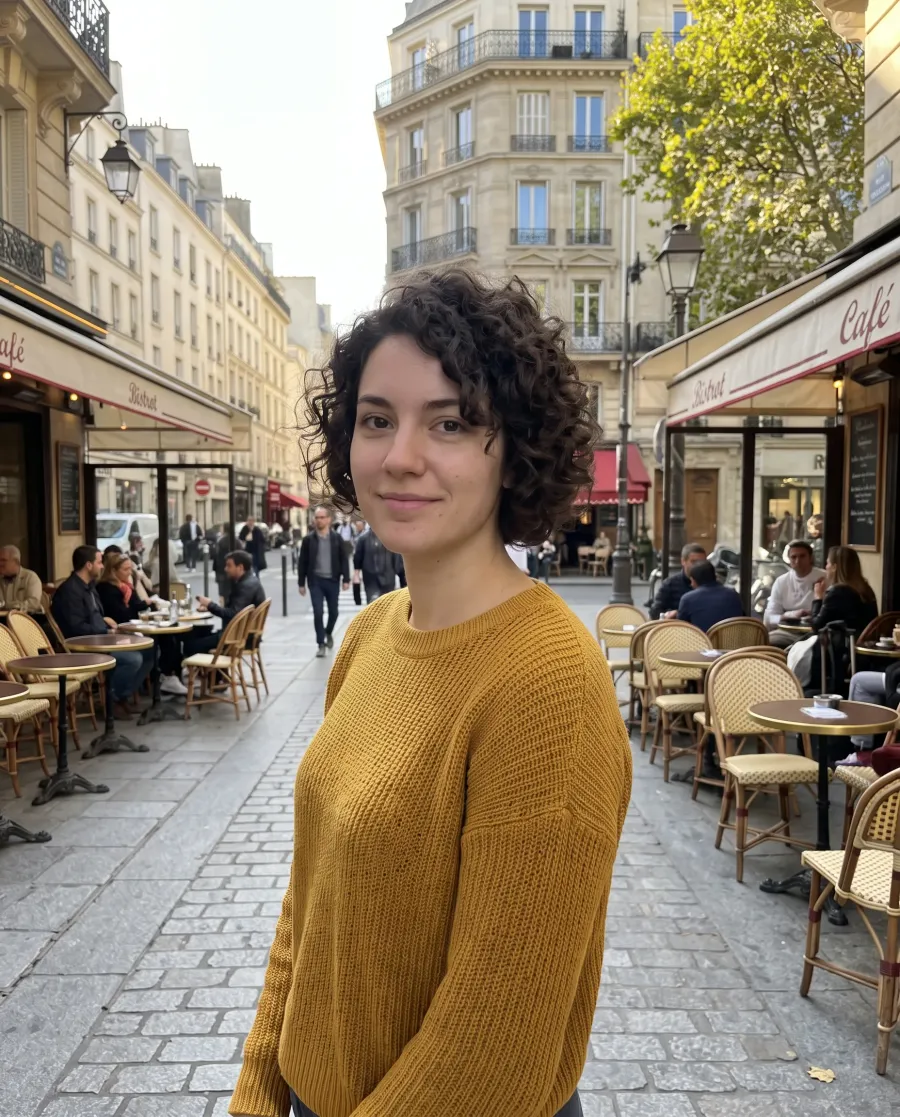

“Replace the background with a Paris street with cafes in the afternoon”
What it is
To change background with AI, upload a photo and say what should be behind the subject: a color, a studio or a place. The person, pet or product stays as it is, and the new background is painted around it, with light and shadows that match: warmer at sunset, cooler in the snow, a shadow that falls the right way.
Most photo background changers cut the subject out and paste it onto a new picture, which is where hair looks chopped and a product seems to float. Here the whole picture is redrawn with the subject in it, so edges stay soft. Every new account gets 5 free edits.
Any color or scene
Plain white, a studio, a city or a place you describe.
Subject unchanged
Faces, products and pets stay as they were.
Matching light
Shadows and color fit the new background.
Up to 4K
Download without a watermark.
Colors
A plain color is what most people want when they change background: white for a store listing, grey or blue for a profile photo, beige for a softer look. Tap a color to compare it with the original garage photo.
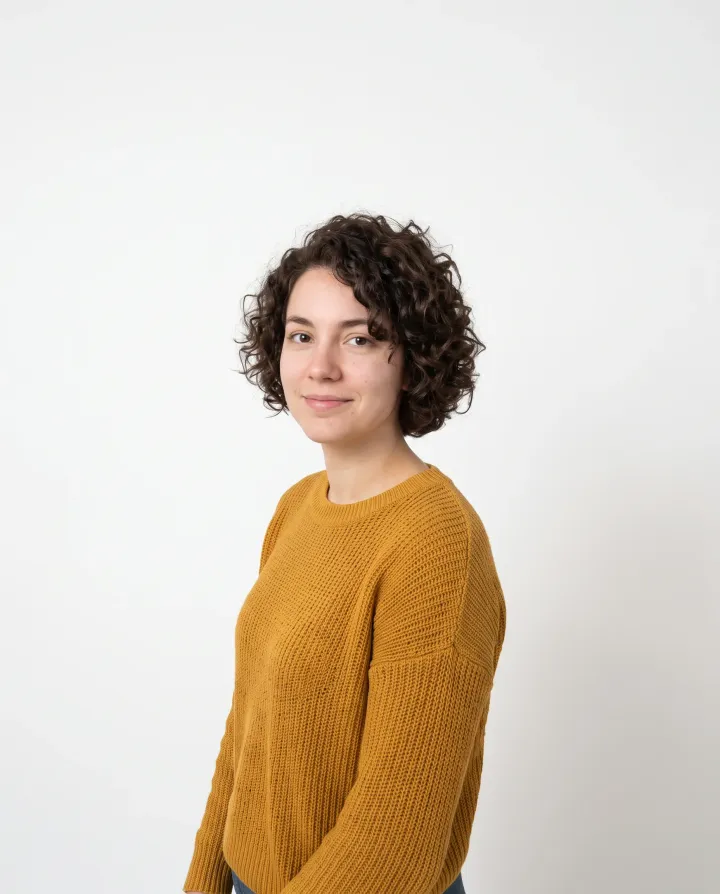
“Replace the background with a plain white studio backdrop. Keep the framing, her size and her position exactly as they are”
“Replace the background with a plain white studio backdrop. Keep the framing, her size and her position exactly as they are”
Any other color works the same way: “Replace the background with a solid pastel pink background.”
Scenes
Six places from the same photo. Each one shows the sentence that made it: to change background to that scene on your own photo, press Try this edit.
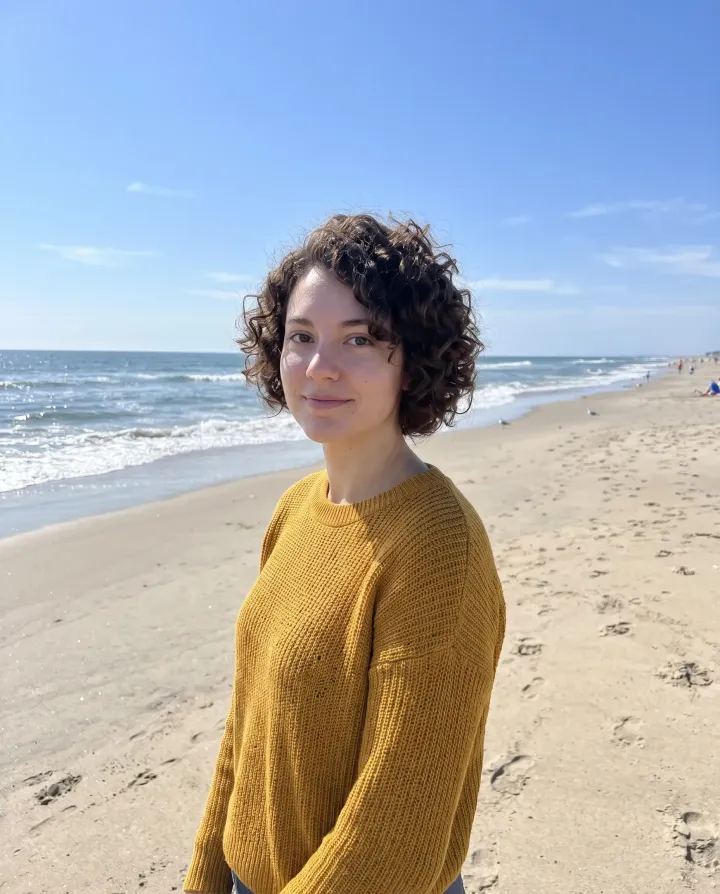
“Replace the background with a sunny beach and the ocean”
“Replace the background with a sunny beach and the ocean”
Up close
What you get when you change background with AI, enlarged next to the same parts of the original: her curls against the new background and the edge of her sweater.
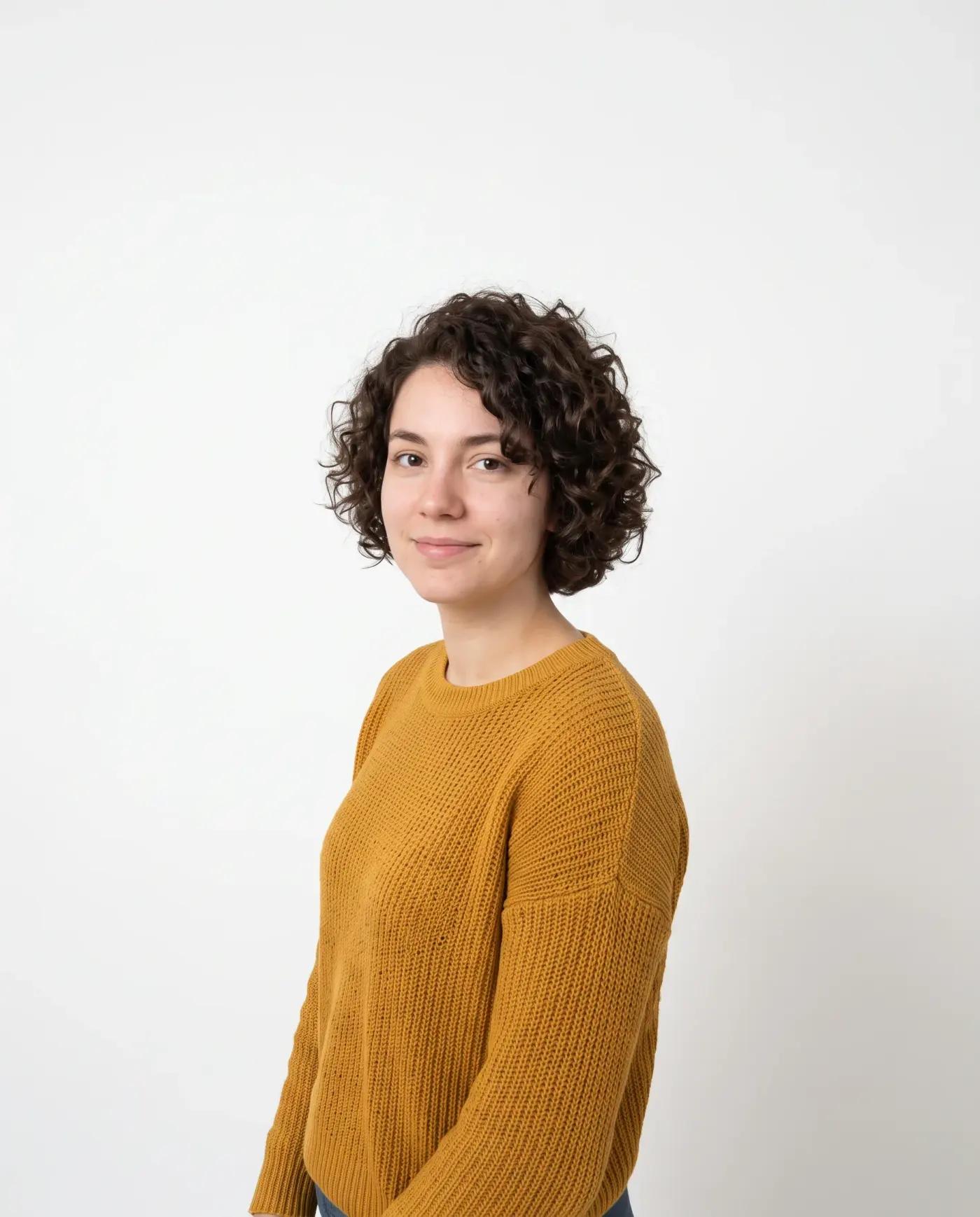
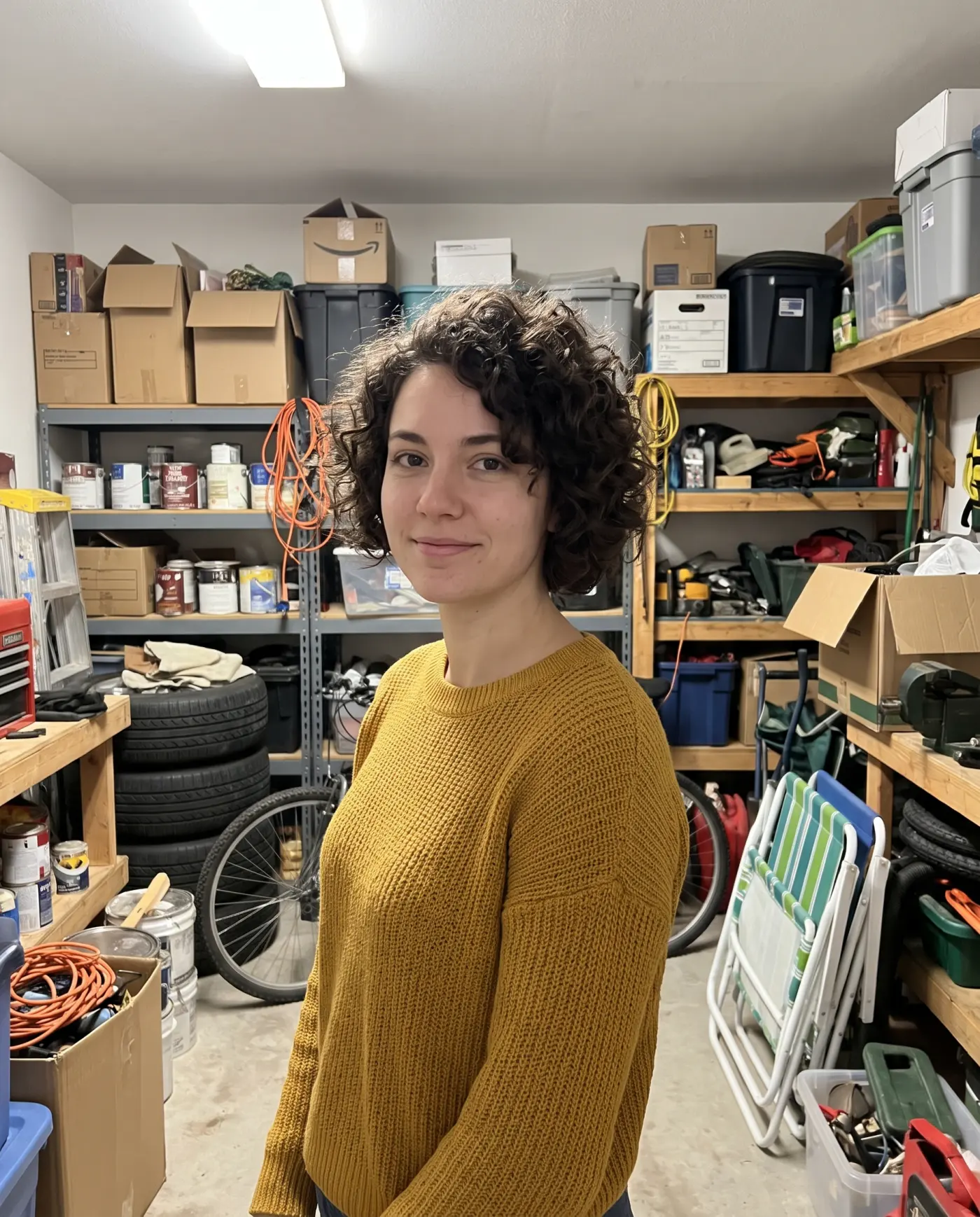 OriginalEdited
No halo and no chopped strands: the hair is drawn with the white behind it.
OriginalEditedA soft, clean outline, with the knit texture kept.
A white shirt on a white wall gives the model little to separate. Pick a contrasting color.
Strands that fly far from the head can come out tidier than they were.
Two or three people work well; a crowd where people overlap can need a second try.
Your own background
Want to change background to a place you photographed yourself? Add it as the second picture and say who goes in front of it.
The person, pet or product you want to keep.
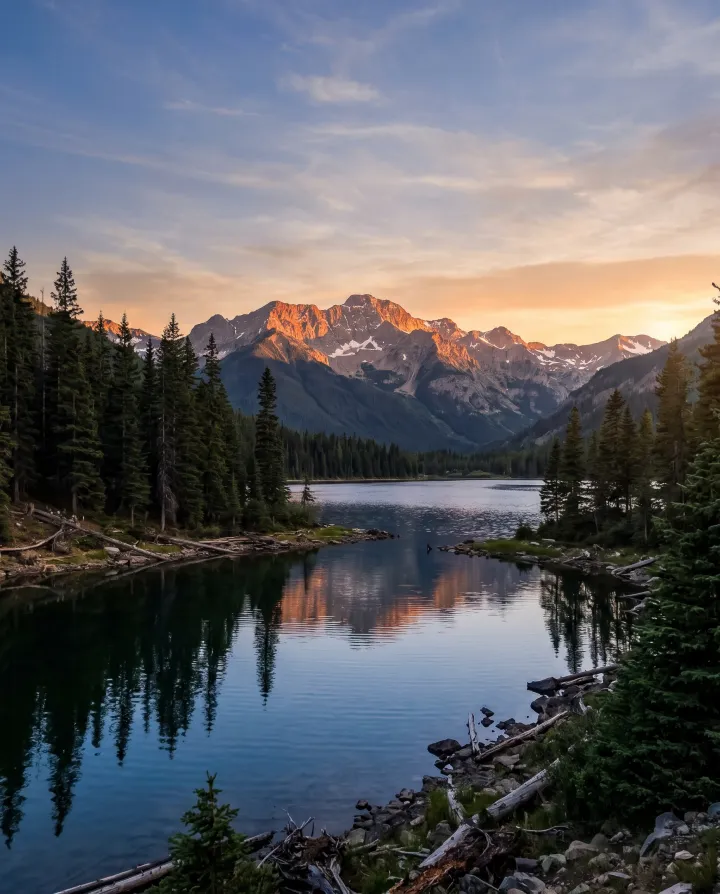
Any photo of a place, added as the second picture.
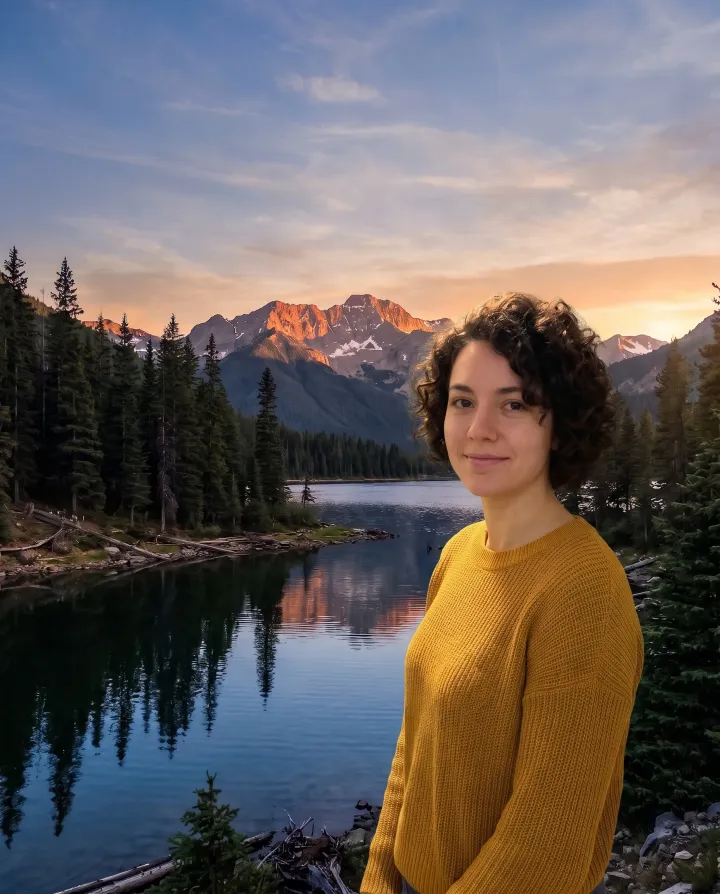
“Put the woman from the first photo in front of the lake from the second photo, with the sunset light on her.”
By use
Change background on anything, not only people. Tap or hover a card to see the original, or press Try this edit to use the sentence.

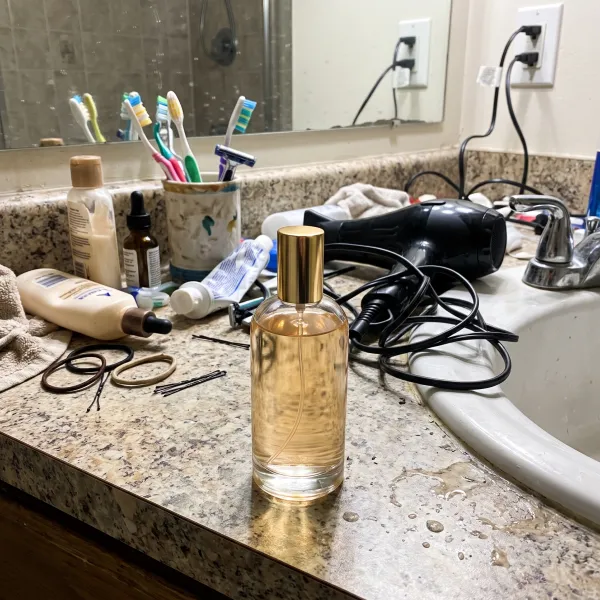 EditedOriginal
“Replace the background with a clean white backdrop with a soft shadow under the bottle”
A bottle shot on a messy counter becomes a clean white product photo for a store listing, with a soft shadow so it does not float.

 EditedOriginal
“Replace the bedroom in the mirror with a clean, bright minimalist room with a white wall and a plant. Keep the man, his phone and the mirror frame as they are”
The messy bedroom in the mirror becomes a bright, clean room. The outfit, the phone and the pose stay.

 EditedOriginal
“Put the car on a coastal road at sunset with the sea behind it”
A car in an empty parking lot moved to a coastal road at sunset, with reflections that match.

 EditedOriginal
“Put the dog in a meadow full of wildflowers on a sunny day”
A dog photographed in the kitchen, now in a meadow, with fur edges that look natural.
How to
In Safari or Chrome, tap Upload a photo and pick it from your camera roll. iPhone HEIC photos work as they are.
Tap one to change background, or write it yourself: “Replace the background with a quiet beach at sunset.” To use your own background, add it as the second photo.
Drag the slider over the hair and edges, then download in 2K or 4K. It saves back to your camera roll.
Yes. Every new account gets 5 free edits at 2K with no watermark, and each time you change background it is one edit. After that, credit packs start at $4.99.
To change background to white, tap the White tile or write “Replace the background with a plain white studio backdrop”. Add “with a soft shadow” for products so they do not look like they are floating.
Yes, if you describe it well. Here the instruction that keeps the subject is added to every edit for you, colors and scenes are one tap, and a slider shows the result next to your photo.
To change background on an iPhone photo, open this page in Safari, tap Upload a photo and pick it from Photos. Download the result and it saves back to your camera roll.
You do not need to install one. This runs in the browser on any phone, and the first 5 edits are free.
No. The U.S. State Department asks for an unaltered photo: no changes with software, apps, filters or AI. Take a new one against a plain white wall. A profile or LinkedIn photo is fine.
No. When you change background here, results come in 2K, or 4K for 2 extra credits, and the shape follows your photo unless you pick another one.
Not with this tool: it always paints a new color or scene. A plain white or grey backdrop is the closest result.
It is built not to: every edit keeps the subject and changes only the background, so faces, labels and fur stay while the light on them shifts to match the new scene. If a face comes out changed, email us within 7 days and we return the credits.
No, only photos. For a Zoom or Teams call, use the background setting in the app; a photo you made here works as the image.
Pick a color or describe a scene. 5 free edits, and the person stays exactly as they are.