
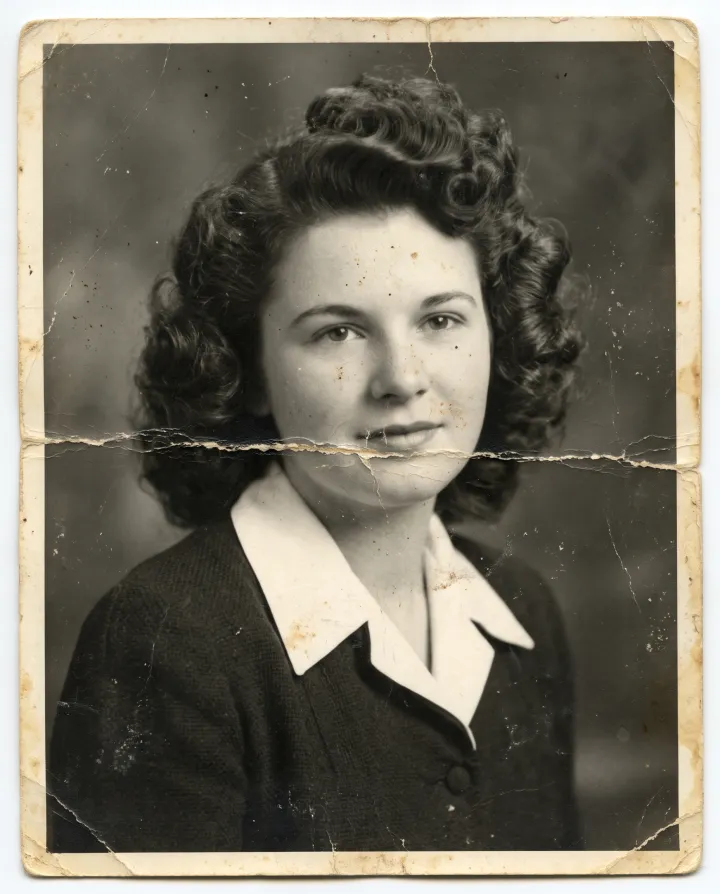
The damaged print
A 1940s studio portrait with a deep crease, scratches and faded contrast.
Upload a scan or a phone photo of the print and pick the damage. Faces stay true.
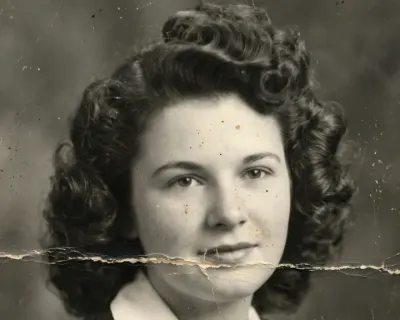 Original
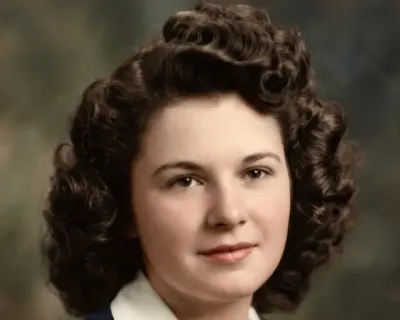 Edited
By editing you confirm the photo is yours or you have permission to restore it. Terms
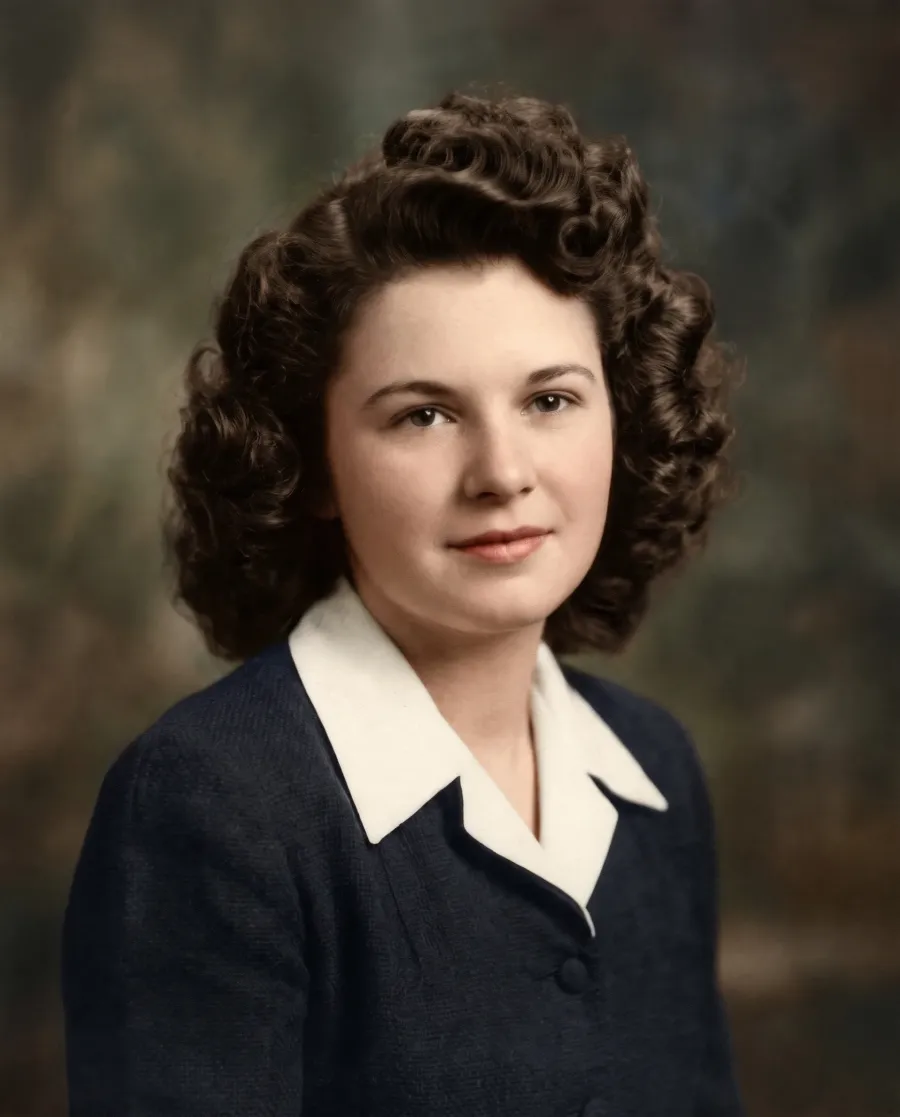
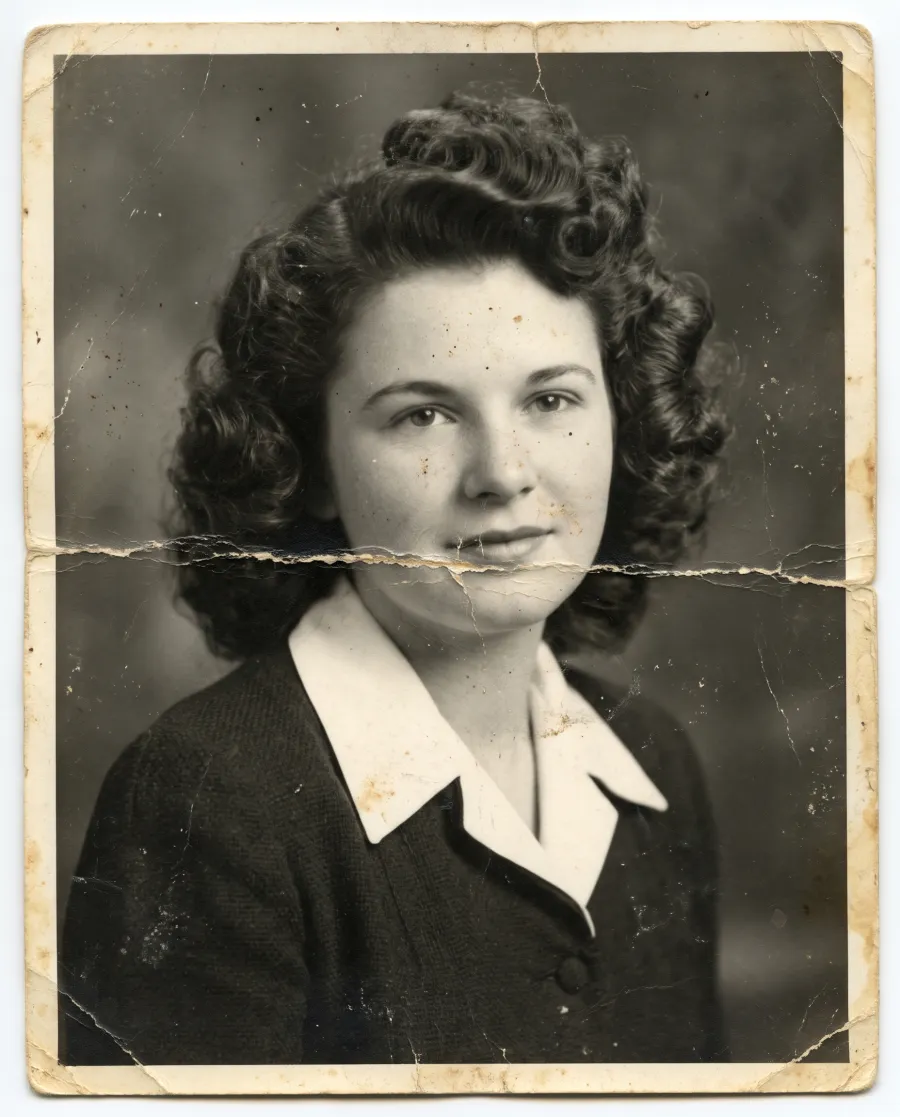
“Restore this photo: remove the crease, scratches and dust, and colorize it naturally”
What it is
Yes. Photo restoration with AI repairs the damage you can see on an old print: creases, cracks, dust, water stains, torn corners, fading and soft focus. Upload a scan or a phone photo of the print, say what to fix, and the damaged areas are rebuilt from what is left around them, in seconds.
It works on what the photo still shows. Where a face is visible, it keeps that face; where a piece is missing, it has to invent it, and this page shows both. It restores the picture on a print, it does not recover deleted photos from a phone.
Before and after
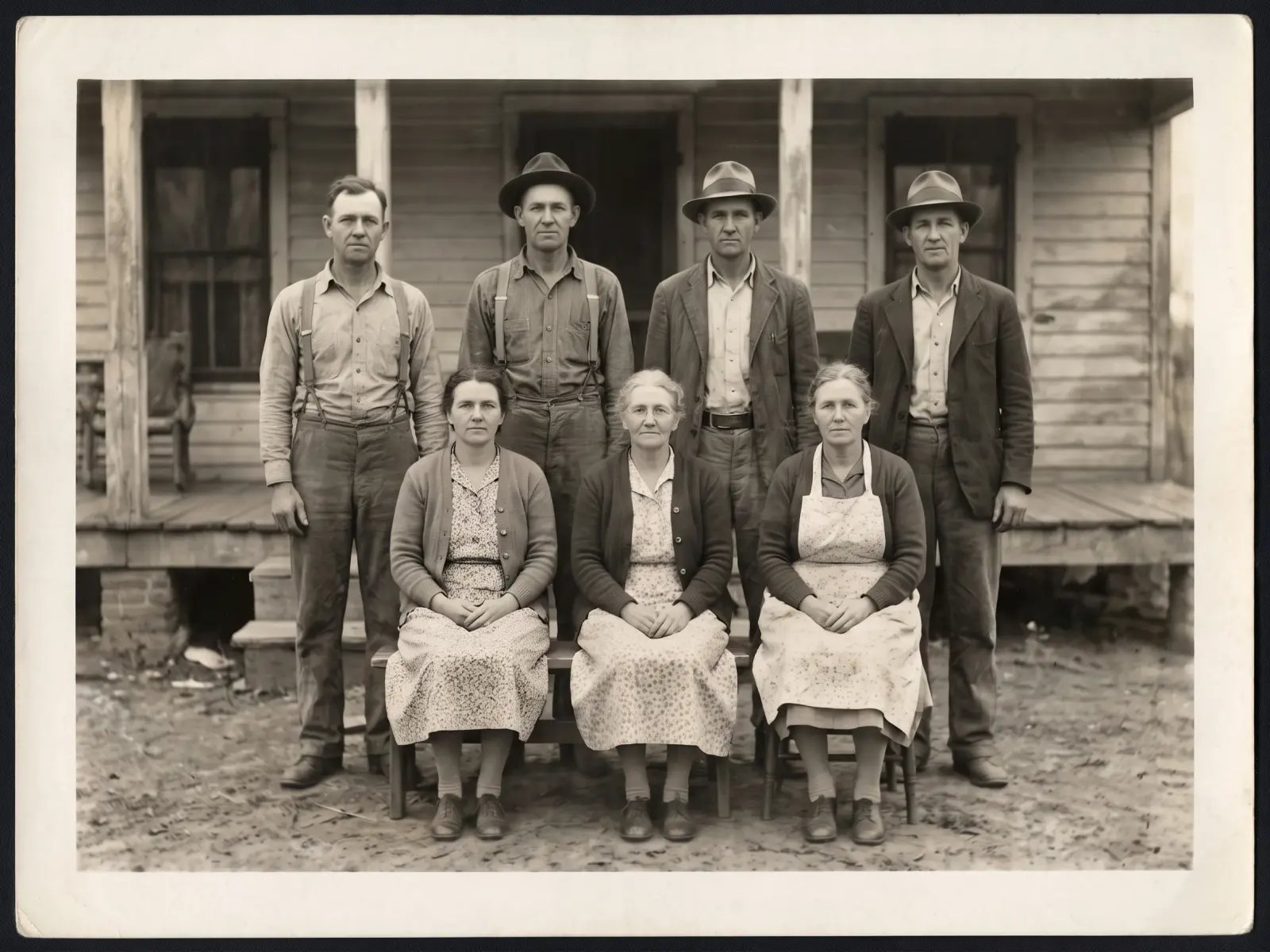
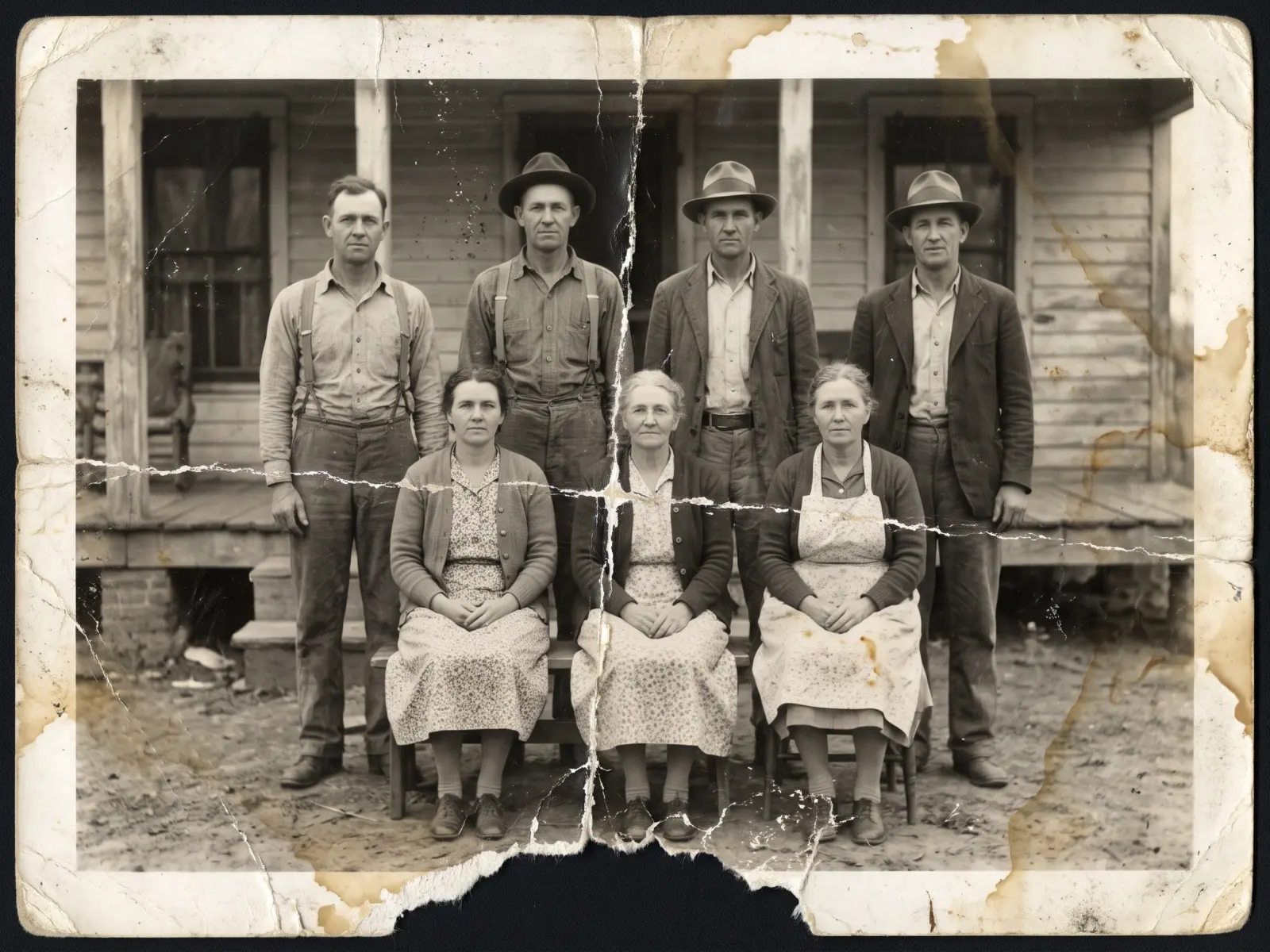
One photo restoration, start to finish: creases, cracked emulsion, water stains, a torn edge and seven small faces. The damaged print is an AI-made stand-in; the restored side is the editor’s result. Drag the slider to compare.
Can this be fixed?
Each card is a photo restoration result exactly as the editor returned it, with what to expect. The damaged prints are AI-made stand-ins with real kinds of damage, not anyone’s family photos. Tap or hover a card to see the original.
 EditedOriginal
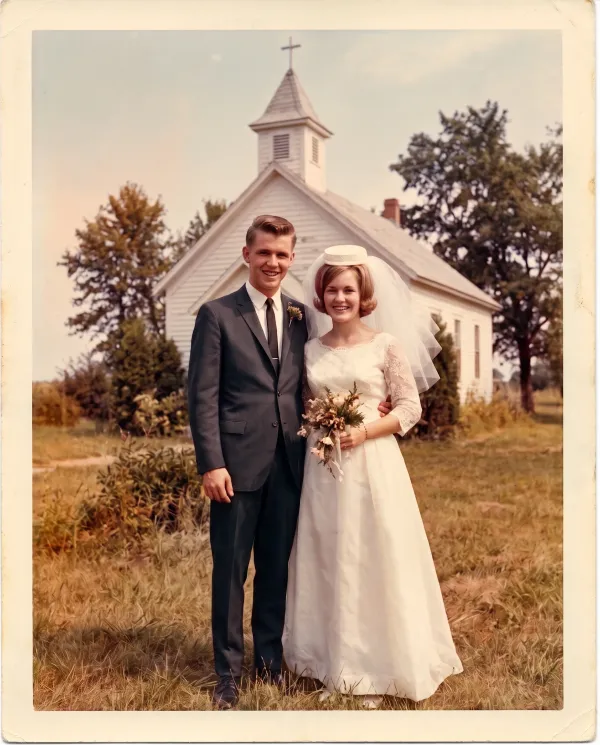
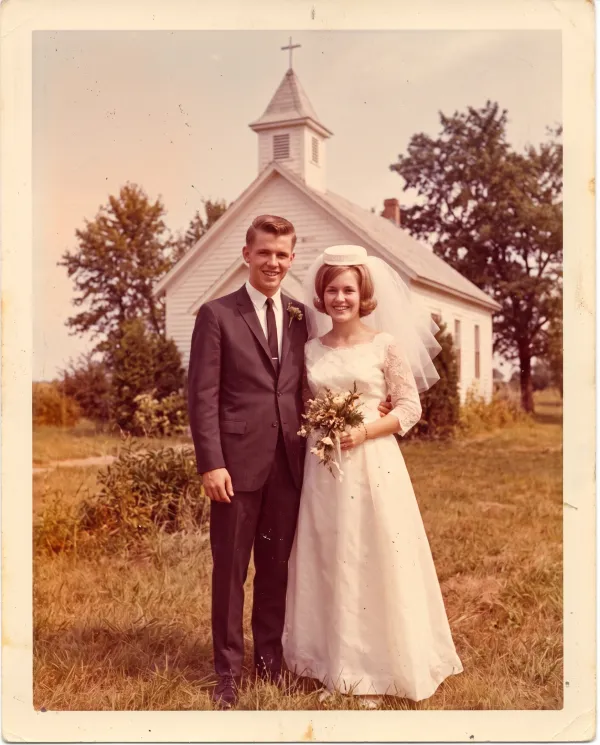
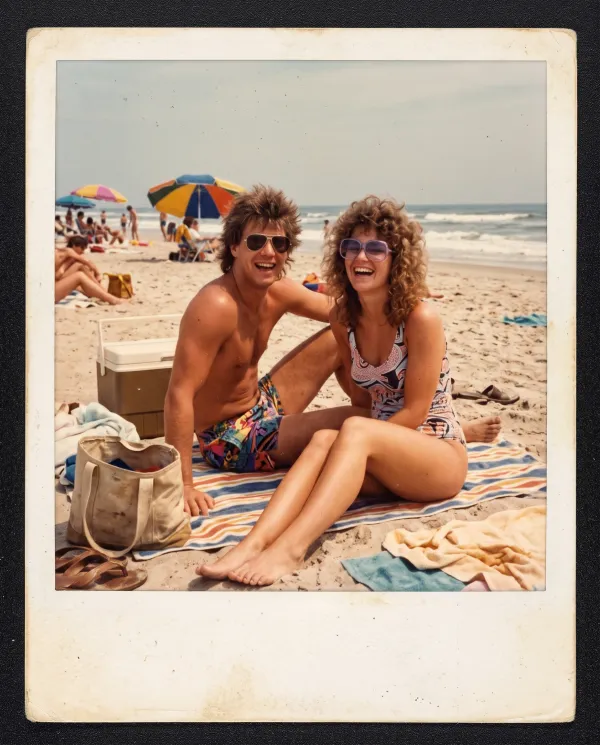
“Restore the faded colors to natural tones and remove the dust and scratches”
An orange and magenta cast from decades in an album, back to natural skin tones.
 EditedOriginal
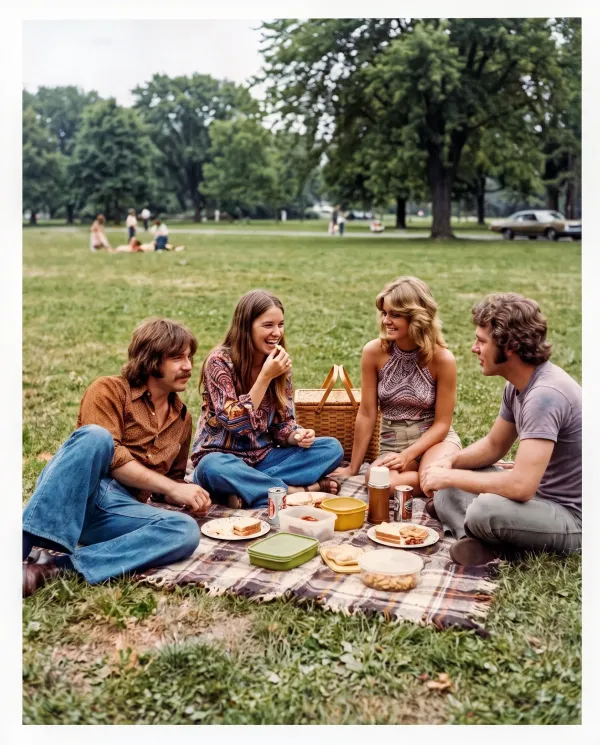
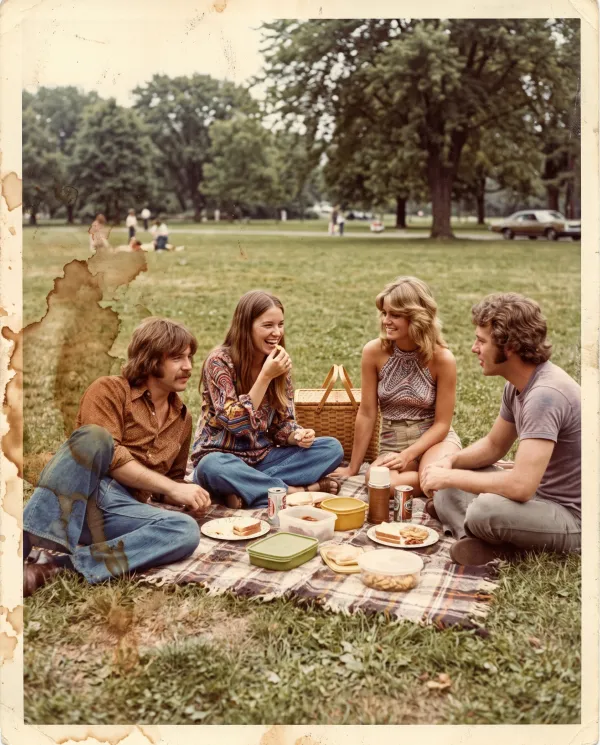
“Remove the water stains and restore the colors of the photo”
Brown water marks removed, and the friends and the grass underneath them rebuilt.
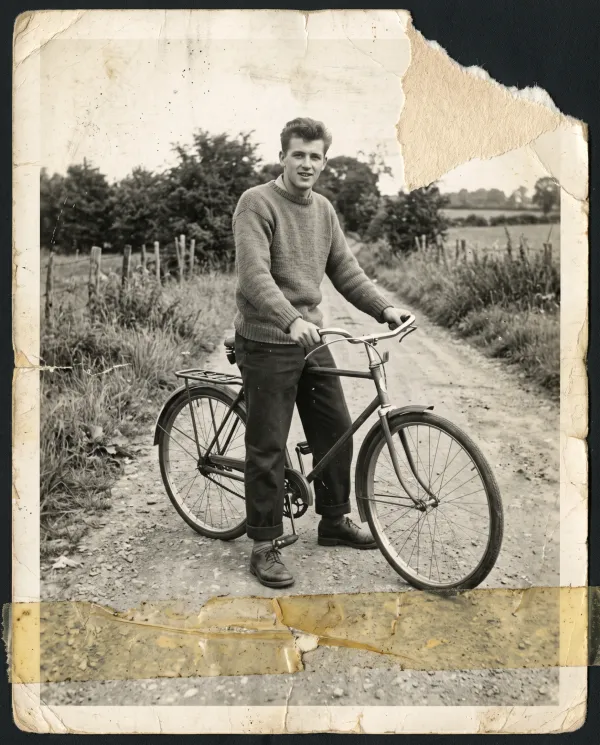 EditedOriginal
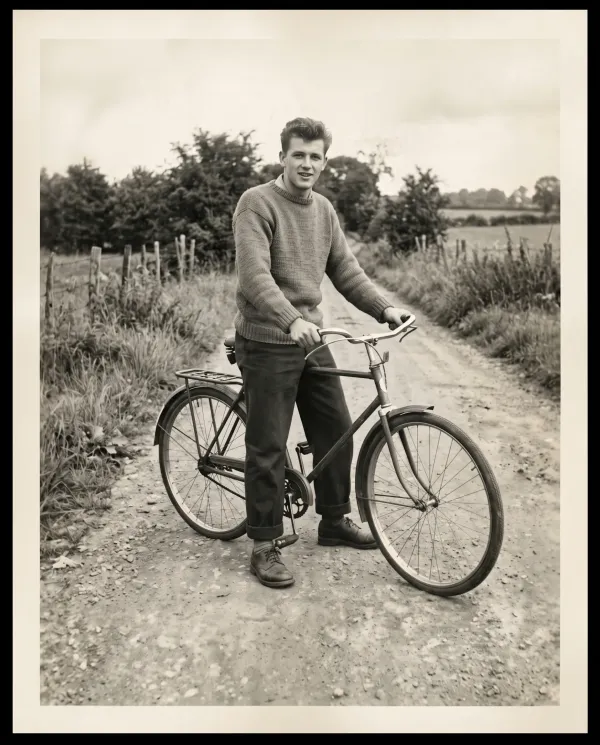
“Restore this photo: rebuild the torn corner, remove the tape and scratches, and keep it black and white”
The missing corner was sky and trees, so it is filled in from the rest. He is untouched.
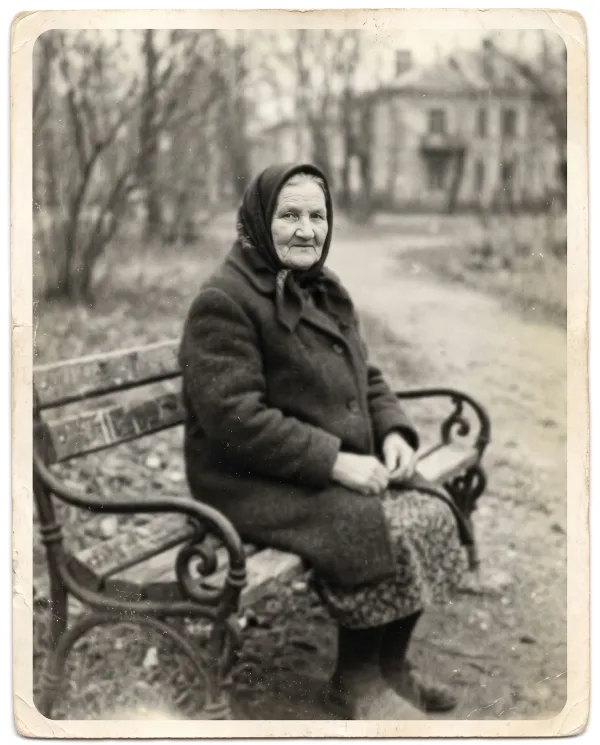
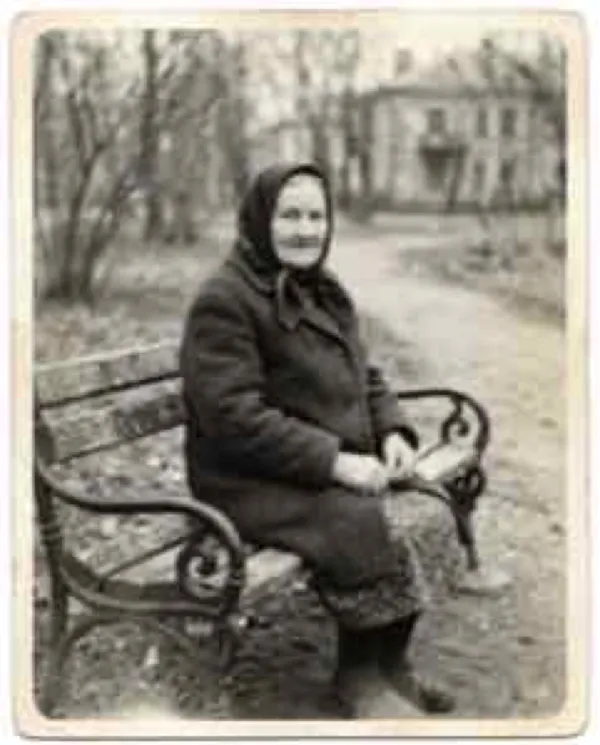 EditedOriginal
“Sharpen this photo, restore the detail in her face and keep it black and white”
Detail comes back where there is something left to sharpen. A very blurry face gets clearer, not perfect.
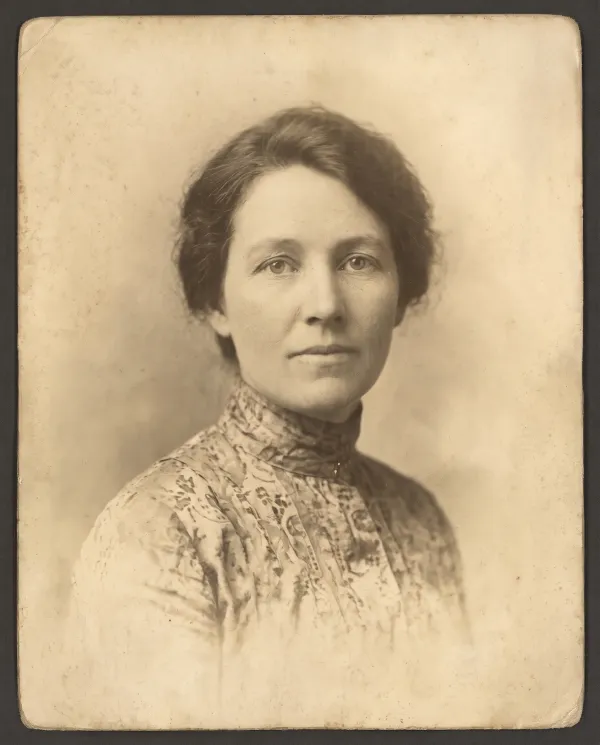
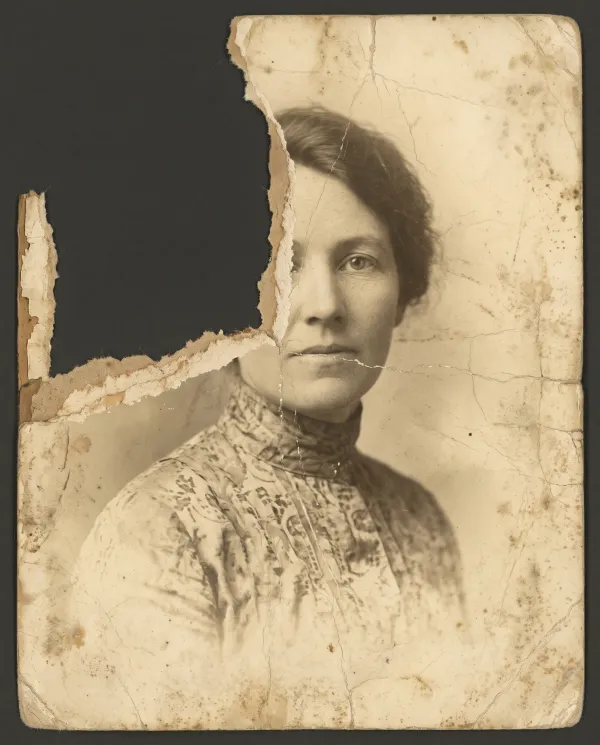 EditedOriginal
“Restore this old photo: rebuild the torn-away corner and the missing part of her face and hair, remove the cracks and stains, and keep it sepia”
Here the tear took half her face. The result looks complete, but that half is a guess: it is not her. A restorer with another photo of her can do better.
Same people
Yes, where the face is there to see. These are the two women seated in the middle of the family photo, enlarged before and after: the crease across them is gone, and their eyes, mouths and the lines of their faces are the same.
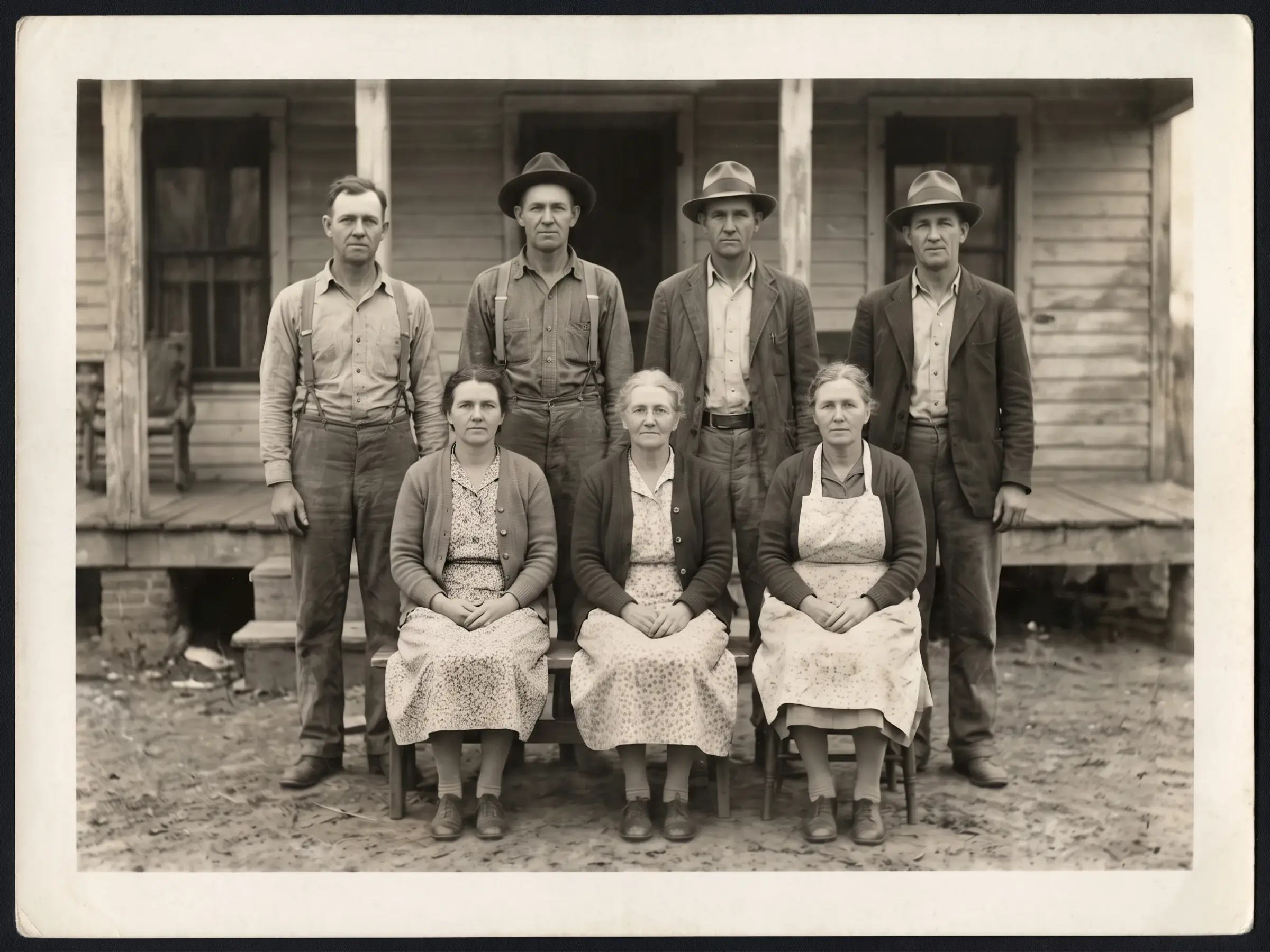
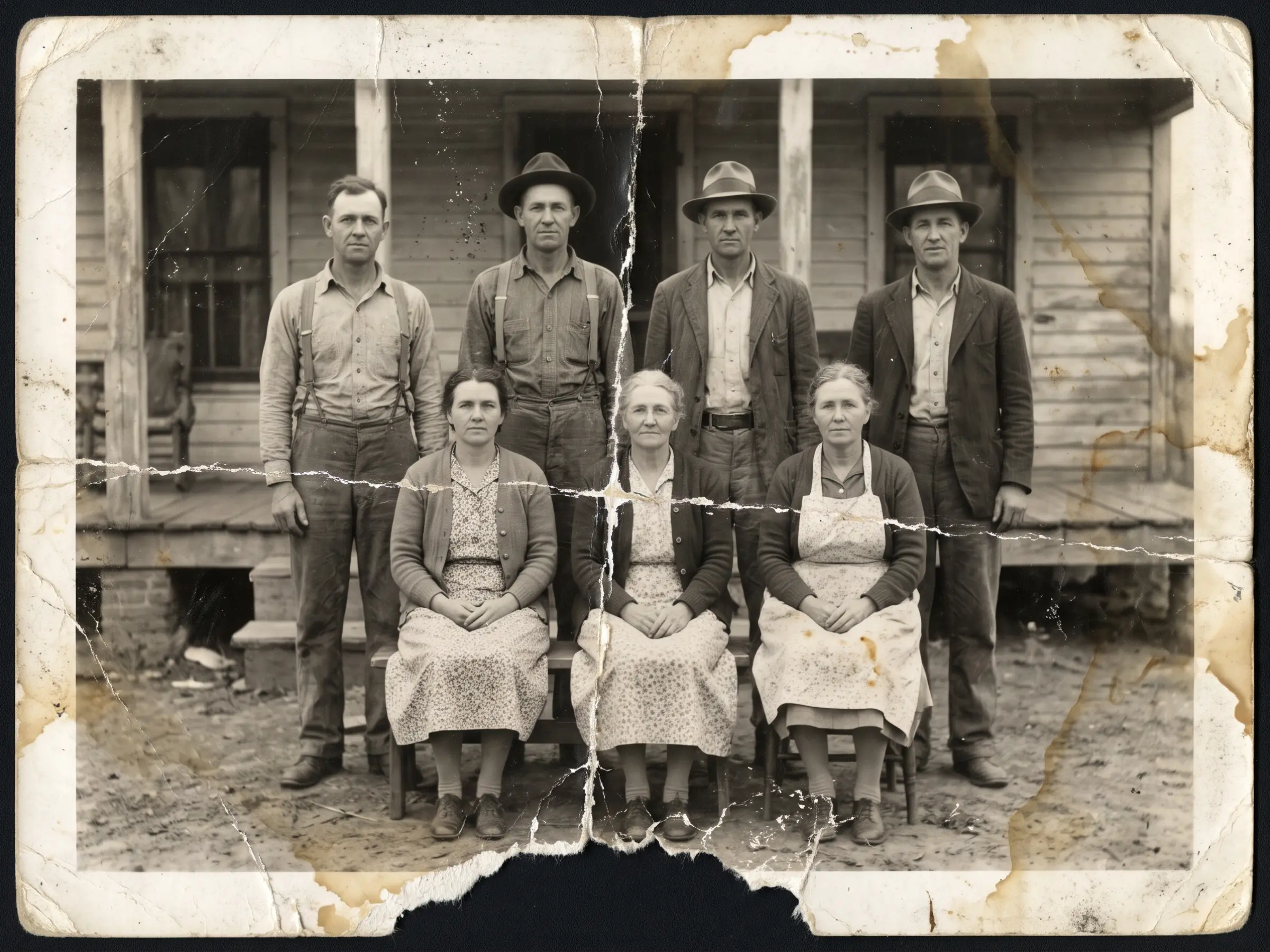 OriginalEdited
Same eyes, same set mouth, same parting in her hair.
OriginalEditedThe crack ran across her face. Her features are unchanged.
The smaller a face is on the print, the less detail there is to keep. Scan at 600 DPI so each face has more pixels.
Anything torn away is a guess, as the card above shows. Compare with the original before you print.
Edit the result again, such as “keep her face exactly as in the original”, or start again from the original.
AI or a restorer
Many people searching for photo restoration services want a person to do it. Old photo restoration with AI and a restorer each have a place.
| Feature | AI photo restoration | A professional restorer |
|---|---|---|
| Price per photo | 5 free edits, then under 17 cents an edit | $35 to $350 and up per photo by damage, in fash.com’s price guide |
| Time | Seconds | Days, plus shipping or a visit |
| Missing faces or large pieces | Invents them from the rest of the photo | Can rebuild them from other photos of the person |
| The original print | Stays with you; you upload a scan | Sent or handed over, unless you send a scan |
| Best for | Fading, stains, creases, dust and most tears | Heirlooms, missing faces and archive-grade work |
Scanning
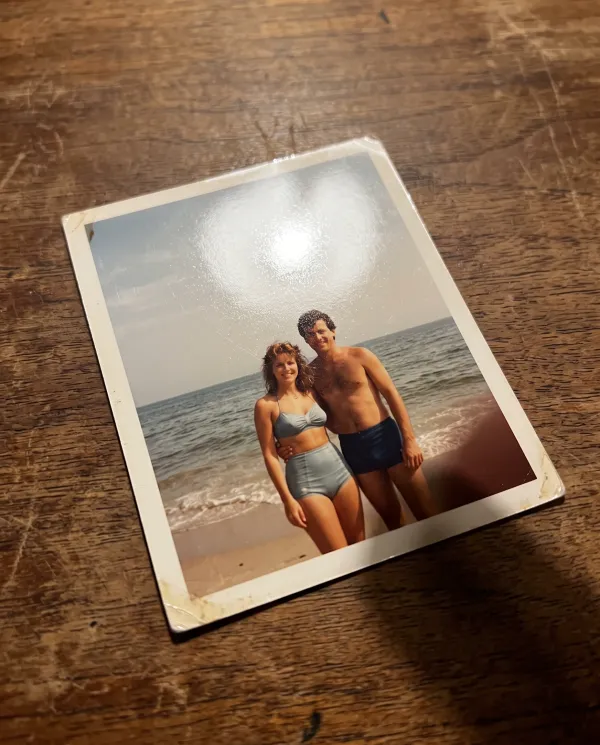
Photo restoration can only work with what it gets, so before you restore old photos, scan them flat. A phone works if you avoid glare.
Black and white or color
Photo restoration does not have to add color. Here is the same damaged portrait restored both ways.
A 1940s studio portrait with a deep crease, scratches and faded contrast.
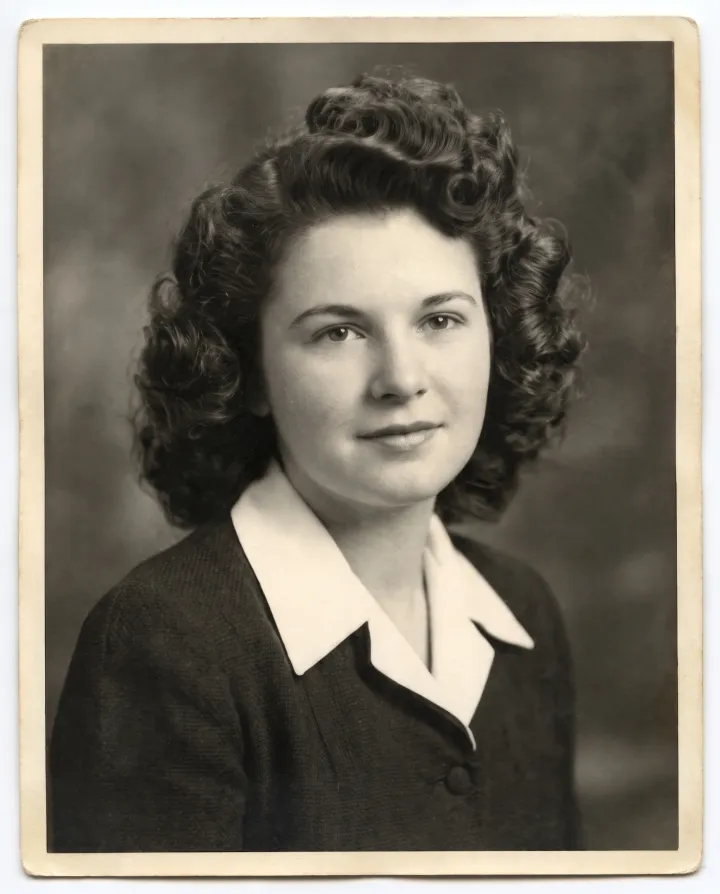
The damage is gone and the contrast is back, true to how the print first looked.
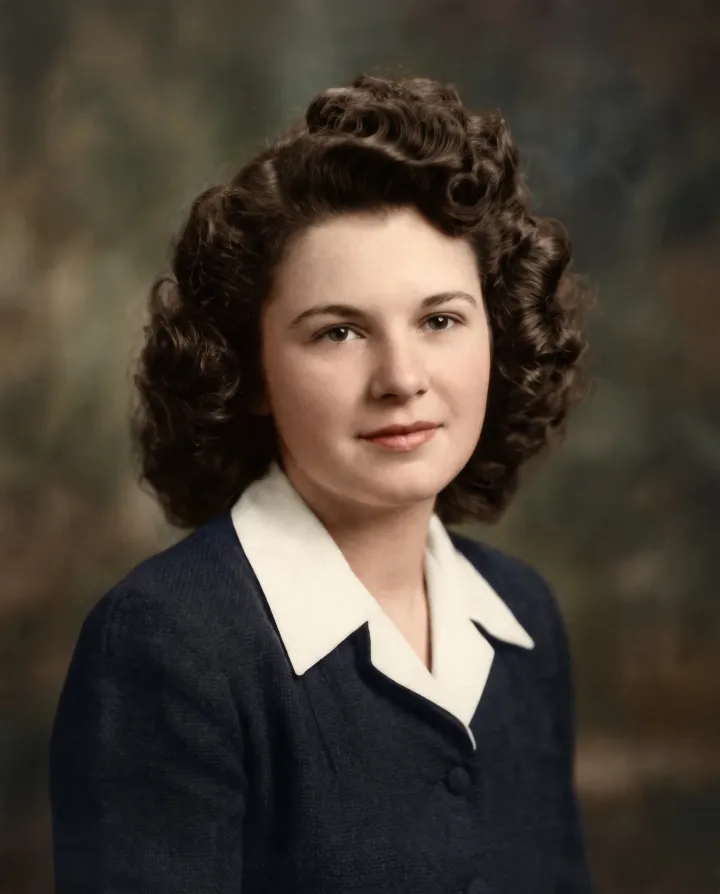
Natural skin, hair and clothing colors. Colors are a careful guess, so check them with family who remember.
How to
A flat scan at 600 DPI, or a straight phone photo in daylight without glare, as shown above.
Tap a fix such as Restore and colorize, or say what is wrong: “remove the water stains and the crease across her face.”
Drag the slider over the faces, edit again if something is off, and download in 4K for a sharp print.
Prompts
Each one was tested on the photos on this page. Press Use to put it in the photo restoration editor, or copy it into the box.
“Restore this photo: remove the scratches, creases and stains, sharpen it and keep it black and white”
“Remove the water stains and restore the colors of the photo”
“Restore this photo: rebuild the torn corner, remove the tape and scratches, and keep it black and white”
“Sharpen this photo, restore the detail in her face and keep it black and white”
“Restore the faded colors to natural tones and remove the dust and scratches”
“Remove the glare and the phone shadow from this photo of a print, straighten the print so it fills the frame, and restore its colors”
Yes. Every new account gets 5 free edits at 2K with no watermark, enough for photo restoration on a few prints. After that, credit packs start at $4.99.
For fading, stains, creases, dust and most tears, yes, as the results on this page show. Where part of a face is gone, the AI invents it, so check faces against the original.
Not when the damage is moderate: grain, light and clothing stay as they were. Pushing a very blurry or tiny face too far makes it look smooth and new, so keep the original next to it.
AI photo restoration takes seconds per photo. Most people try one or two instructions and keep the best.
No. Free and paid results both download without a watermark.
Yes. Download it in 4K for prints up to 8 by 10 inches at full sharpness, and print it at any photo lab.
Yes, like the seven-person family photo above. The smaller the faces, the more a good scan matters, so scan the print at 600 DPI.
Only you see your photos. Uploads are deleted after 7 days, and we never use them to train AI models. Your print stays with you.
Upload a scan or a phone photo of the print. Photo restoration starts with 5 free edits, and faces stay true.