
AI Image Humanizer Make AI photos look real.
Upload an AI image and pick how much to change. You get real skin, natural light and true color, with the same face and layout.
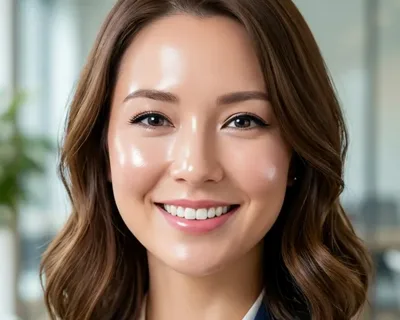 Original
 Edited


“Make this AI image look like a real, unedited camera photo: real skin texture with pores and fine lines, separate hair strands, real fabric and surface texture, and fine camera grain. Remove glowing outlines and plastic shine, and tone down any color cast and oversaturation, but keep the real time of day and the direction and warmth of the light. Keep the same people, faces, expressions, poses, clothes and layout.”
What an AI image humanizer does, and what it does not
An AI image humanizer redraws an AI picture so it reads like a photo from a real camera: it replaces airbrushed skin, flat studio light and smeared backgrounds with real texture, light and detail. Here is how it differs from two tools with similar names.
| Feature | AI image humanizerThis page | Text humanizer | AI label remover |
|---|---|---|---|
| Works on | The picture itself | Writing | File data (C2PA, EXIF, XMP) |
| Fixes airbrushed skin and flat light | Yes | No | No, the pixels stay as they are |
| Keeps faces and layout | Yes, on Light touch and Full realism | Not a picture tool | Yes, nothing is redrawn |
| Removes "Made with AI" labels | No | No | The ones platforms read from file data |
| Gets past AI detectors | No. The result comes from an AI model and carries its invisible watermark | Not for pictures | Only checks that read file data; pixel watermarks such as SynthID stay |
Four AI tells an AI image humanizer removes
Tap a number to see that spot before and after. This café shot was humanized on the Real background setting with GPT Image, so the room around him was redrawn as well.
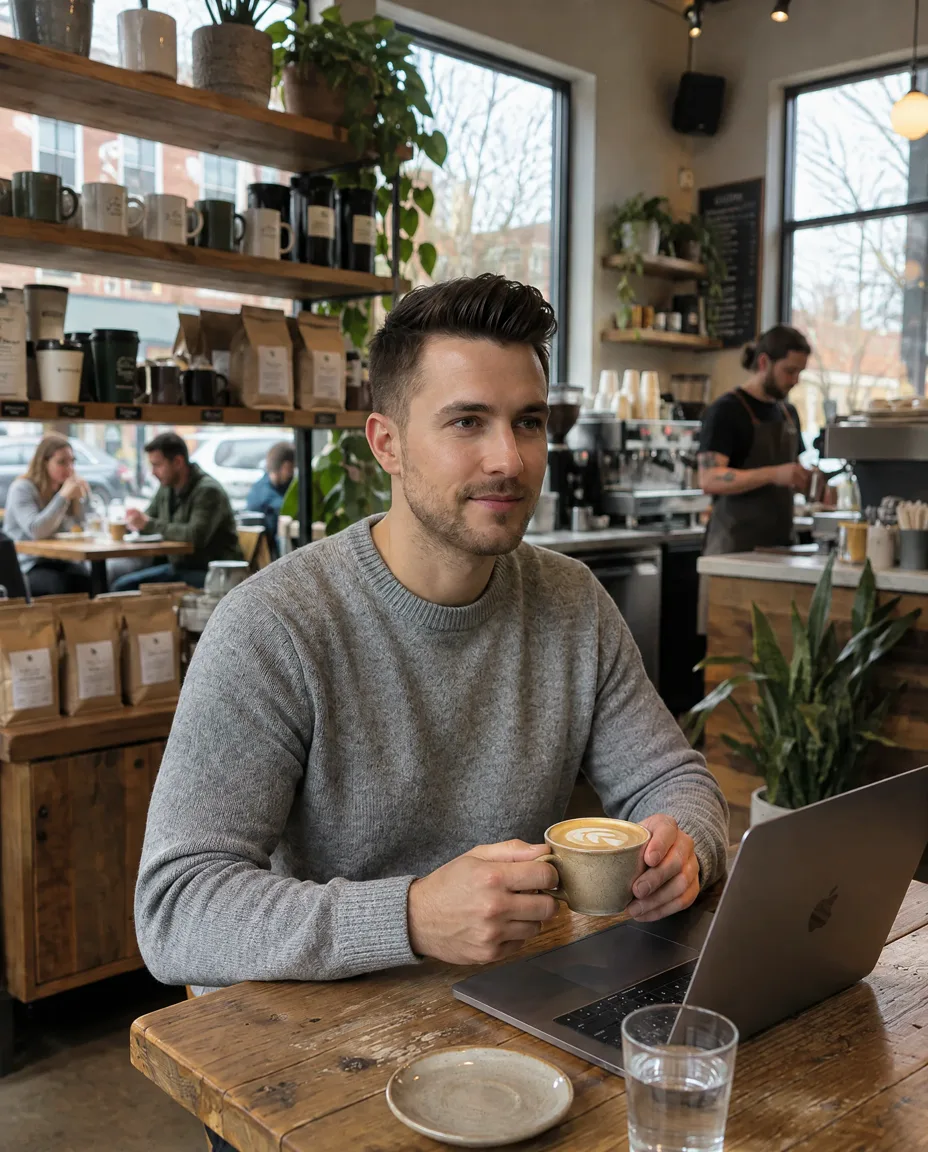
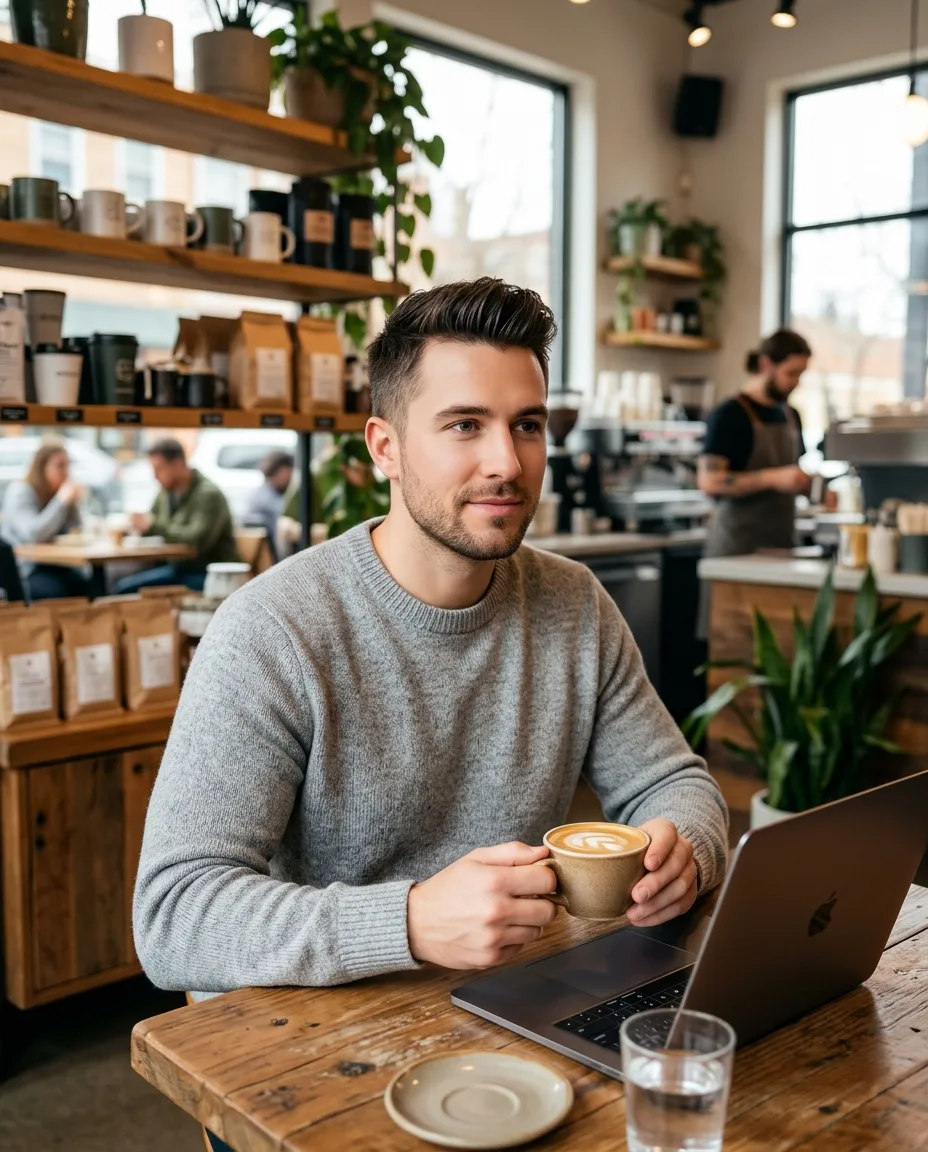 AI imageHumanized
- 1
Smooth, even skin with no pores is the first thing people notice. After: skin texture, fine lines and stubble that looks like stubble.
- 2
The customers behind him blur into soft shapes. After: people you can make out at their tables, still out of focus.
- 3
The barista and the counter fade into a milky haze. After: a person at work, a coffee machine and a menu board on the wall.
- 4
The window is a flat white glow with nothing outside. After: bare trees and a real sky through the glass.
Pick how much the AI image humanizer changes
Three settings, all from the same AI portrait. Light touch and Full realism change texture and color only, so his face, pose and the sunset stay; Real background also redraws the field behind him.


“Make this AI-generated image look like a real, unedited camera photo while changing as little as possible. Replace the waxy, airbrushed surfaces with natural texture: real skin with pores and fine lines, separate hair strands, real fabric and material texture, and add subtle camera grain. Keep everything else exactly the same: the same people and faces, expressions, poses, clothes, objects, framing and layout.”
Original
“Make this AI-generated image look like a real, unedited camera photo while changing as little as possible. Replace the waxy, airbrushed surfaces with natural texture: real skin with pores and fine lines, separate hair strands, real fabric and material texture, and add subtle camera grain. Keep everything else exactly the same: the same people and faces, expressions, poses, clothes, objects, framing and layout.”
Light touch and Full realism were made with the default model, which keeps faces closest to the original. Real background was made with GPT Image, which redraws backgrounds better: pick it in the model menu.
AI photo humanizer examples: people, products, food, pets, rooms
Humanize AI photos of any kind: pick a kind of picture, drag to compare, then send the same setting to the editor.
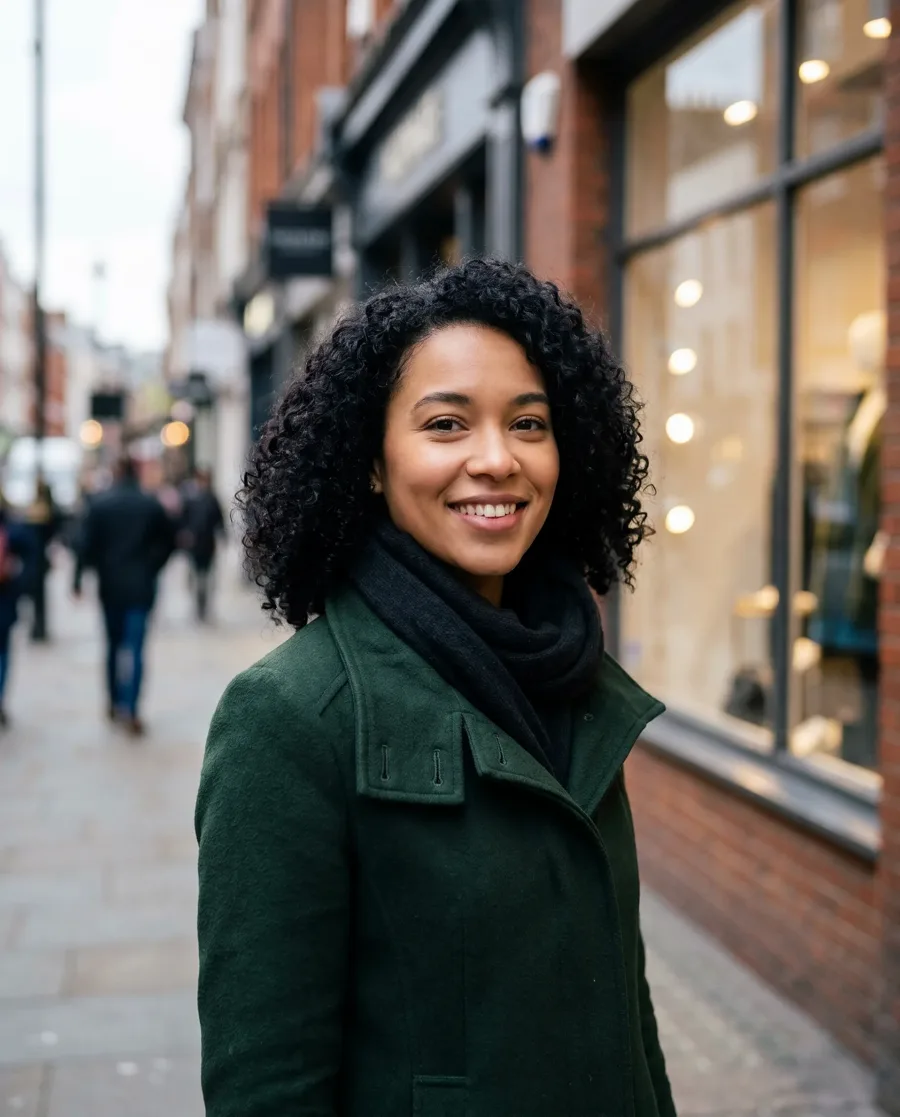
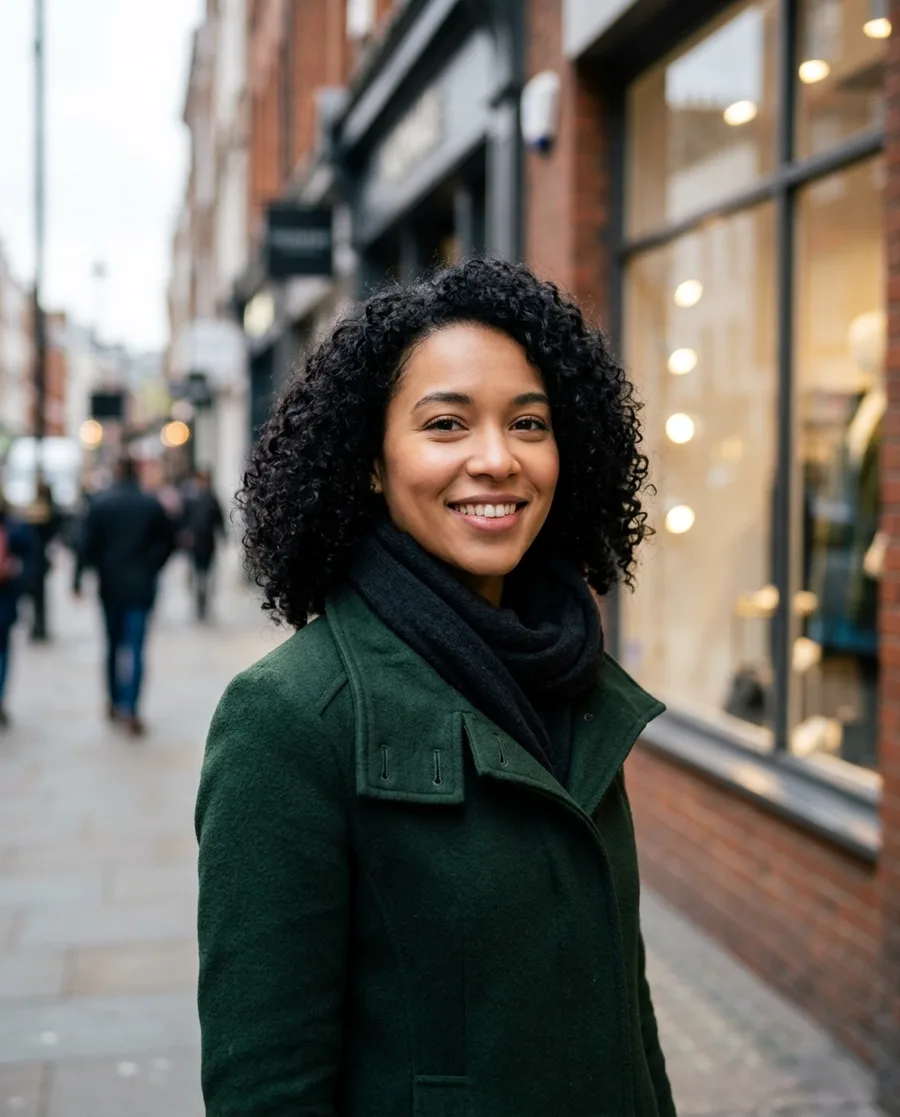
Profile photo
An AI photo for a dating or social profile. Her skin gets real texture and the curls separate into strands, while her face, smile and coat stay as they are. Default model, Full realism.
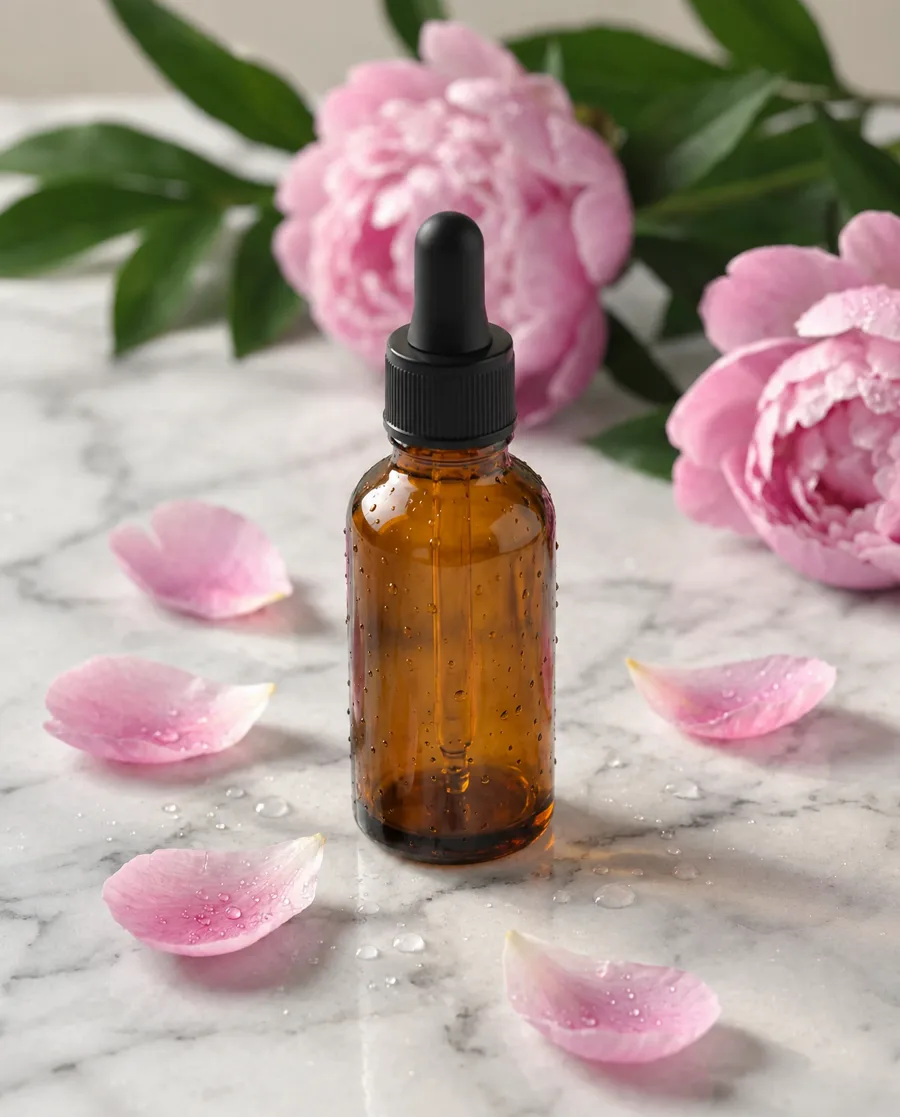
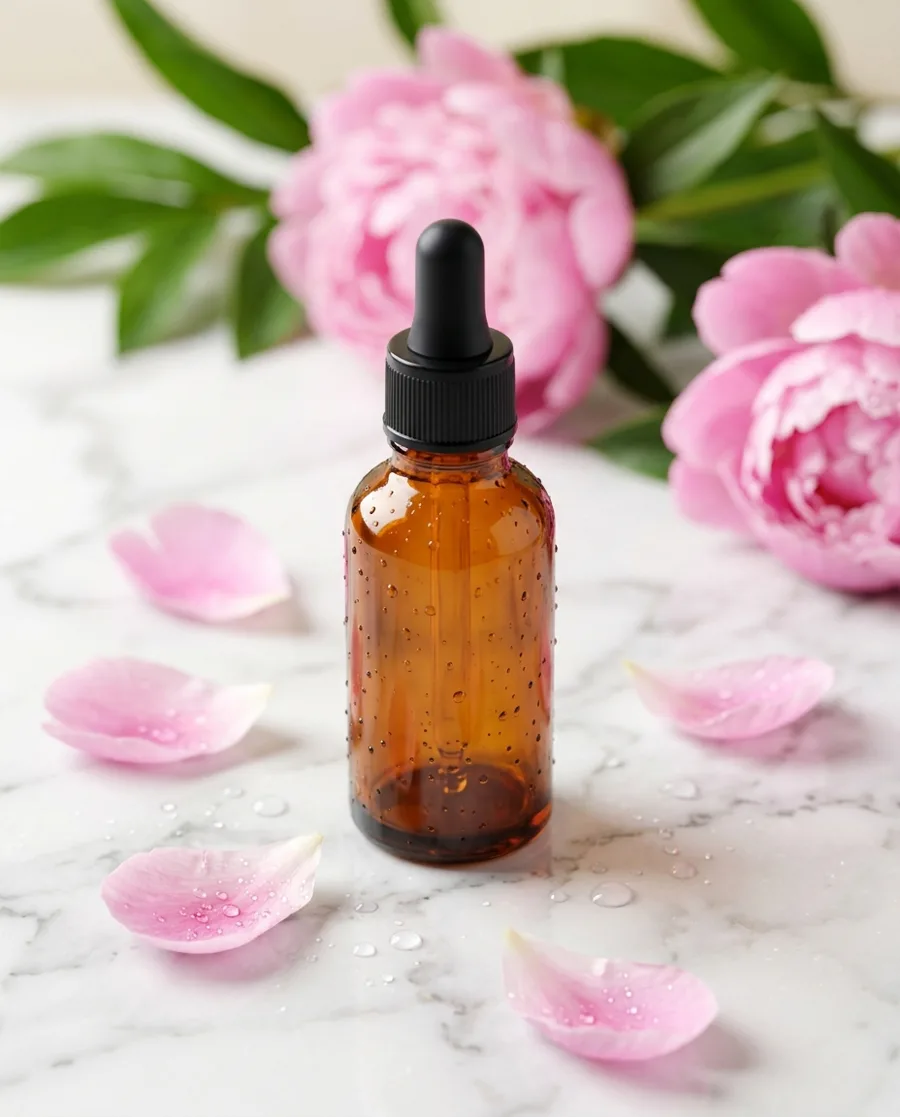
Product shot
An AI product shot for a skincare ad. The glass loses its plastic shine and the droplets sit on it like real water, while the bottle, petals and layout stay put. GPT Image, Full realism.
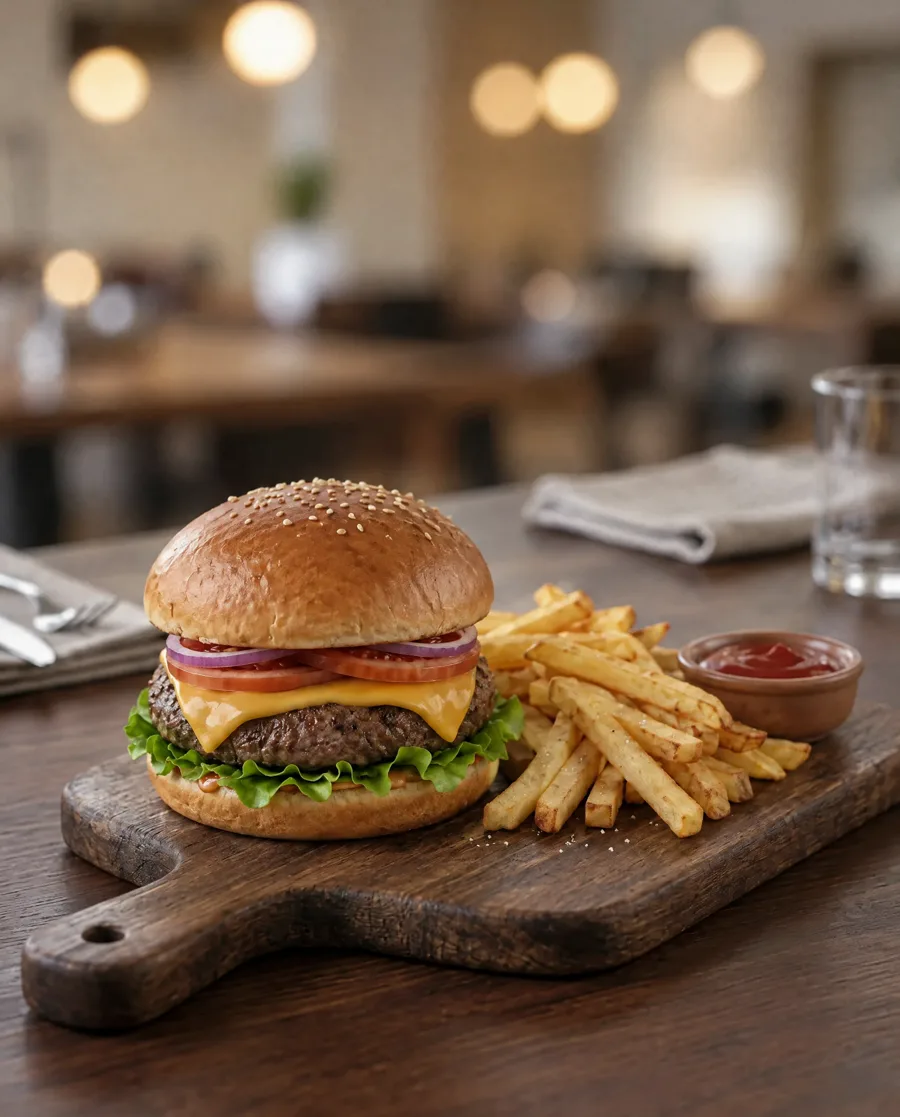
Food photo
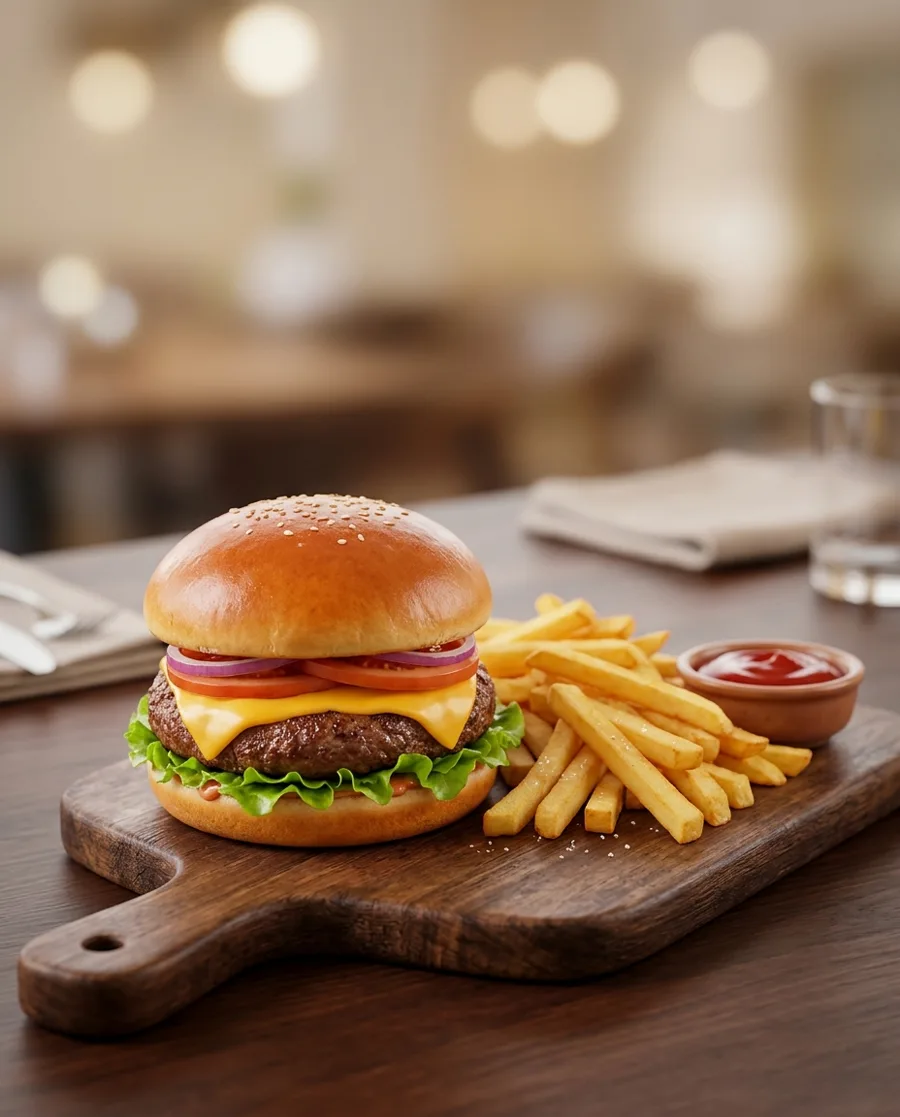
An AI burger for a menu. The bun gets a real baked crust, the patty a seared surface and the fries look fried instead of molded. GPT Image, Full realism.
Pet photo
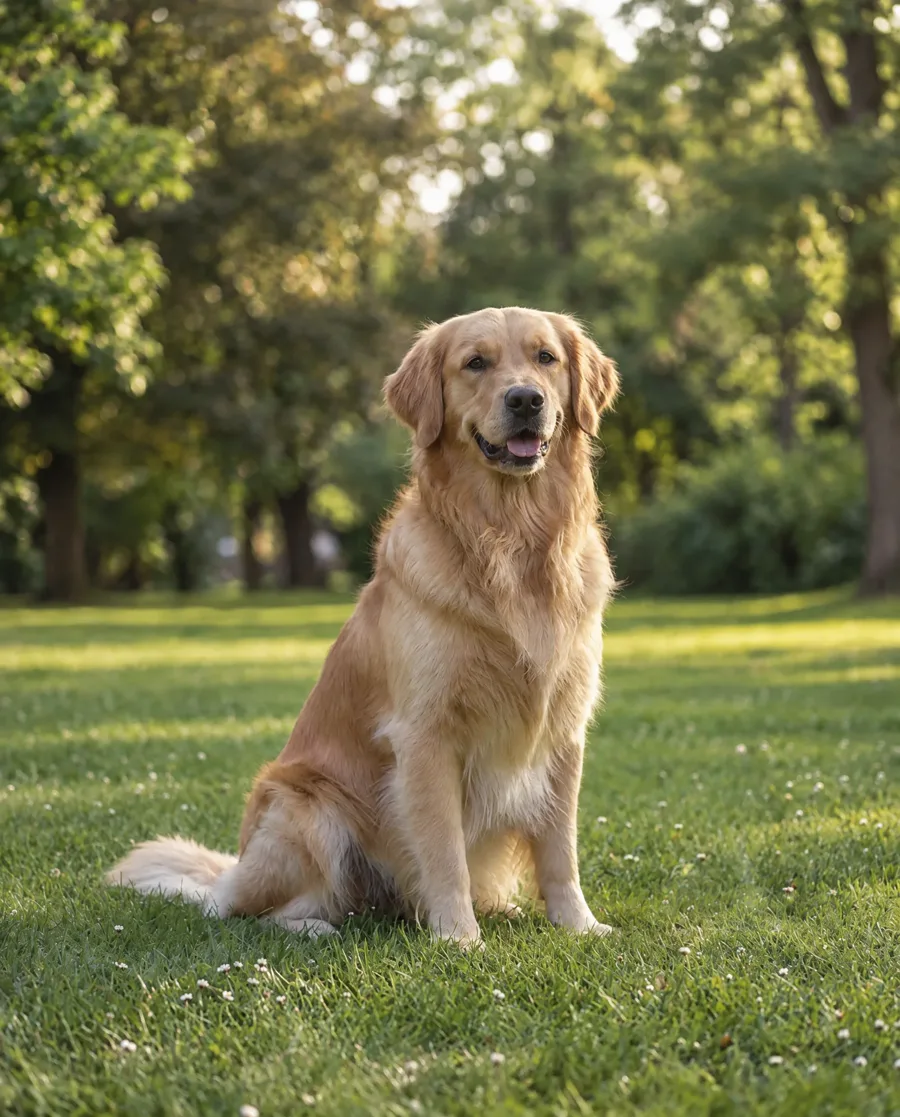
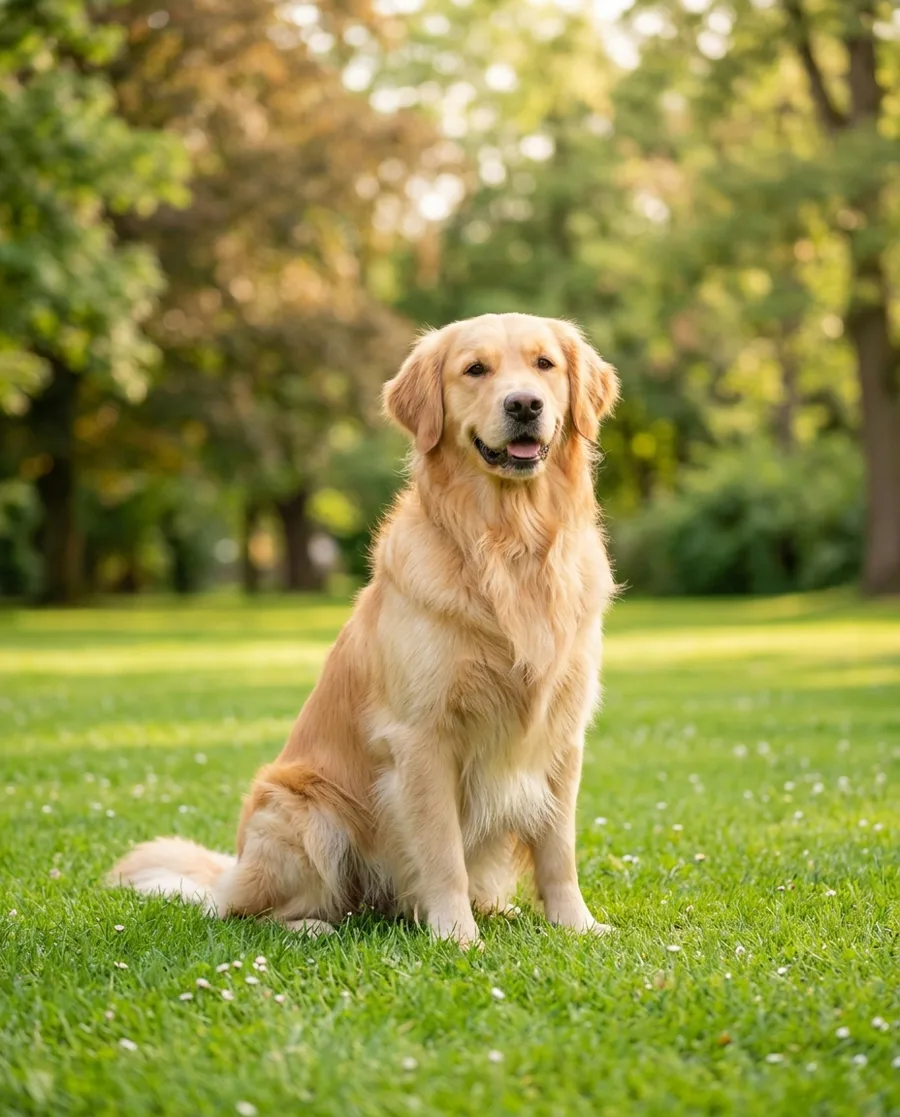
An AI golden retriever. The fur falls in separate strands and the grass loses its too-bright green. GPT Image, Full realism.
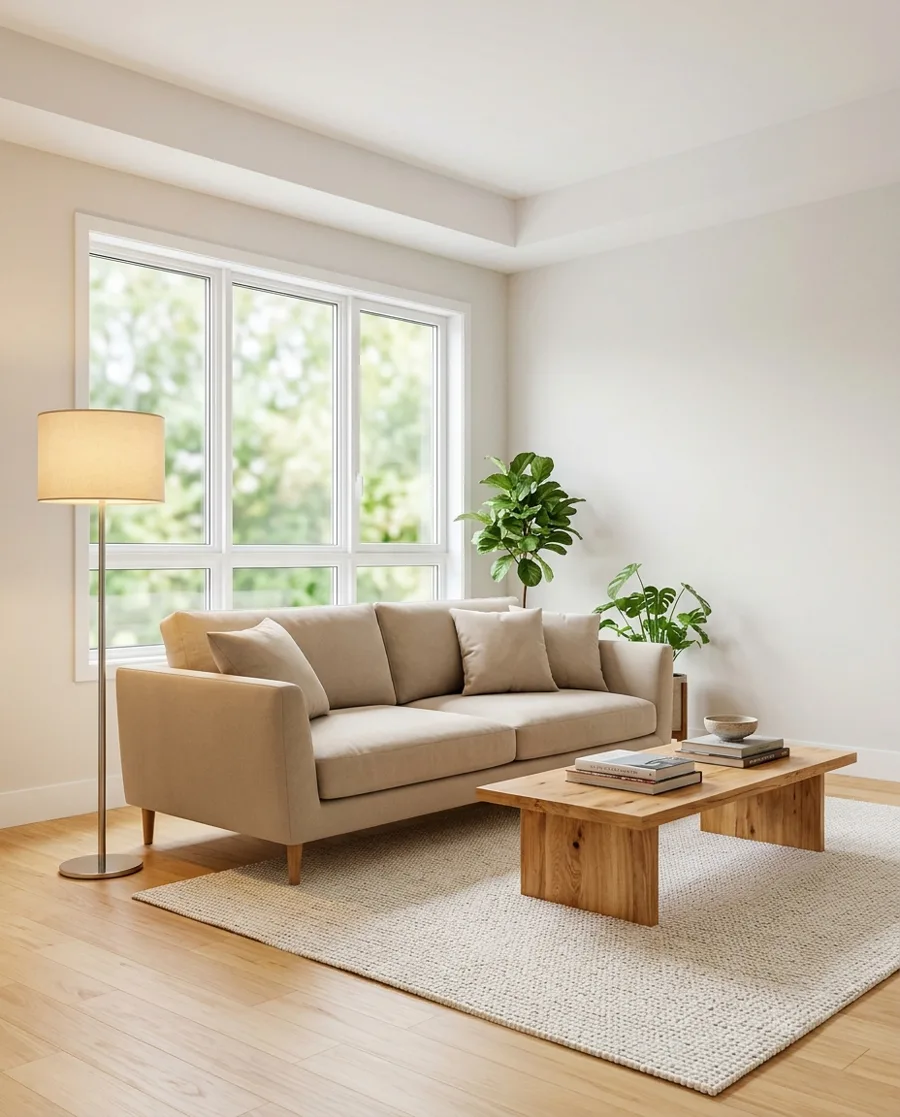
Room photo
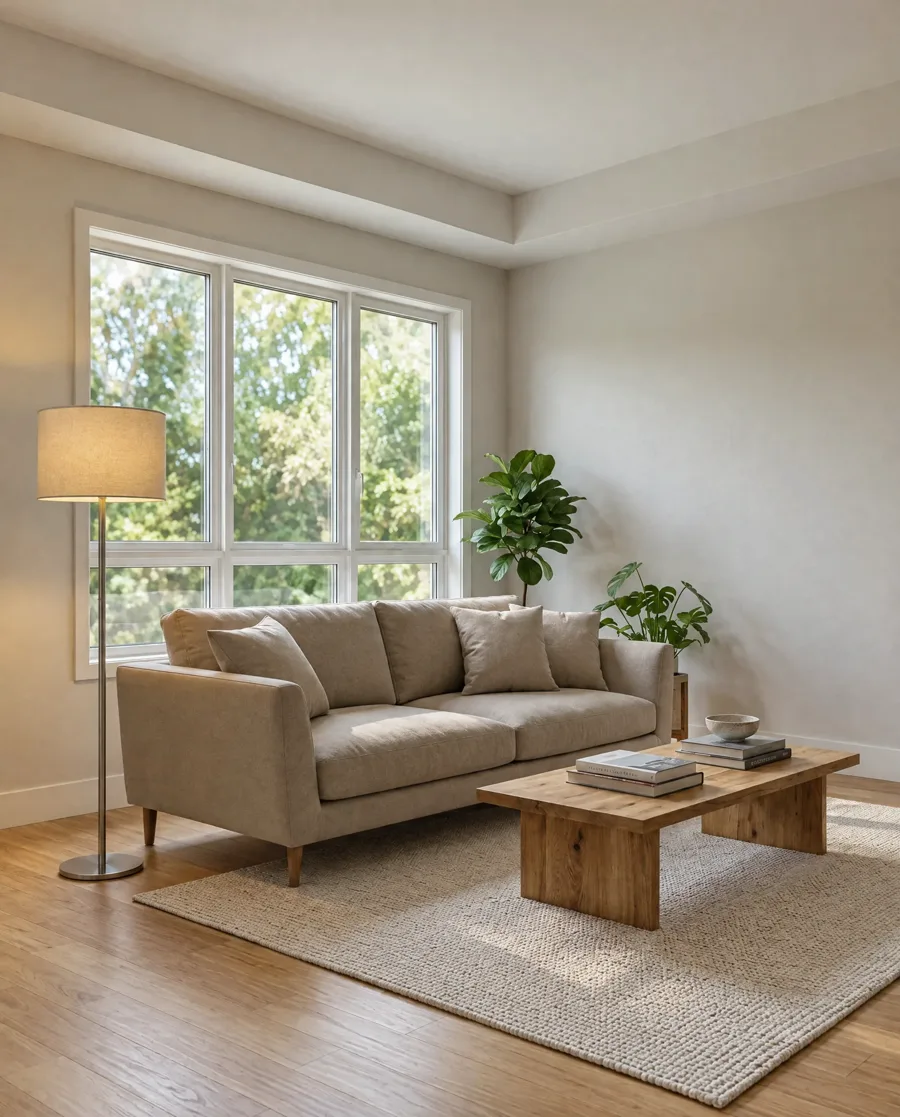
An AI listing photo of a living room. The rendered look fades: the trees outside the window get real detail and the surfaces look less like a 3D model. GPT Image, Full realism.
What the settings fix, and what needs its own instruction
The AI image humanizer settings change how a picture looks. Mistakes in what the AI drew need you to say what is wrong.
Fixed by the settings
- Airbrushed, poreless or glossy skin
- Flat studio light and glowing edges
- Oversaturated or color-cast pictures
- Smeared, faceless backgrounds (Real background)
- Plastic-looking food, products and rooms
- Missing camera grain
Needs its own instruction
- Extra or missing fingers: type "fix the left hand so it has five fingers, keep everything else the same"
- Garbled text on signs or labels: type "remove the text from the sign"
- Warped lines in buildings or furniture: type "straighten the window frames"
- A person or object that should not be there: type "remove the man on the right"
AI image humanizer questions
An AI image humanizer redraws an AI-generated picture so it looks like a photo from a real camera: real skin with pores, light that comes from somewhere, true color, a believable background and a little camera grain. It is a picture tool. Text humanizers rewrite writing, and label removers only change file data.
To humanize AI images, upload one at the top of this page and tap a setting: Light touch for texture only, Full realism to fix light and color too, Real background to redraw what is behind the subject, or Skin only. You can also describe what looks fake in your own words. The result shows next to the original in 25 to 45 seconds, ready to download or edit again.
Every new account gets 10 free credits: 5 edits with the default model at 2K. GPT Image uses 4 credits an edit and 4K adds 2. The AI image humanizer runs online in your browser, with nothing to install. After that, credit packs and plans are on the pricing page.
Less than older ones. In our tests, plain prompts in the newest image models already gave photo-like results, and humanizing them changed little. The humanizer makes the biggest difference on airbrushed headshots from AI photo apps, polished or stylized generator output, and product and food shots that look rendered.
No, and this tool is not made for that. The result is drawn by an AI model, and models such as Google's Nano Banana put an invisible watermark in every picture they make. Use the humanizer to make pictures look natural, and say a picture is AI where that matters.
Light touch, Full realism and Skin only keep the faces, poses, clothes and layout, and change texture, light and color. Real background keeps the subject and redraws what is behind them. Compare with the original before you download, and edit again if you want less change.
You can ask ChatGPT to make a picture look more real, but you write and test the instructions yourself. Here the four settings are written and tested on portraits, products, food, pets and rooms, you choose the model, and the before and after sit side by side.
Pictures from any generator, ChatGPT and Gemini included, as JPG, PNG, WebP or HEIC files up to 10 MB. People, products, food, pets and rooms all work; for products and rooms, GPT Image gives the most natural result. You get 2K by default, or 4K for 2 more credits.
Humanize your first AI image
Upload it, pick a setting and compare the result with the original.
- 5 free edits when you sign up
- Failed edits are refunded
- Uploads deleted after 7 days
- Secure checkout by Stripe