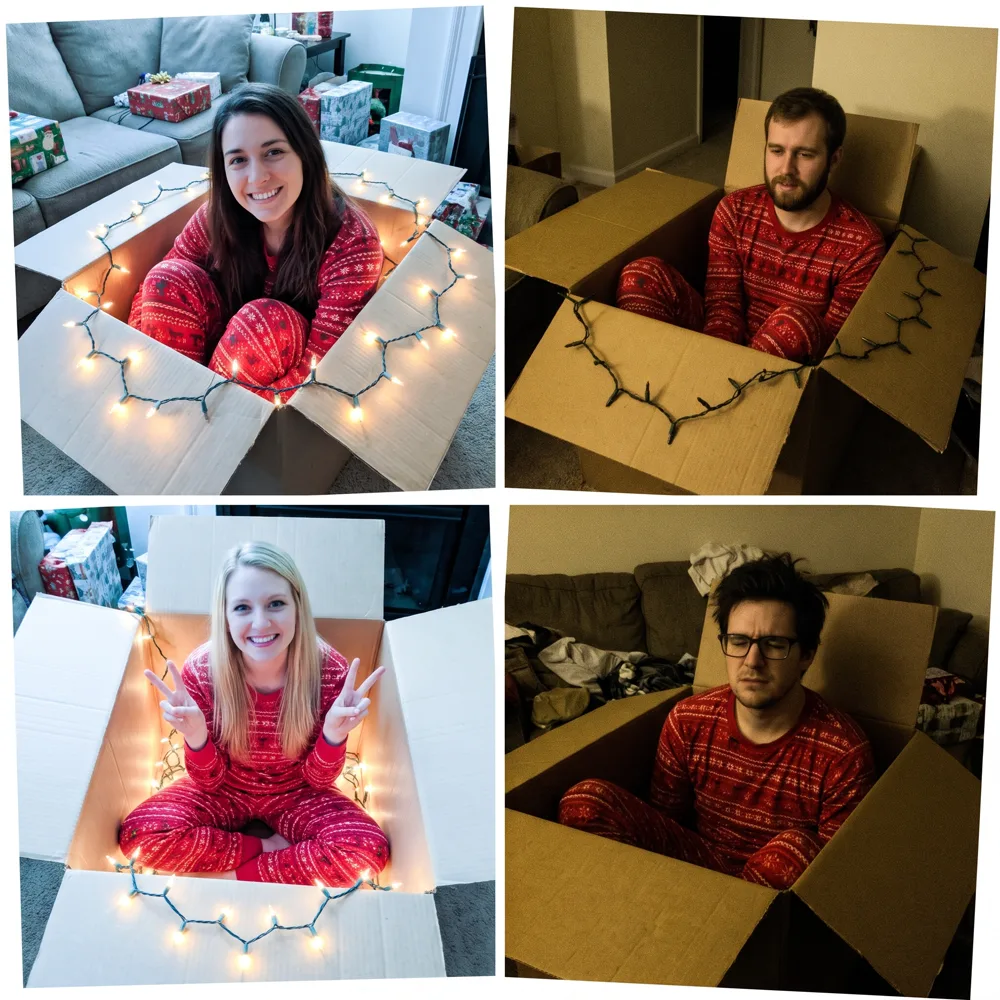



















New: GPT Image 2.6 with GIFs and SVGs

Try it

Christmas Box Photoshoot: Separate photos. One Christmas together.

Turn individual photos or a group shot into a Christmas box photo collage, with everyone in their own light-filled cubby. Bring family, friends or coworkers together for a holiday card, without staging a shoot.

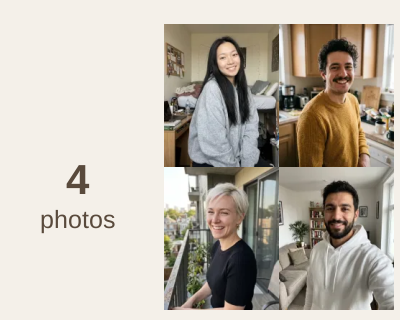
Four separate portraits arranged in a 2 by 2 grid before the editOriginal
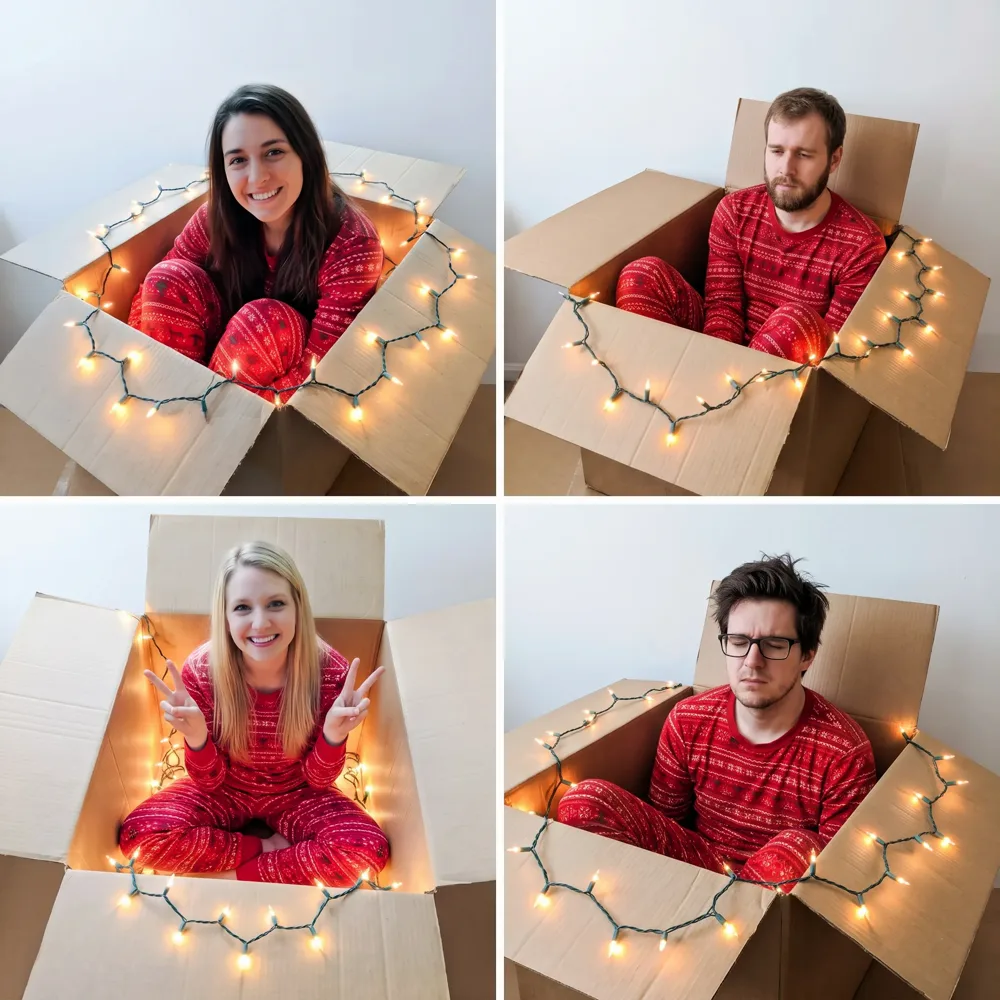
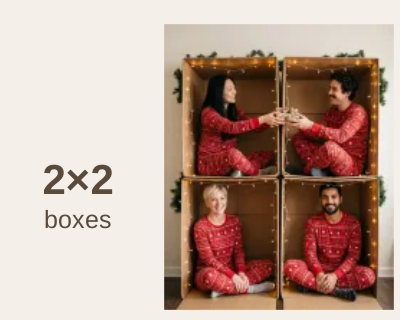
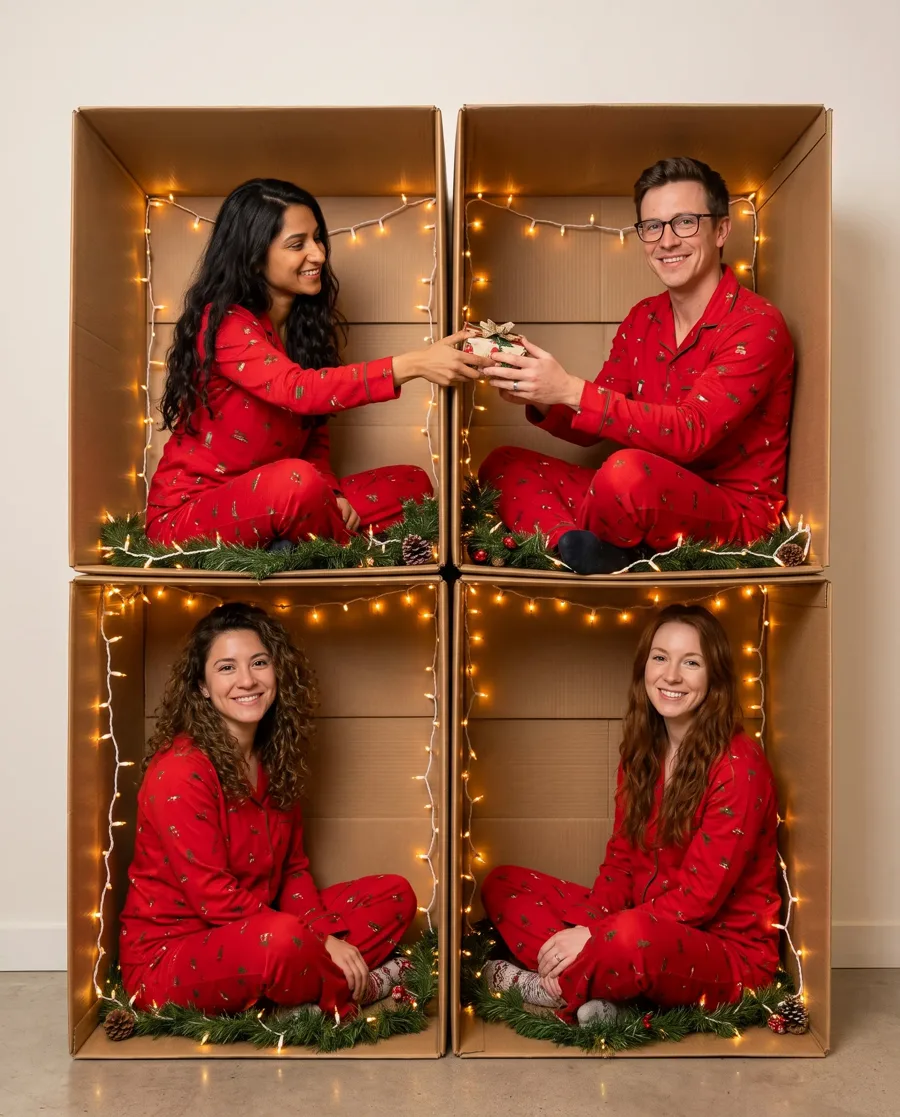
The same four friends together in a complete 2 by 2 Christmas box collageEdited
“Make a Christmas box photo from the uploaded photos: four identical open cardboard boxes, each lined with warm glowing string lights and a little pine garland, stacked in a 2x2 grid like cubbies against a plain white wall. Put each person in their own box, in matching red Christmas pajamas, sitting and smiling at the camera. The person in the top-left box leans over and hands a small wrapped gift to the person in the next box. Keep each person's face, hair and skin exactly as in their photo. Real photo with soft, even light. No text.”
No photos at hand? Add these four friends
Christmas box photo of the four friends in a 2x2 grid of lit cardboard boxes, in matching pajamas, two of them passing a gift
Four ordinary photos of four friends, before the Christmas box photoshoot
OriginalEdited

“Make a Christmas box photo from the uploaded photos: four identical open cardboard boxes, each lined with warm glowing string lights and a little pine garland, stacked in a 2x2 grid like cubbies against a plain white wall. Put each person in their own box, in matching red Christmas pajamas, sitting and smiling at the camera. The person in the top-left box leans over and hands a small wrapped gift to the person in the next box. Keep each person's face, hair and skin exactly as in their photo. Real photo with soft, even light. No text.”

Find your composition

Christmas box photoshoot templates

Choose an AI preset to create a finished Christmas box photo, rather than download an editable template. Start with a classic grid, a Christmas tree or a shared box for a couple.

  • Christmas box photo template: four friends in a 2x2 grid of lit boxes in red reindeer pajamasGPT Image 2.5

    2×2 box grid

    A balanced layout for a family Christmas card or four friends. The shared edges leave room for passing presents between boxes.

    Photo of a blonde woman in a cream turtleneckPhoto of a man in a navy sweaterPhoto of a woman with a dark bob in a cardiganPhoto of a red-bearded man in flannel4 portraits or 1 group photo
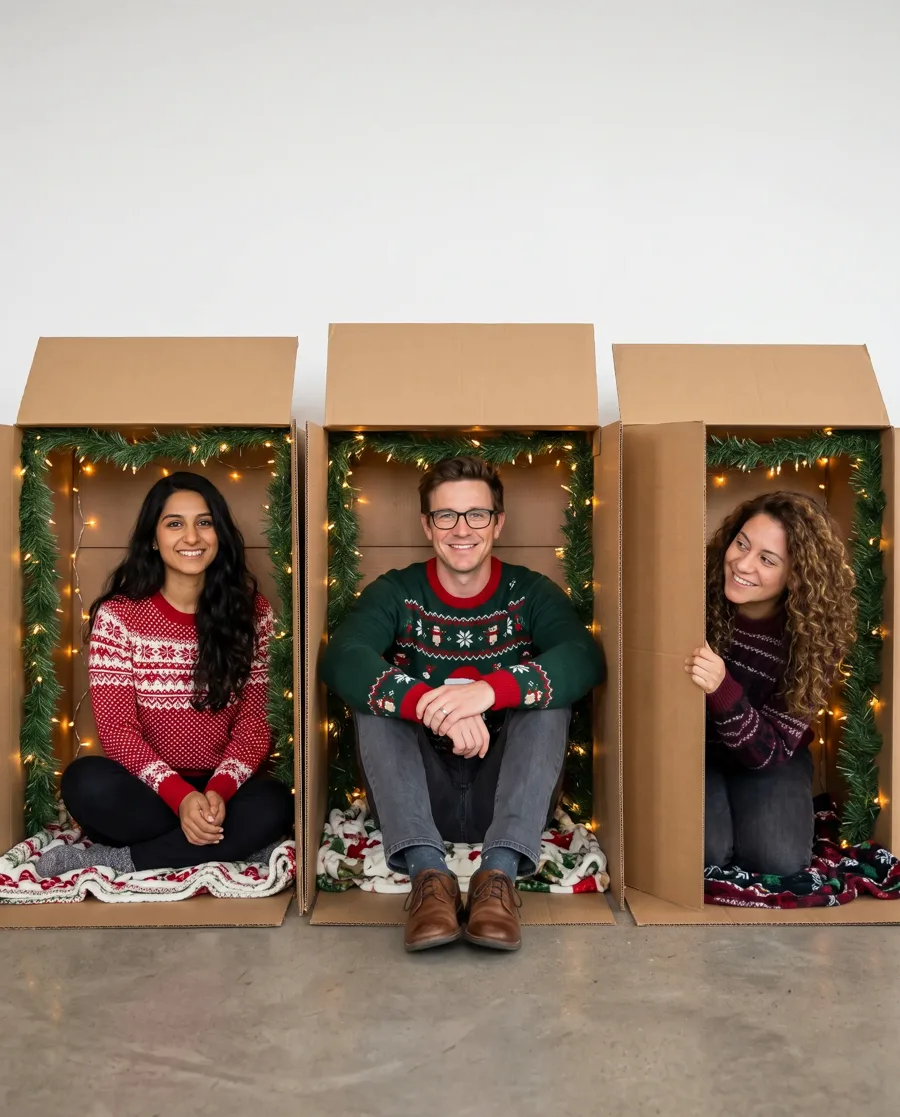
  • Christmas box photo of three coworkers in a row of lit boxes in Christmas sweaters

    Row of boxes

    An office Christmas box photoshoot with everyone at eye level. Coordinate sweater colors and turn toward the person next door.

    Photo of a woman in a black blazerPhoto of a man with glasses in a blue shirtPhoto of a curly-haired woman in a burgundy sweaterShown with 3 portraits
  • Christmas box photo of six friends in boxes stacked into a Christmas tree with a gold star

    Christmas tree of boxes

    Give a larger group a festive silhouette. The six-person example uses a single group photo, with one, two and three boxes per row.

    Group photo of six friends in a living room1 group photo
  • Christmas box photo of a laughing couple together in one big cardboard box with lights and garland

    Everyone in one box

    A close-up Christmas portrait for a couple. Sharing one box keeps the focus on an embrace, a laugh or matching pajamas.

    Photo of a woman with auburn hairPhoto of a man in a grey sweater2 photos
  • Christmas box portrait of a man popping out of a giant red gift box in a living room

    Gift box portrait

    A playful solo alternative to the cardboard collage. Make yourself the present in a Christmas gift box photoshoot.

    Photo of a man in a green cable-knit sweater1 photo
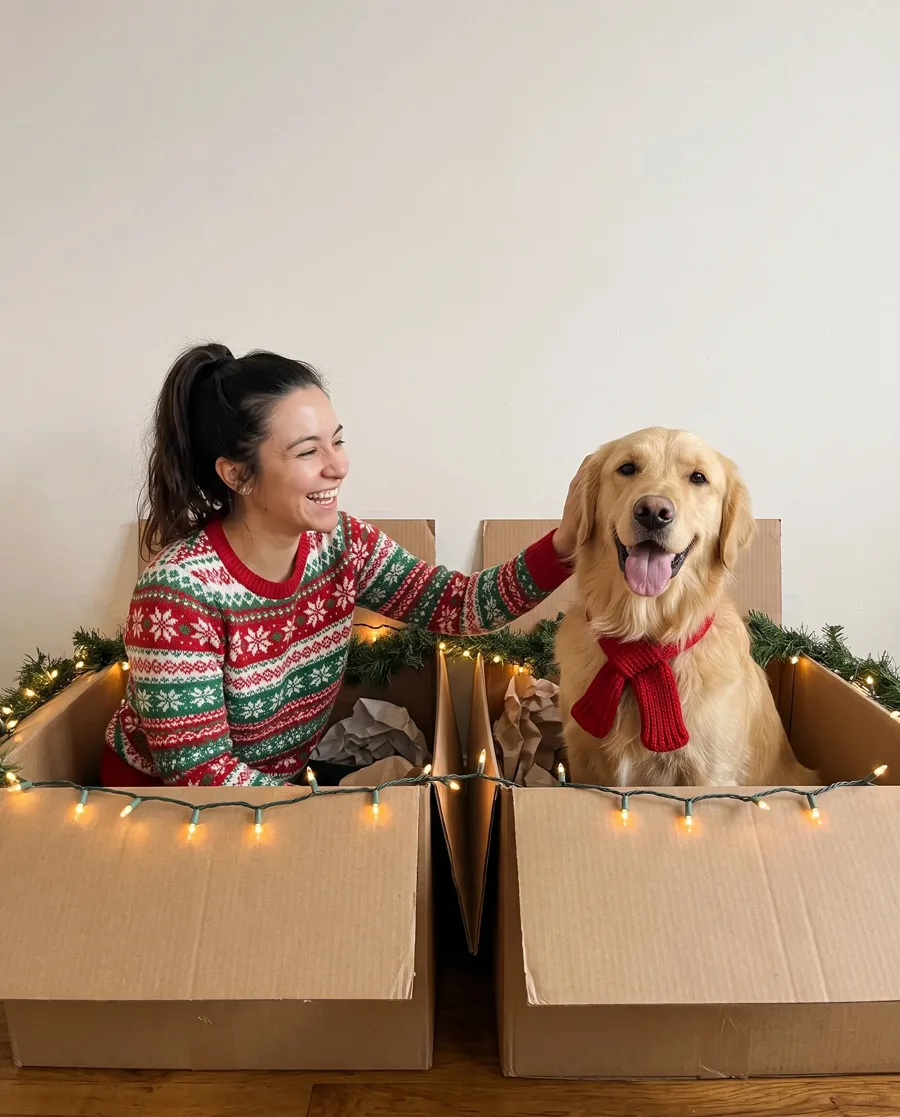
  • Christmas box photo of a woman and her golden retriever in two lit boxes, the dog in a red scarf

    Me and my pet

    Give your dog or cat a box of their own. A matching scarf or ribbon ties the pet portrait into your Christmas card.

    Photo of a woman in a red sweaterPhoto of a golden retriever2 photos

Use this template adds its instruction to the editor. To assemble an editable collage in Canva or Photoshop, follow the DIY guide below.

Make the boxes interact

Christmas box photoshoot ideas with a shared story

The charm is in the connections. A present crosses a divider, a pose echoes in the next square, and four separate portraits become one scene.

Four coworkers in lit cardboard boxes, with the two people in the upper row passing a gift
  1. Pass a gift to the next box: 11

    Give two neighboring people one shared action. In a real shoot, keep the gift at the same height for both shots; in AI, name the two positions.

    Describe it“The person in the top-left box passes a small present to the person on the right.”

  2. Repeat the setting, vary the pose: 22

    Use the same lights and pajamas to connect the squares, then vary how each person sits or leans. In a family or office collage, small differences keep the repeated boxes lively.

    Describe it“Use matching red pajamas and warm lights, with a different relaxed sitting pose in each box.”

  3. Keep faces inside the box frame: 33

    Treat the cardboard edges as a frame around each person. Let a hand or a present approach a divider, but keep faces away from seams so the collage still reads clearly at card size.

    Describe it“Keep every face fully visible inside its box, with room above the hair.”

Prepare your photos

Clear portraits make a better box collage

Start your Christmas box photoshoot with clear faces. Everyday portraits work: AI supplies the boxes, outfits and festive setting.

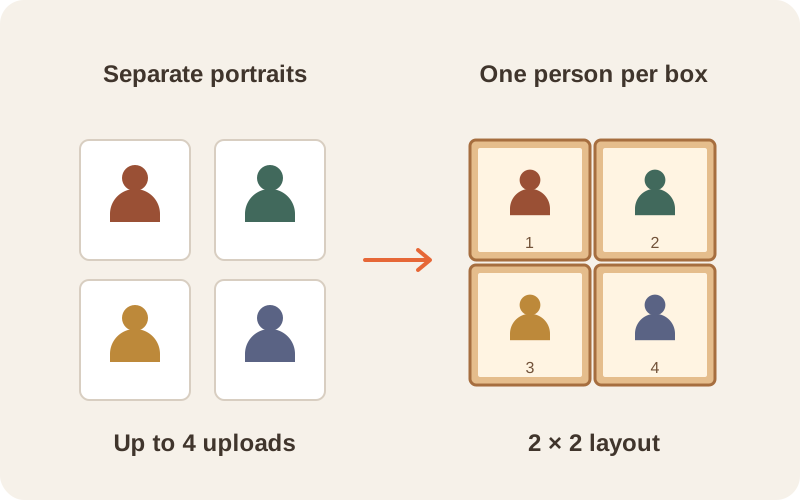
Four separate portrait frames become four numbered boxes in a 2 by 2 collage

One photo for each person

Use up to four photos when everyone is in a different place. Include a pet as one of those uploads.

  • Pick one clear person per image, with the face and hair in view.
  • Use evenly lit photos without heavy filters or sunglasses.
  • Keep the whole head in frame; avoid tightly cropped chins or hair.
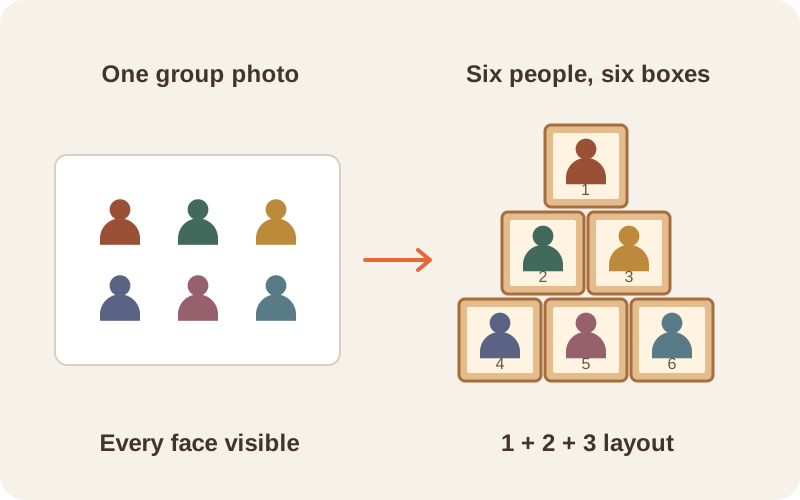
One group photo with six people becomes a Christmas tree of six boxes

Everyone is already together

Upload the group once. For more than four people, use this route instead of trying to add more individual files.

  • Choose a photo where every face is visible, including the back row.
  • Name the number of people and the layout in your instruction.
  • The six-person tree example uses one group photo. Check that nobody is missing or repeated in your result.

Photograph it yourself

How to take and edit Christmas box photos

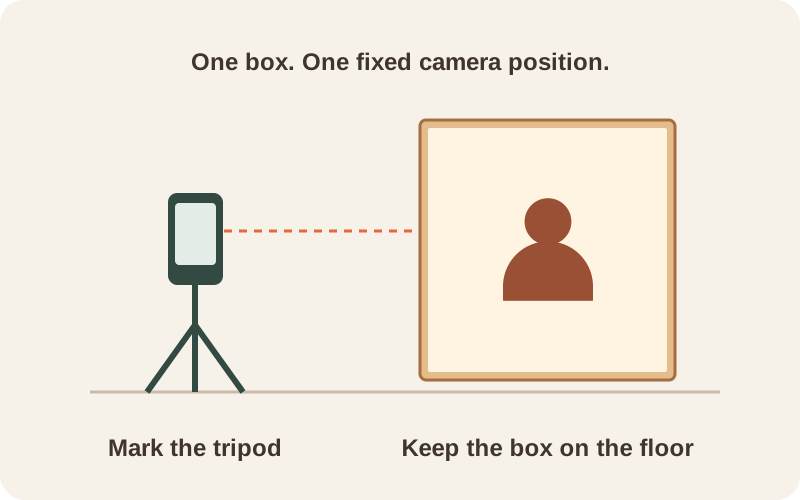
For a DIY Christmas box photoshoot, use one sturdy box, a fixed phone or camera, and soft light. Photograph everyone separately with the box on the floor; build the stack in your photo editor.

  1. A phone on a fixed tripod points at a cardboard box resting on the floor

    Keep the box and camera still

    Choose a box each person can sit in comfortably. Add cool LED lights and garland, mark the box and tripod positions, and photograph straight into the opening. Keep the camera height, distance and room lighting fixed.

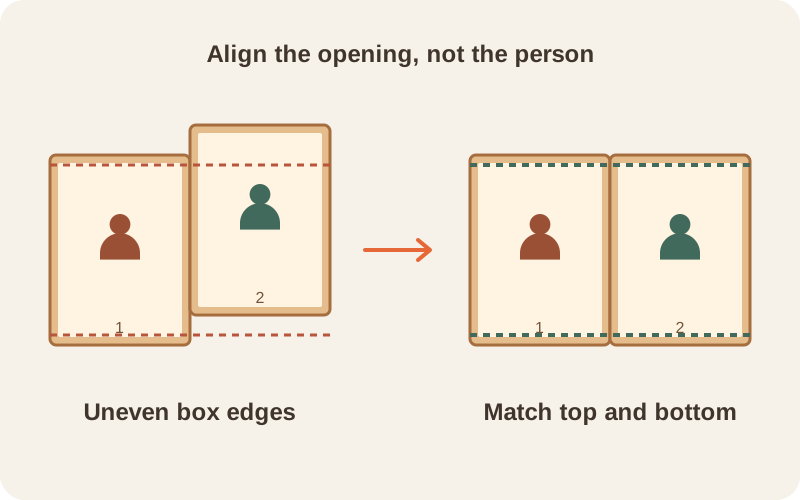
  2. Uneven box openings on the left become level after matching the inner edges on the right

    Crop to the same inside edges

    Keep all four inner corners visible when shooting. In Canva or Photoshop, crop every photo to the inside of the box opening, then use equal-sized cells. Match the box edges before adjusting the people.

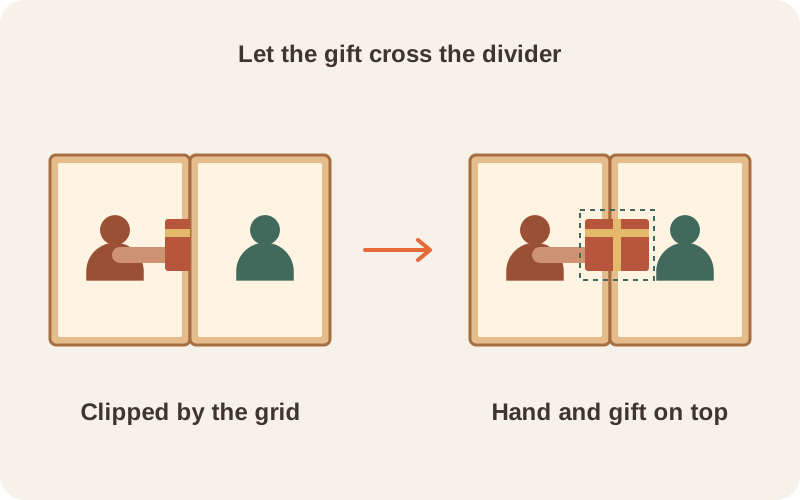
  3. A present clipped at a divider is restored by placing the hand and gift above the collage grid

    Build the collage, then fix it

    Place the crops edge to edge and match brightness across the grid. For a gift crossing a divider, keep that hand and gift on a separate layer and mask the background around them. Save the layered original; export a flat copy for AI cleanup.

From DIY to Christmas card

Give your homemade collage the finishing touches

Crooked dividers and one dark square can break the illusion. This Christmas box photo collage shows the difference after aligning the grid and balancing the lights. Upload your assembled image and choose Fix my box photos; check faces and hands after AI cleanup.

  • The same Christmas box photo fixed: an even grid, every box lit, the same light in every square
    A homemade Christmas box photo collage with crooked seams, uneven light and unlit string lights
    DIYFixed

Christmas box photoshoot questions

Make your Christmas box photo

Bring everyone into this year's Christmas photo, even from different places. Start with your portraits and make a card to share.

  • 5 free edits when you sign up
  • Failed edits are refunded
  • Uploads deleted after 7 days
  • Secure checkout by Stripe