GPT Image 2.6: Edit photos, make GIFs and SVGs.

OpenAI's newest image model works 50% faster and keeps faces, products and brand details the same from one edit to the next. Change a photo with one sentence, or turn words into an image, a looping GIF or an SVG.

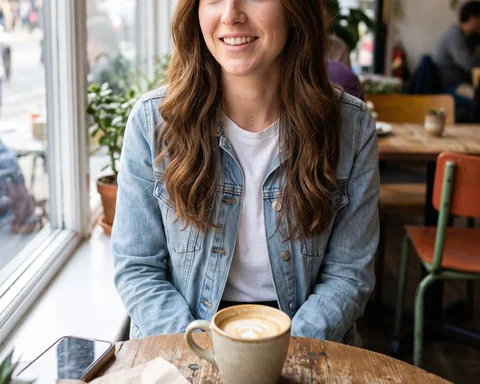
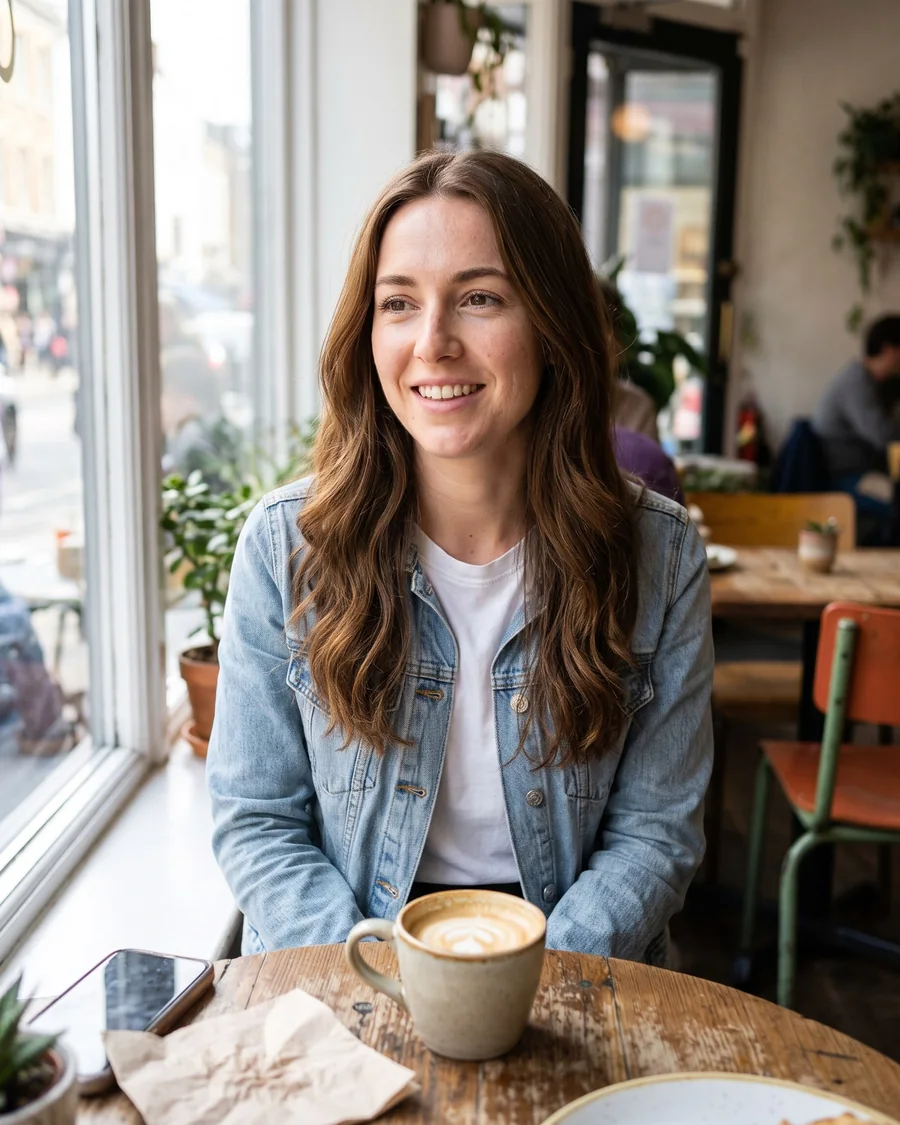
The denim jacket before the editOriginal
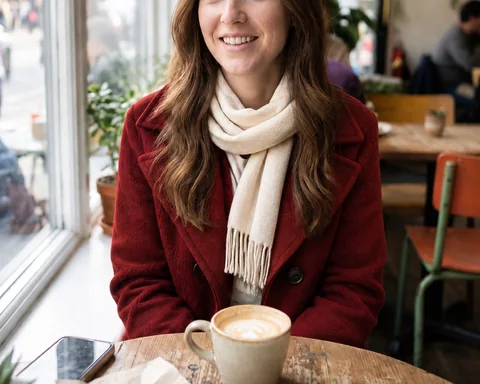
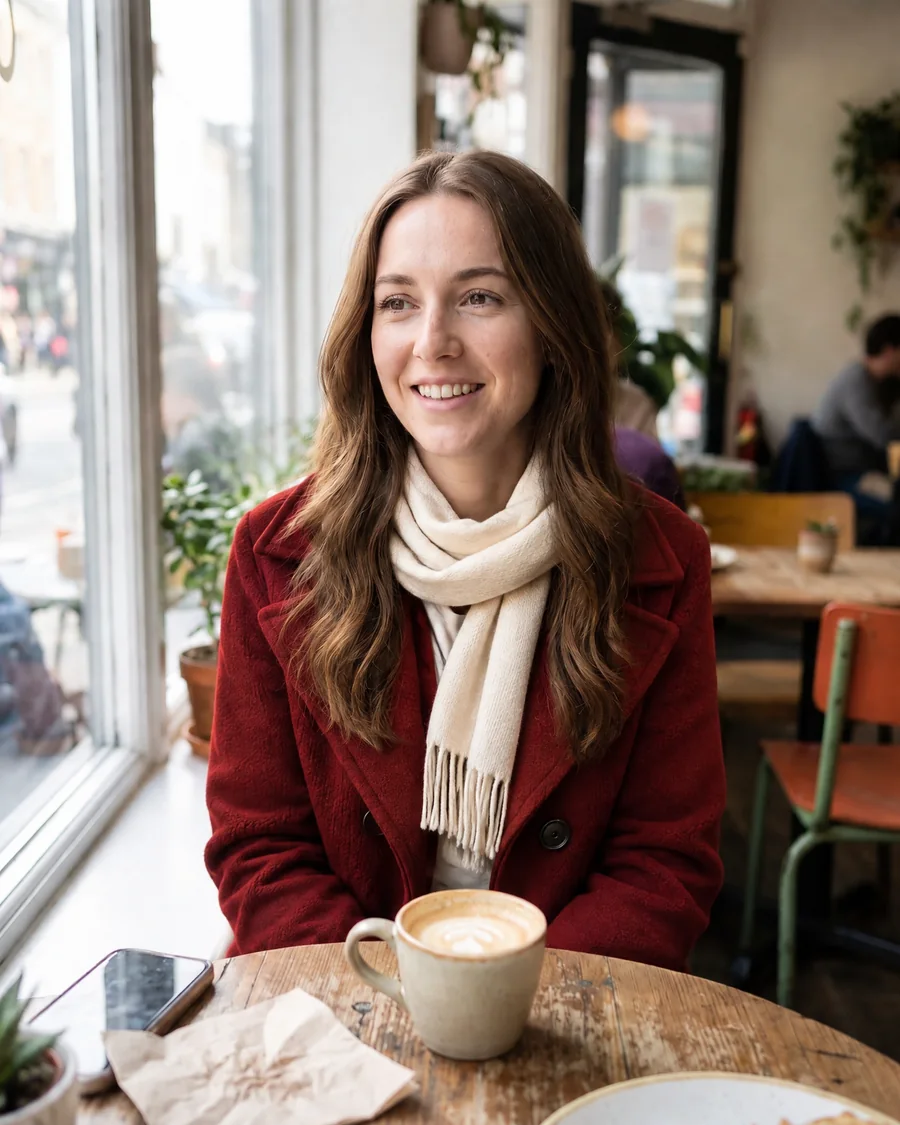
The red wool coat and scarf after the editEdited
“Change her denim jacket to a red wool coat with a cream scarf. Keep her face, hair and the cafe the same.”
No photo? Try one of these:

1 free edit at these settings

  • No watermark
  • Sunburst or Flare
  • PNG, GIF or SVG
The same young woman at the cafe table, now in a red wool coat and a cream scarf
A young woman with long wavy hair in a denim jacket at a cafe window table
OriginalEdited

“Change her denim jacket to a red wool coat with a cream scarf. Keep her face, hair and the cafe the same.”

What's new in GPT Image 2.6

Everything OpenAI added in this version. Each title links to where the page shows it.

  1. 01

    Images 50% faster

    GPT Image 2.6 generates images 50% faster than the version before, so each round of an edit comes back sooner.

  2. 02

    Flare, the fast model

    As little as six seconds an image, with cleaner layouts for posters and product shots.

  3. 03

    Sunburst, the detailed model

    The finest detail and the steadiest results across edits. The editor opens with it.

  4. 04

    Steady across edits

    Faces, products and brand details hold through every round of Keep editing.

  5. 05

    Animated GIFs

    Describe the motion and get a looping GIF with the frames and speed you set.

  6. 06

    SVG export

    Icons and illustrations as vector files you can edit shape by shape.

  7. 07

    Image markup

    Circle a spot on the photo and only that spot changes.

  8. 08

    Sketches and notes

    A rough sketch with notes turns into a finished picture, and 2.6 follows the notes more closely than before. Upload the sketch in Edit photo.

  9. 09

    Planning control

    Low planning for quick edits, medium or high for crowded scenes and dense text. Choose it in the Planning menu.

  10. 10

    Reference photos

    Add up to 3 photos to bring in a person, a pet, a product or an outfit.

GPT Image 2.6 Flare vs Sunburst

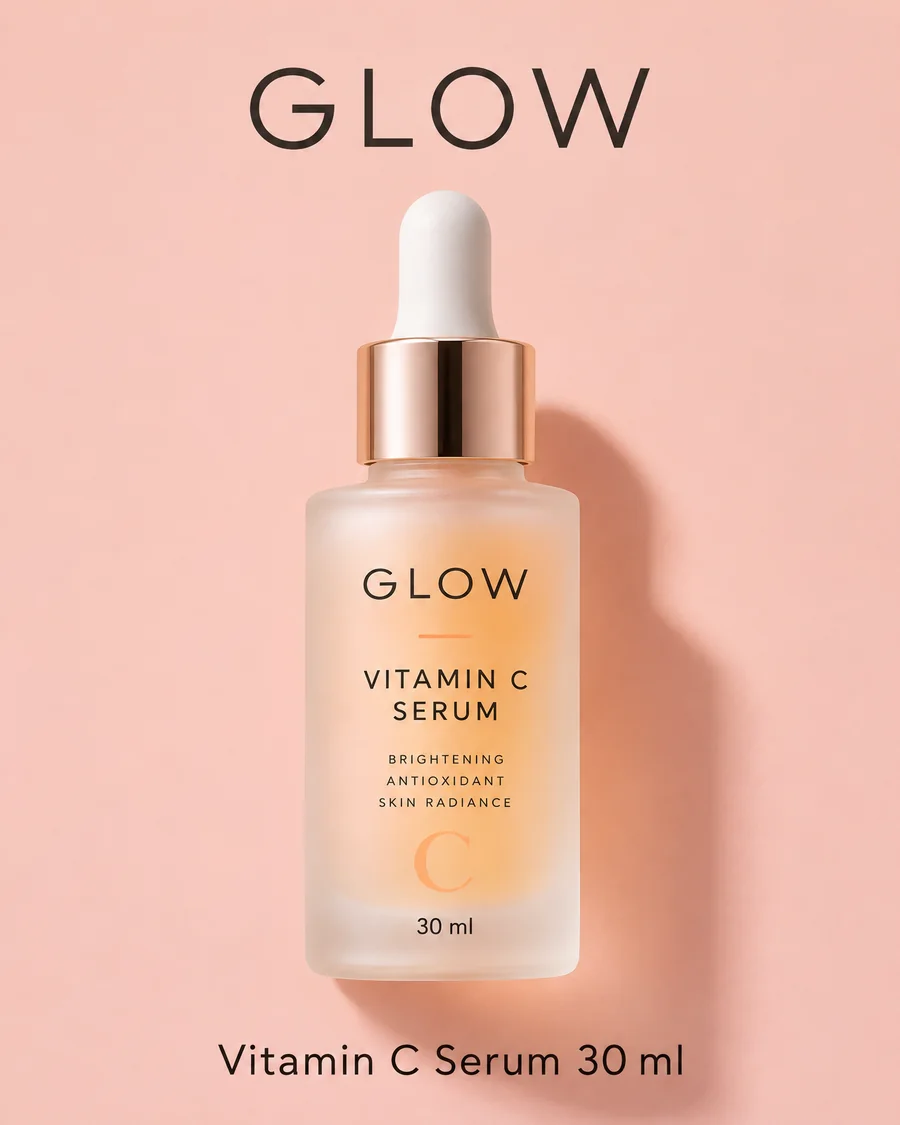
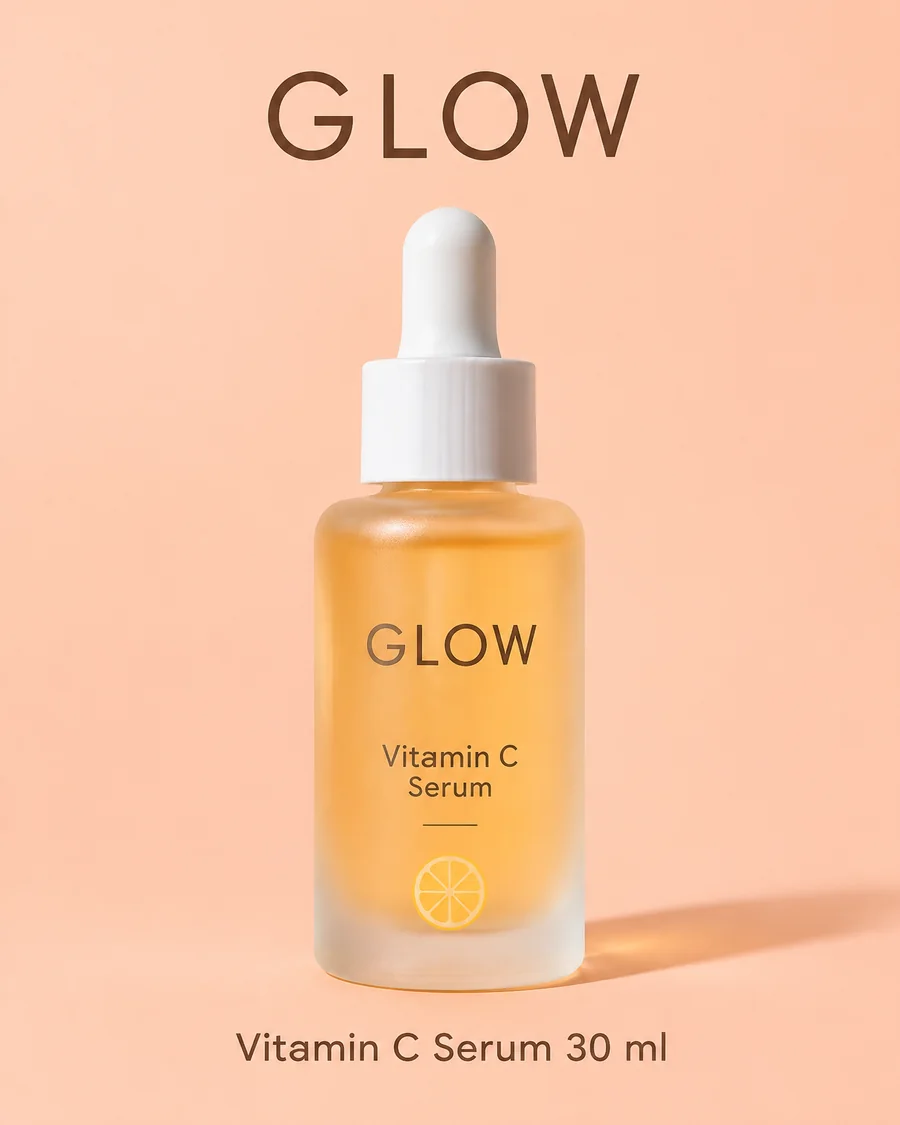
Two models from the same release at the same token price. We made the same poster with each: Flare took 12 seconds at low quality, Sunburst 33 seconds at high quality.

A skincare product poster with clean type and a pastel background, made with Flare

GPT Image 2.6 Flare

Built for quick rounds and many variations. OpenAI clocks it at as little as six seconds an image at low quality, and it lays out posters, product imagery and other professional visuals more cleanly.

  • As little as six seconds at low quality
  • Cleaner poster and product layouts
  • Best for drafts and trying many ideas
The same skincare product poster with finer glass and liquid detail, made with Sunburst

GPT Image 2.6 Sunburst

Built for final images and long editing sessions. At medium or high quality it gives the finest detail and keeps a picture the most consistent from one edit to the next.

  • Finer detail and texture
  • The steadiest results across repeated edits
  • The default in the editor above

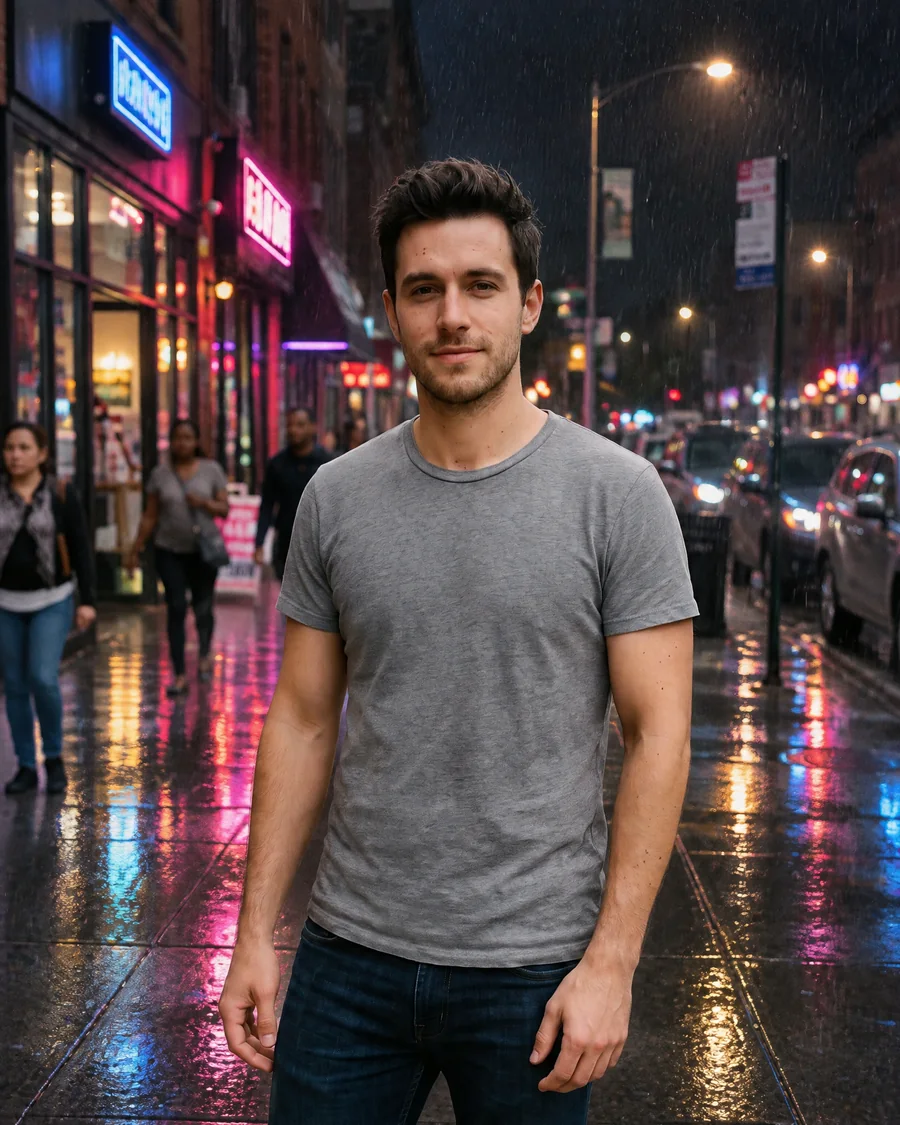
GPT Image 2.6 keeps people the same, edit after edit

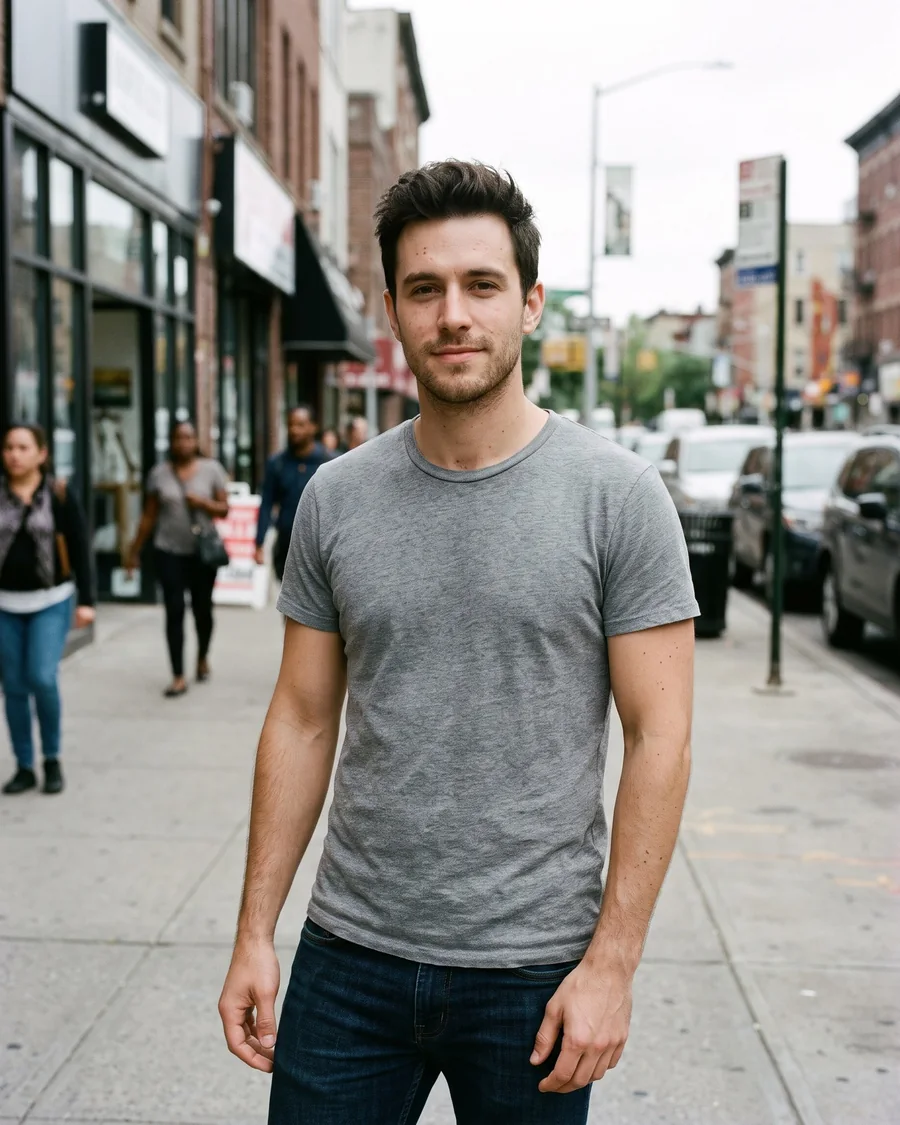
Sunburst keeps the same face, hair and build through every change. Pick an edit to compare it with the photo it came from.

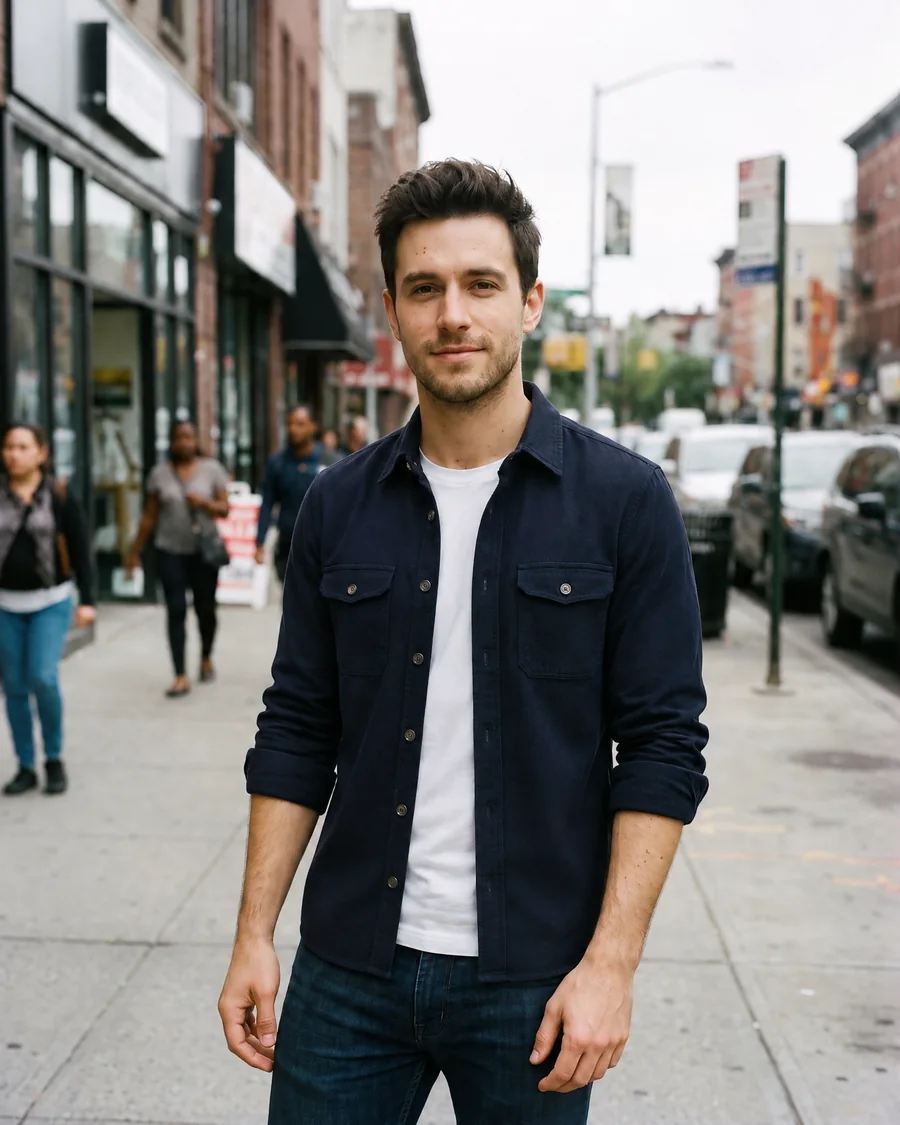
The same man on the sidewalk in a navy overshirt over a white tee
A young man with dark tousled hair in a grey t-shirt standing on a city sidewalk
OriginalEdited

“Change his t-shirt to a navy overshirt over a white tee. Keep his face, hair and the street the same.”

  • A young man with dark tousled hair in a grey t-shirt standing on a city sidewalk
    Original

“Change his t-shirt to a navy overshirt over a white tee. Keep his face, hair and the street the same.”

Every edit started from the same photo with GPT Image 2.6 Sunburst.

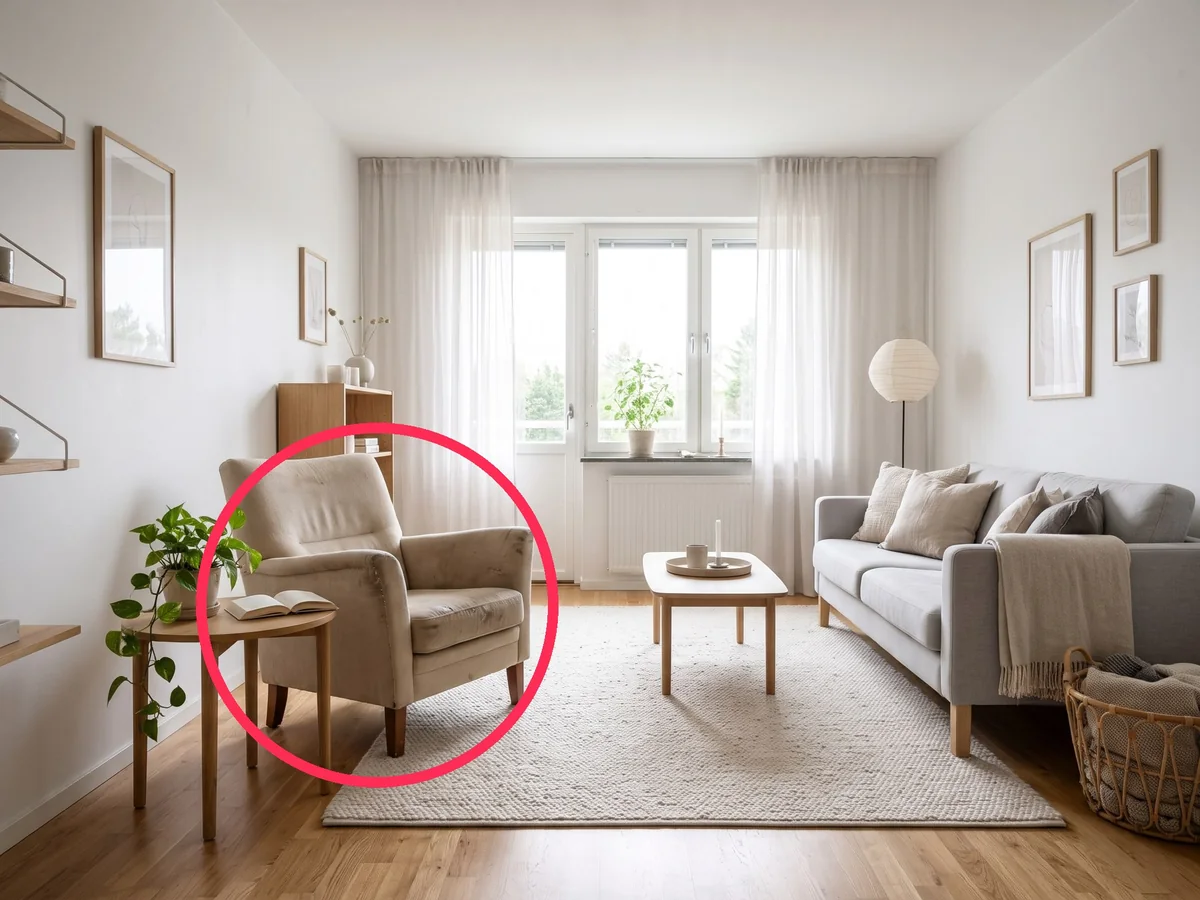
Mark up a photo and GPT Image 2.6 changes only that spot

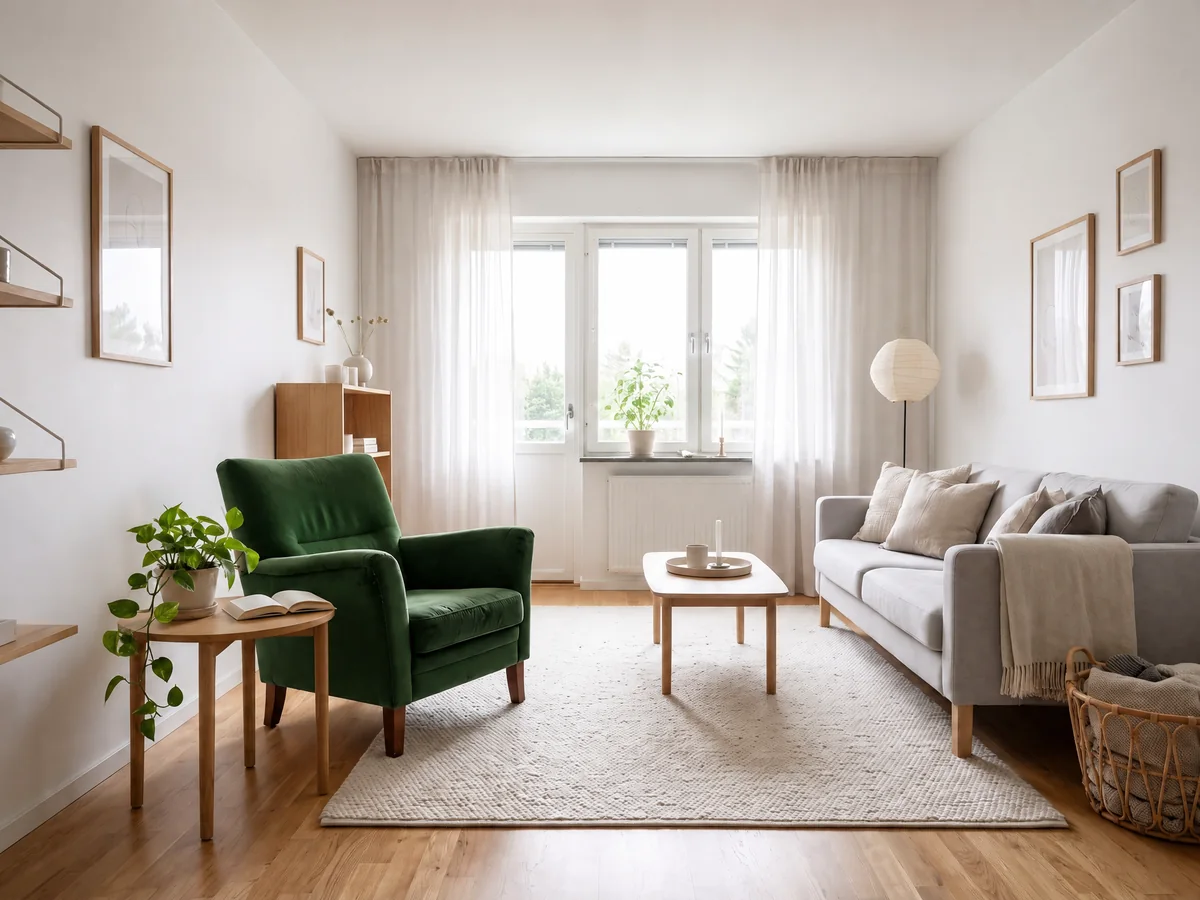
Circle what you want changed, then say what to do with it. GPT Image 2.6 reads the marks and leaves the rest of the photo alone. Press Mark up in the editor to draw.

  • The same living room with a green velvet armchair in place of the old one
    A living room photo with a red circle drawn around the armchair
    MarkedEdited

Make animated GIFs with GPT Image 2.6

Describe the motion and GPT Image 2.6 draws every frame of a looping GIF. Pick 6, 9 or 12 frames and a speed for brand mascots, reactions, memes and product loops.

  • A round orange cat mascot waving hello on a white background
    A round orange cat mascot waves hello, then returns to its first pose for a seamless loop. Flat cartoon style, white background.
  • A chibi office worker cheering at a rising chart and tossing paper in the air
    A chibi office worker notices a chart going up, cheers and tosses paper into the air, then settles back for a seamless loop.
  • A white sneaker turning slowly on a pastel pedestal
    A white sneaker turns slowly on a pastel pedestal under soft studio light, one full turn for a seamless loop.
  • A hand-drawn owl sketch that comes to life and flaps its wings
    A hand-drawn owl sketch comes to life and flaps its wings, then lands back in its first pose.

SVG export

GPT Image 2.6 makes SVG icons and illustrations

Ask for an icon, a logo mark or a flat illustration in the SVG tab and GPT Image 2.6 writes a real vector file. Open it in Figma, Illustrator or a code editor and change any shape or color.

The model draws a reference picture first and then turns it into clean vector code, so the file stays sharp from a favicon to a banner.

Make an SVG
  1. 1.

    Editable

    Paths, shapes and colors you can change one by one

  2. 2.

    Any size

    Sharp at 16 pixels and at billboard size

  3. 3.

    Safe to embed

    No scripts, no outside links, no embedded pictures

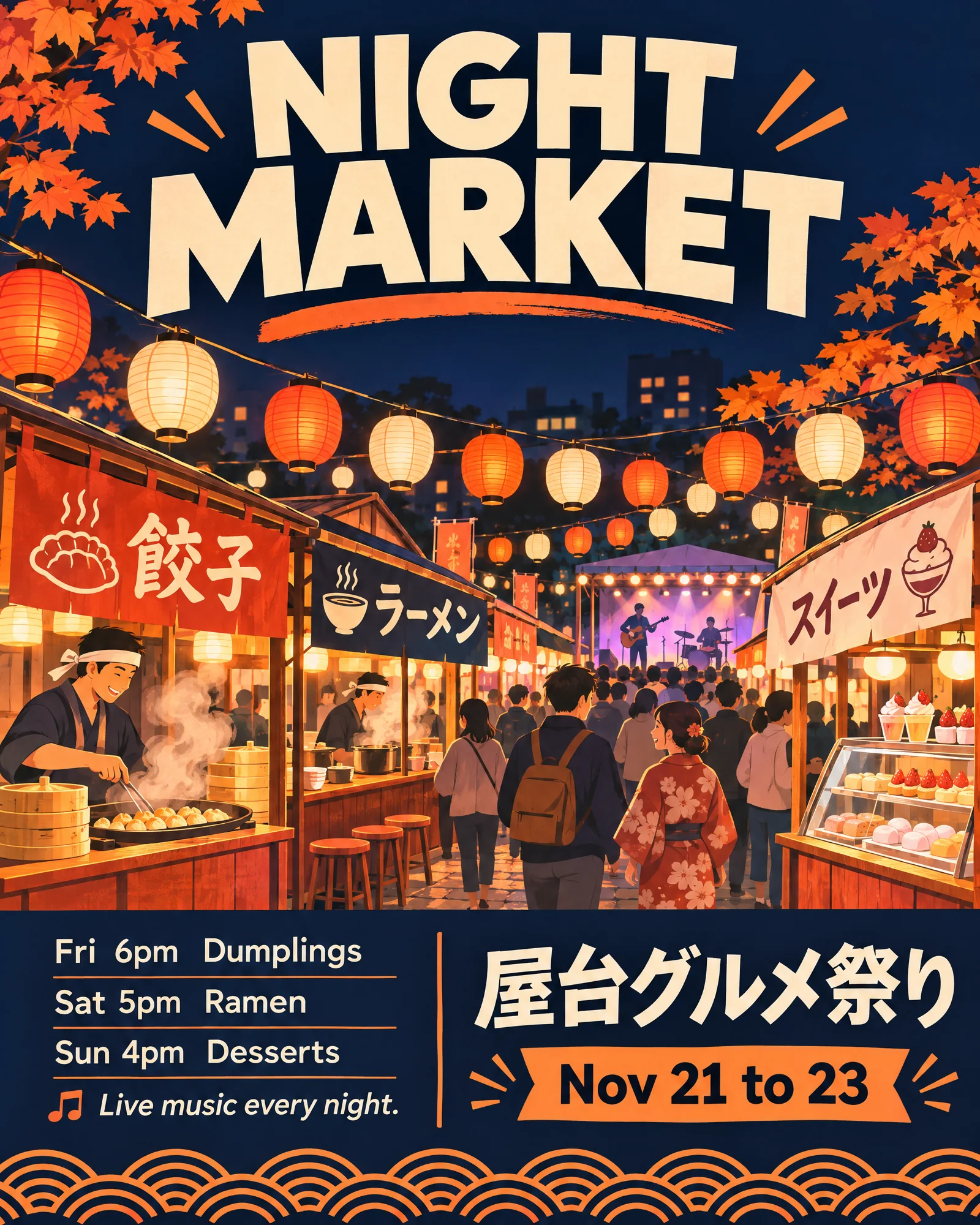
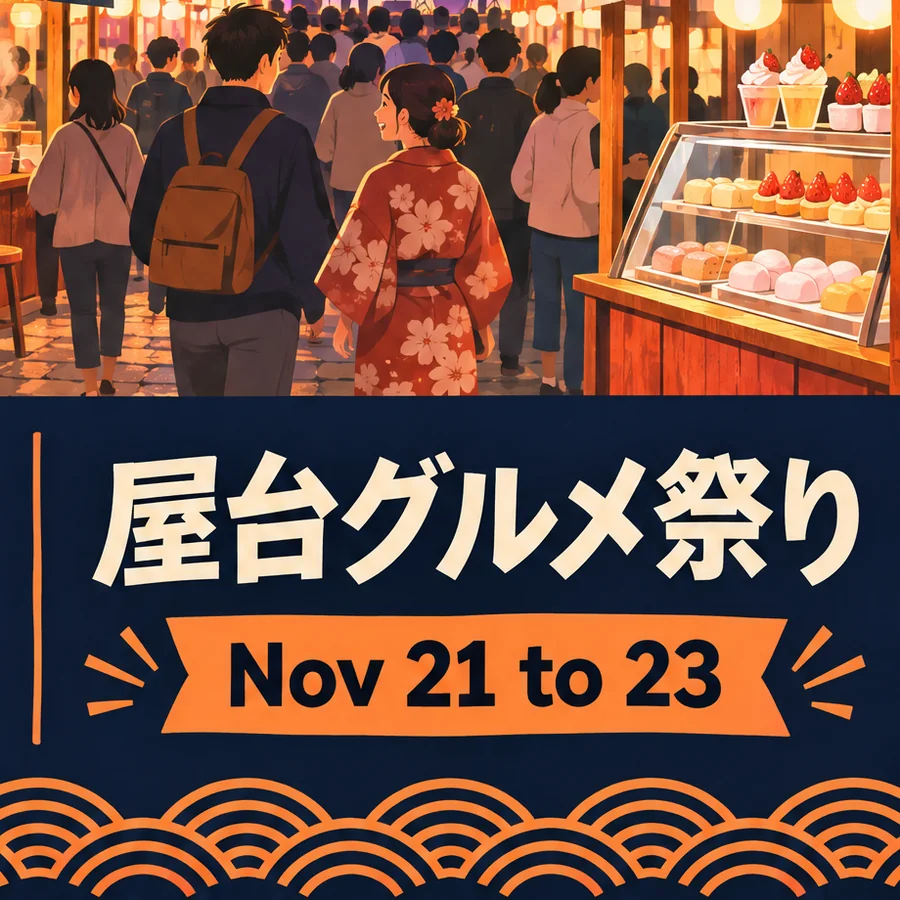
A food festival poster with a large title, a schedule in small print and a line of Japanese text
Plate IOne prompt, GPT Image 2.6 Sunburst

Text and layout

GPT Image 2.6 posters, product shots and text

Flare lays out posters and product imagery more cleanly, and GPT Image 2.6 writes dense, small text, including Japanese, Korean, Chinese and Hindi. This festival poster came out of one prompt.

  • Large titles with clean edges
  • Small print you can read, like a full schedule
  • Japanese, Korean, Chinese and Hindi next to English
Make a poster

Everything else GPT Image 2.6 does

The strengths it carries over from earlier GPT Image versions, all in the editor above.

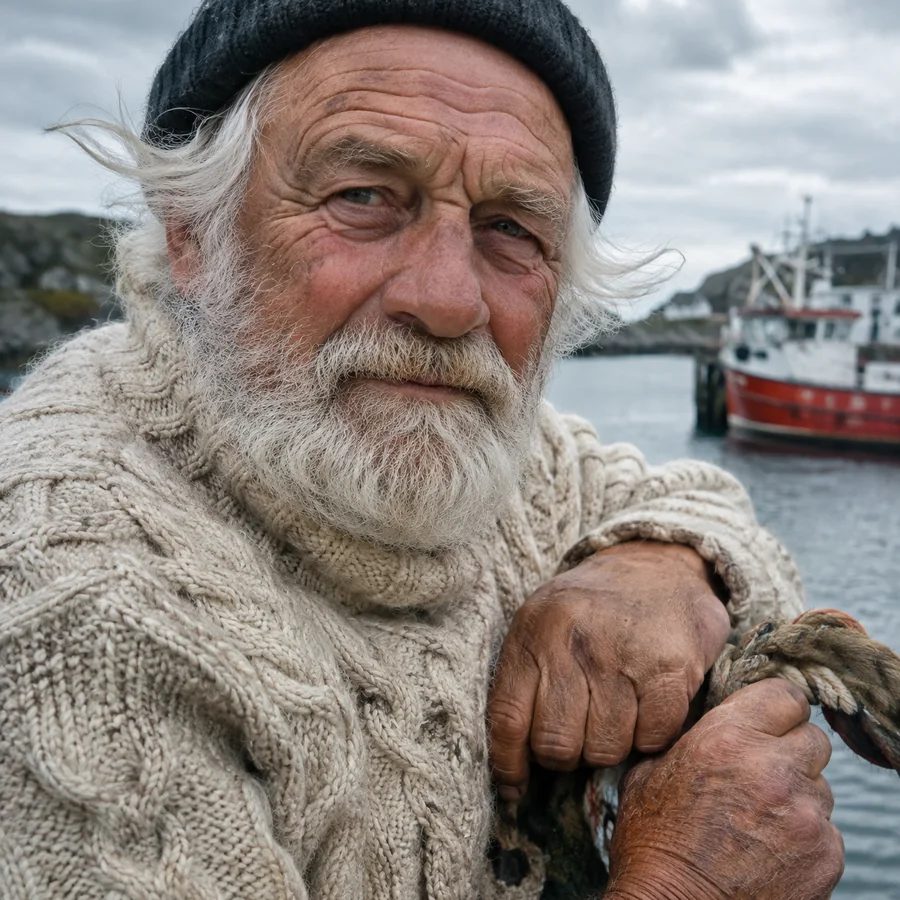
A close portrait of an older fisherman in a knitted sweater on a windy harbor

Photoreal light and texture

Skin, wool, glass and metal catch light the way they do in a camera photo.

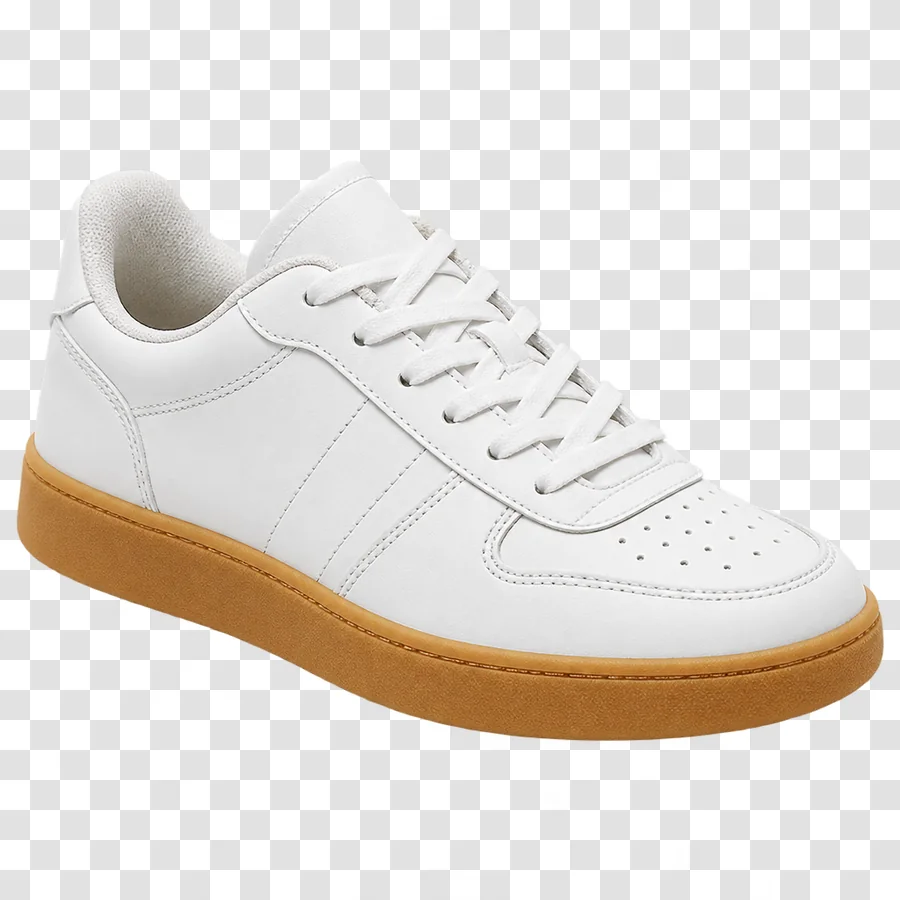
A cut-out white sneaker on a transparent checkerboard background

Transparent backgrounds

Choose Transparent in the Image tab for stickers, logos and product cut-outs as PNG.

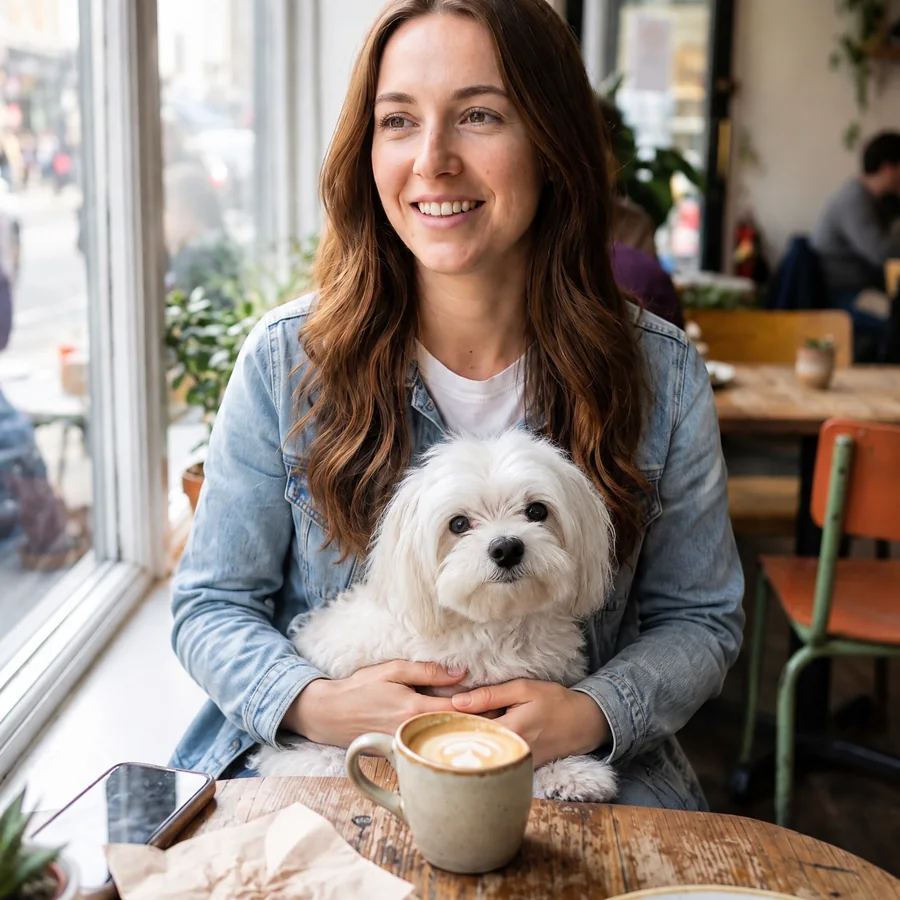
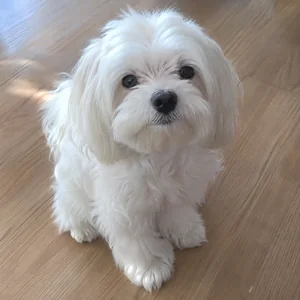
The young woman from the cafe photo holding a small white dog added from a second photo
The photo of the small white dog

Several photos in one

Add up to 3 reference photos to an edit to bring in a pet, a product or an outfit.

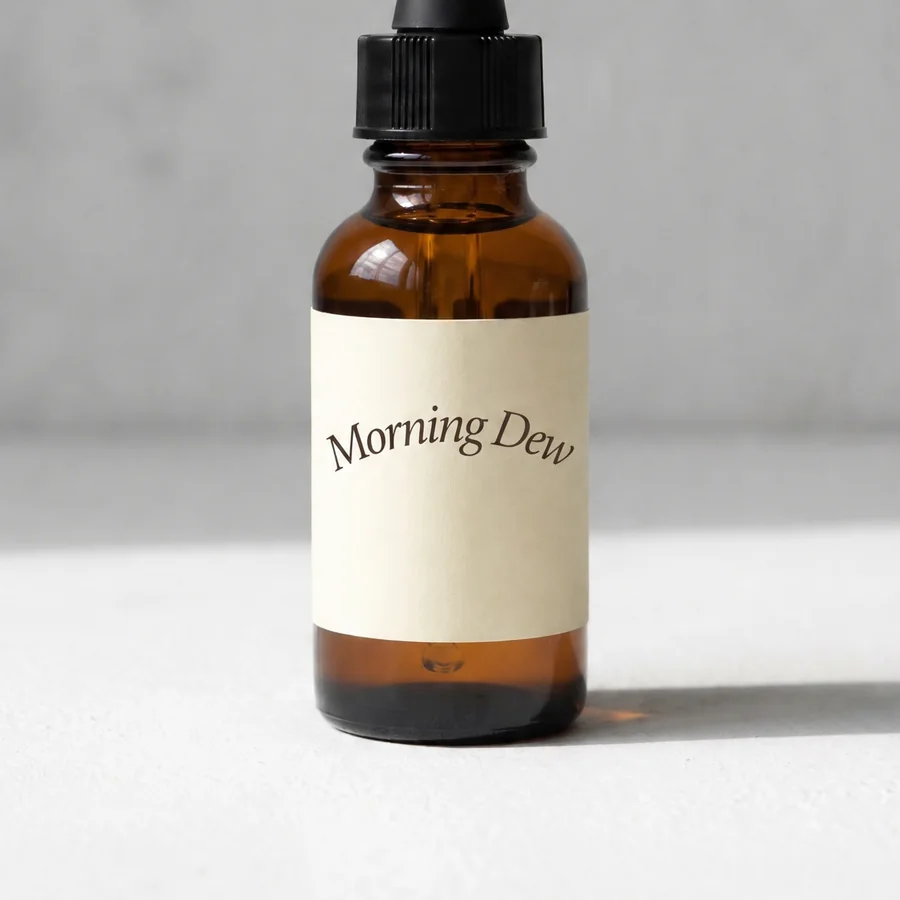
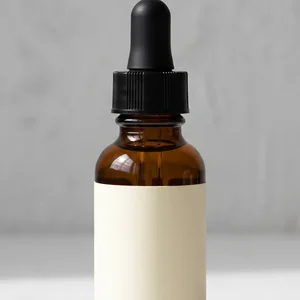
The amber dropper bottle with its blank label now reading Morning Dew
The same bottle with a blank label

Change one thing, keep the rest

Swap a product, a background or a line of text and everything you did not mention stays put.

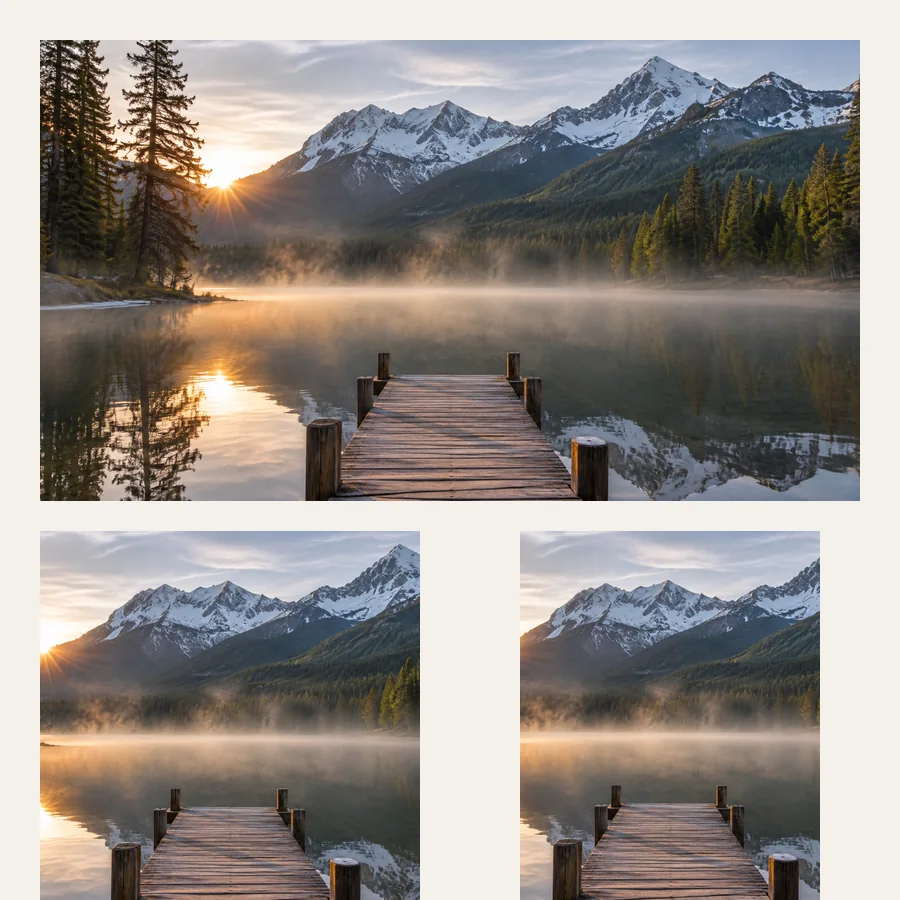
One mountain lake scene shown in wide, square and portrait frames

Any shape up to 4K

Square, portrait, story or wide, in 2K or 4K. Original keeps the shape of your photo.

The bottom of a festival poster with Japanese text and the date Nov 21 to 23

Text in many languages

Titles, small print and scripts like Japanese, Korean, Chinese and Hindi come out readable.

GPT Image 2.6 vs GPT Image 2.5

What changed between the two releases, from OpenAI’s announcement and API documentation.

FeatureGPT Image 2.6GPT Image 2.5
Speed50% faster than 2.5Up to 50% faster than 2.0
Consistency across editsGreater, with Sunburst at medium or highMulti-turn editing
Animated GIFs2 to 64 framesNo
SVG exportYesNo
Planning controlLow, medium or highNo
Image markupYesYes
ModelsFlare and SunburstFlare and Sunburst
API priceSame token pricesSame token prices

How to use GPT Image 2.6

Online, in your browser, with nothing to install.

  1. 1

    Pick what to make

    Choose Edit photo, Image, GIF or SVG, then Sunburst for detail or Flare for speed.

  2. 2

    Describe it in one sentence

    For an edit, upload the photo first. Press Mark up to circle the exact spot when it matters.

  3. 3

    Download or keep editing

    Save a PNG, GIF or SVG. Keep editing sends a still back in for the next change.

A young woman with long wavy hair in a denim jacket at a cafe window tableThe same young woman at the cafe table, now in a red wool coat and a cream scarf
Edited

“Change her denim jacket to a red wool coat with a cream scarf. Keep her face, hair and the cafe the same.”

GPT Image 2.6 prompts to try

Name what to change and what to keep. For GIFs, describe the motion and ask for a loop.

Edit a photo

  • “Change his t-shirt to a navy overshirt over a white tee. Keep his face, hair and the street the same.”

  • “Replace the text on the bottle label with “Morning Dew” in the same font, color and curve.”

  • “Put the product on a marble counter in soft morning light, with a shadow that matches.”

Make an image

  • “A glass perfume bottle on wet black stone, soft rim light, small drops of water, studio product photo.”

  • “A retro travel poster of Lisbon at sunset, a yellow tram on a steep street, the title “LISBON” in bold letters at the top.”

  • “A character sheet of a friendly robot gardener: front, side and back views, flat colors, white background.”

Make a GIF

  • “A round orange cat mascot waves hello, then returns to its first pose for a seamless loop. Flat cartoon style, white background.”

  • “A chibi office worker notices a chart going up, cheers and tosses paper into the air, then settles back for a seamless loop.”

  • “A white sneaker turns slowly on a pastel pedestal under soft studio light, one full turn for a seamless loop.”

Make an SVG

  • “A flat app icon of a paper plane inside a rounded blue square.”

  • “A simple two-color line logo of a coffee cup whose steam forms a leaf.”

  • “A flat illustration of a person reading under a tree, four colors, no text.”

GPT Image 2.6 questions

Try GPT Image 2.6 now

Edit a photo, or make an image, a GIF or an SVG from one sentence.