
Make AI Photo Realistic: Turn AI images into real photos.
Upload an AI image and pick the camera it should look shot on. Real skin, light and texture, with the same face and pose.
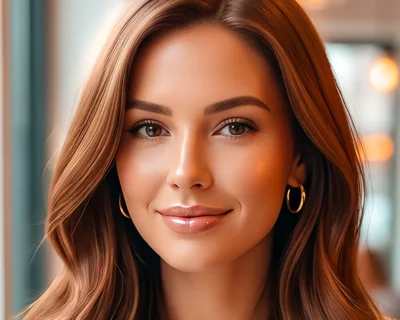 Original
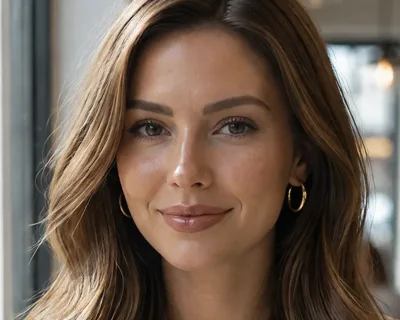 Edited
2 free edits at these settings
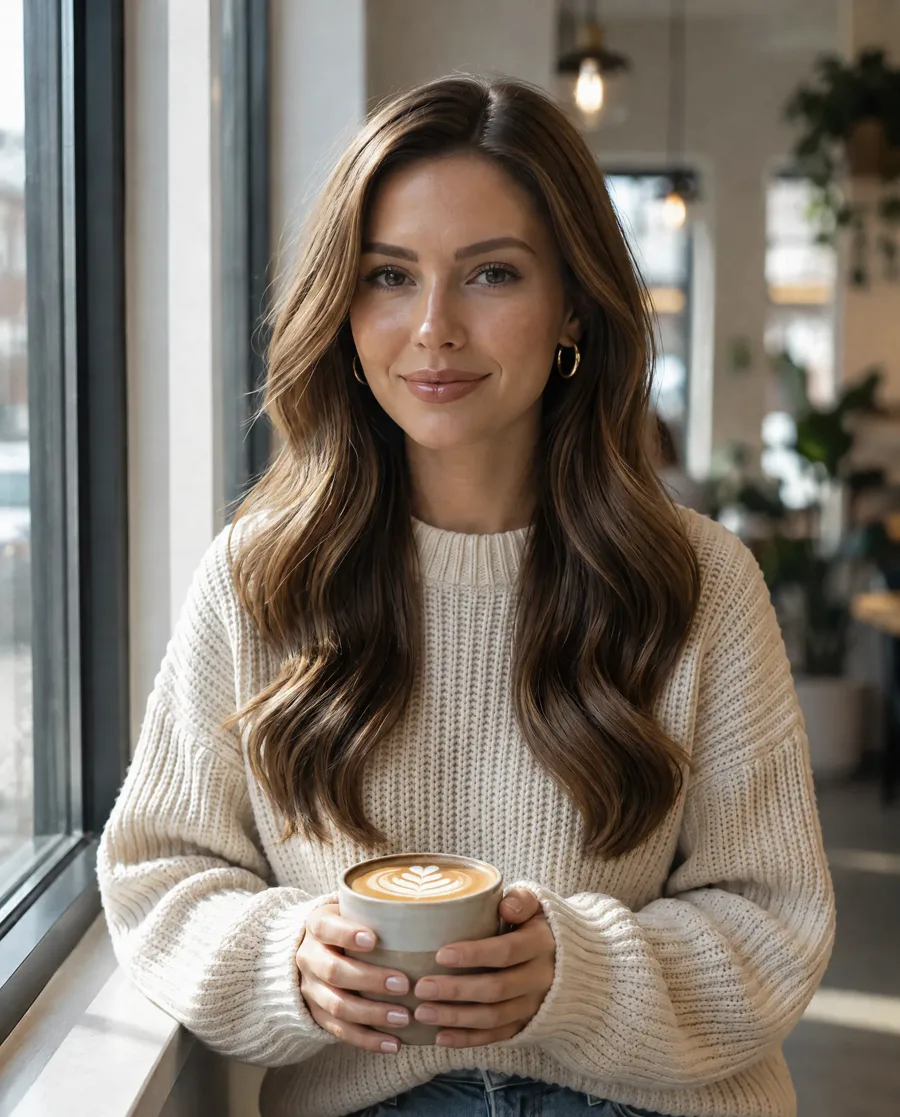
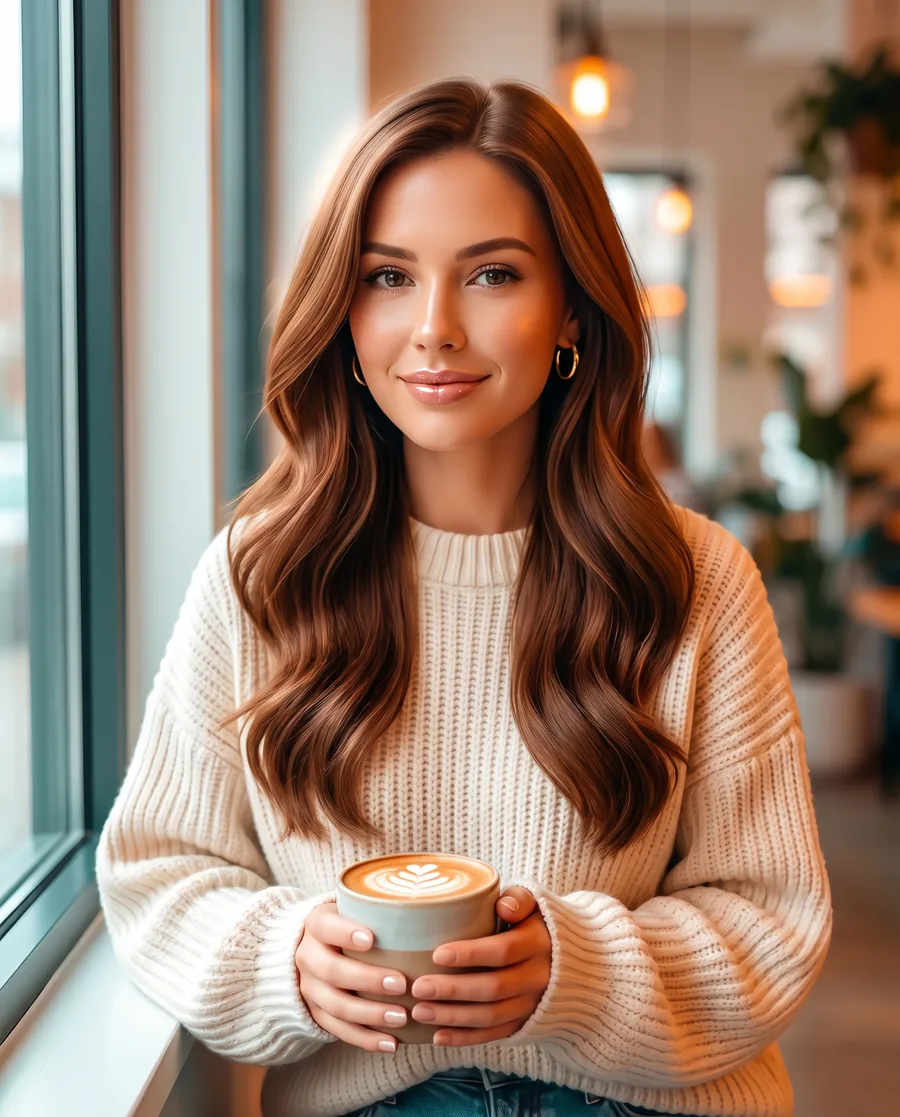
“Turn this AI image into a real photo in natural light: real daylight from one direction with natural shadows instead of even, glowing light, true-to-life colors without an orange or teal cast, real skin texture with pores and fine lines, separate hair strands, real fabric and material texture, and fine camera grain. Remove the airbrushed, glossy and plastic AI look. Keep the same people, faces, expressions, poses, clothes, objects and layout.”
AI to real photo, whatever made the image
Six kinds of AI image made to look real with one quick setting and GPT Image 2.5. Drag the divider to compare.
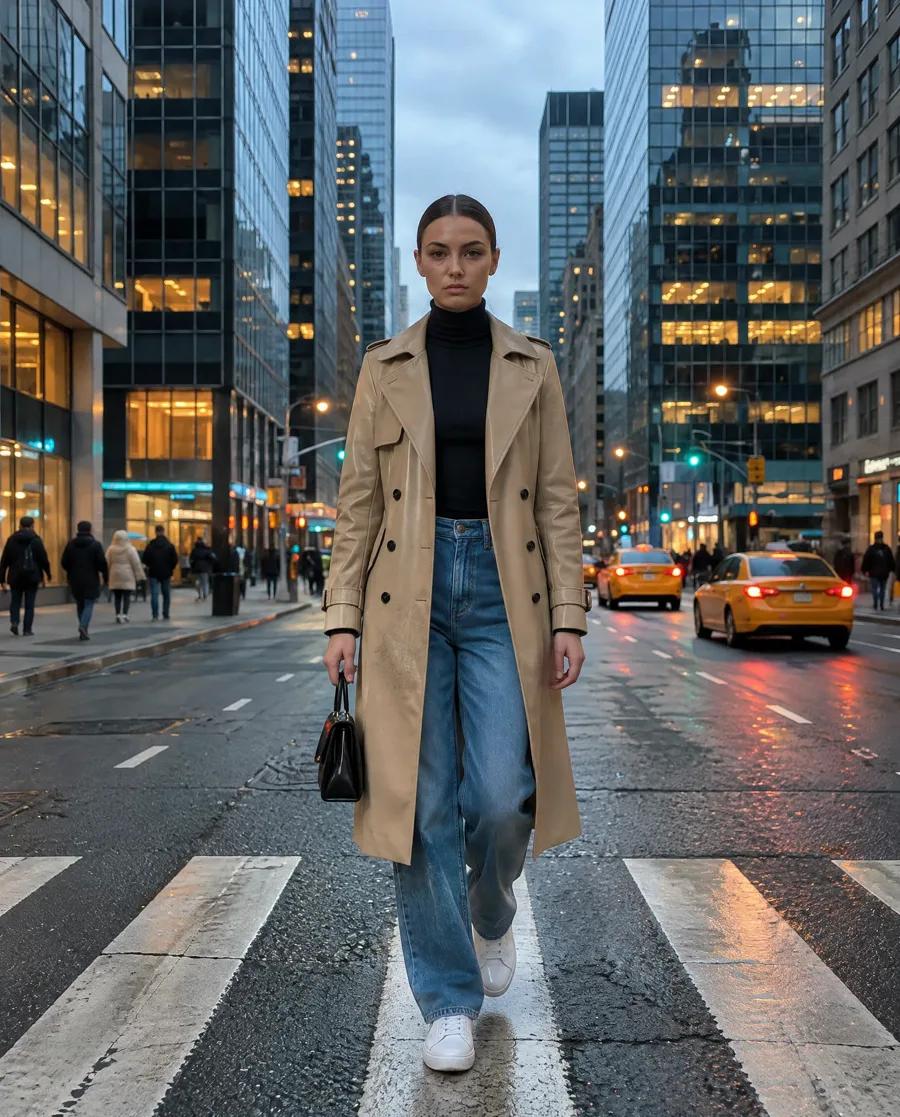 AIReal
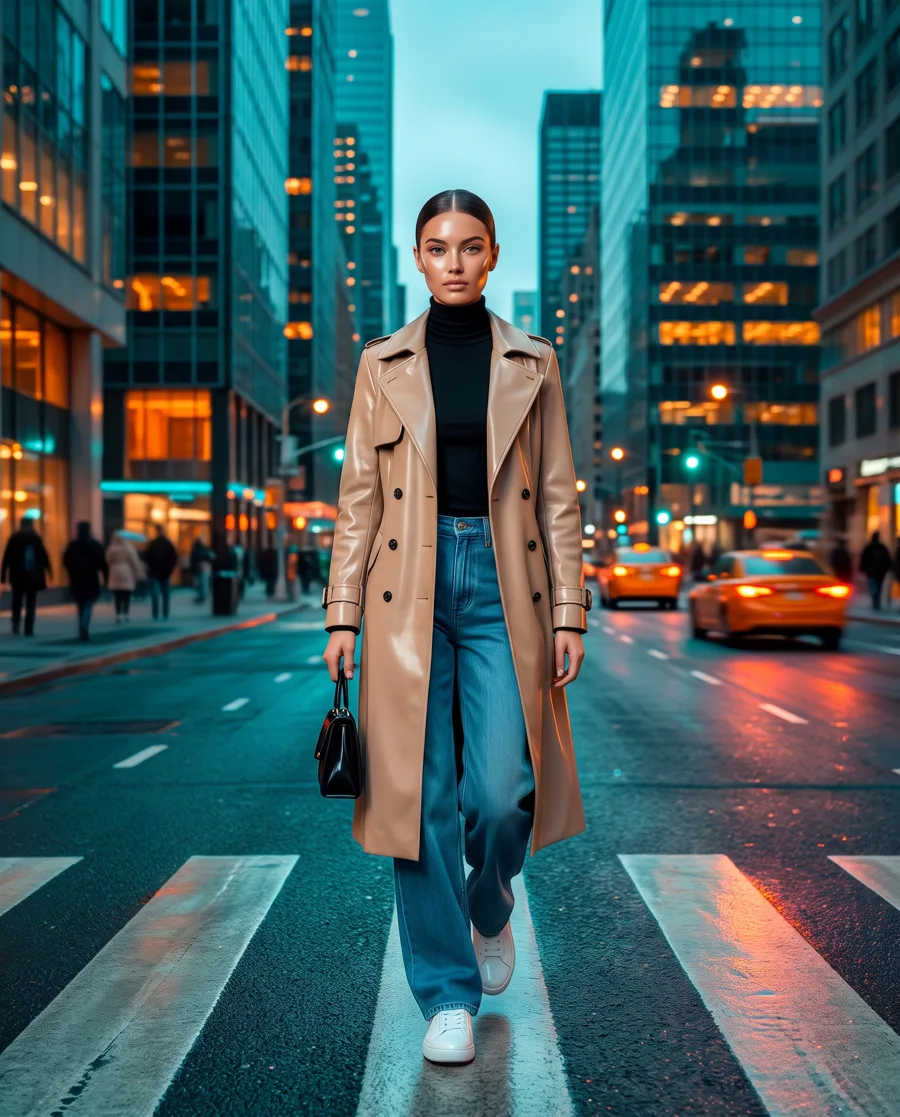
AI fashion photo · Phone snapshot
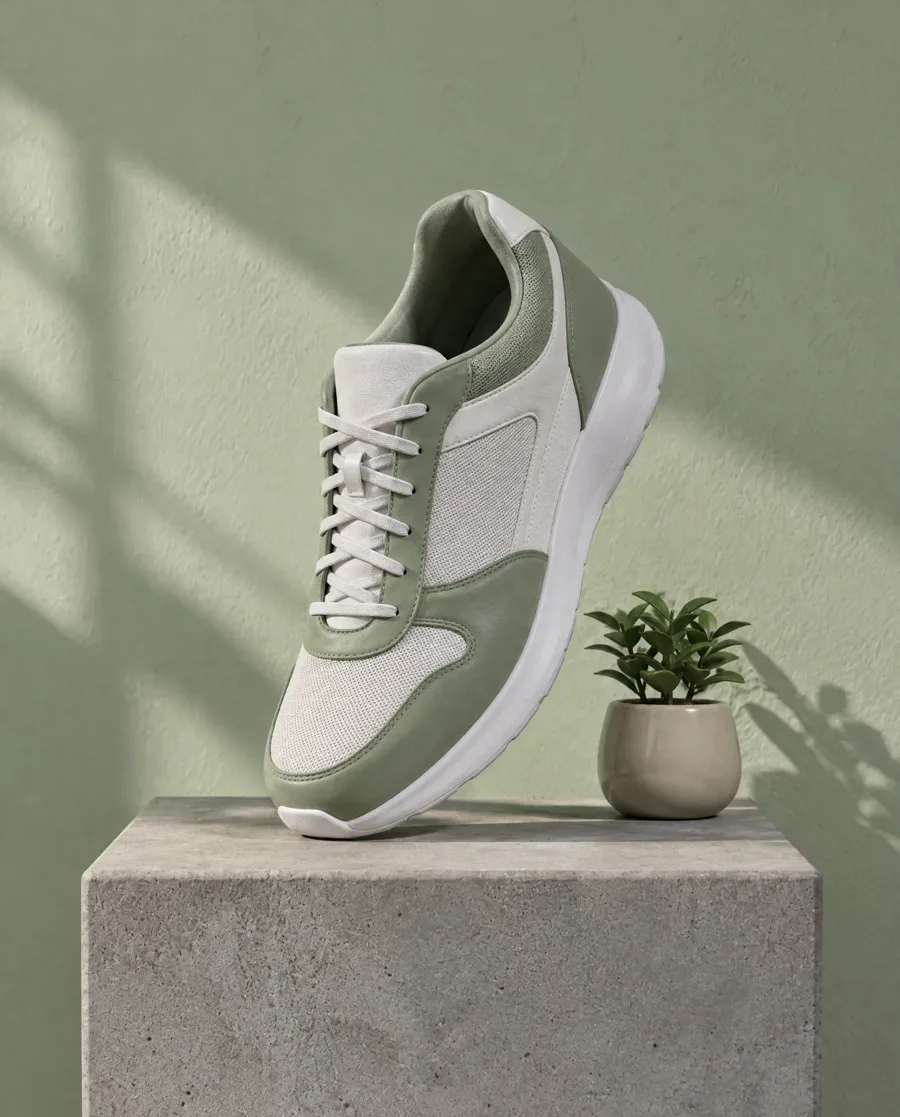 AIReal
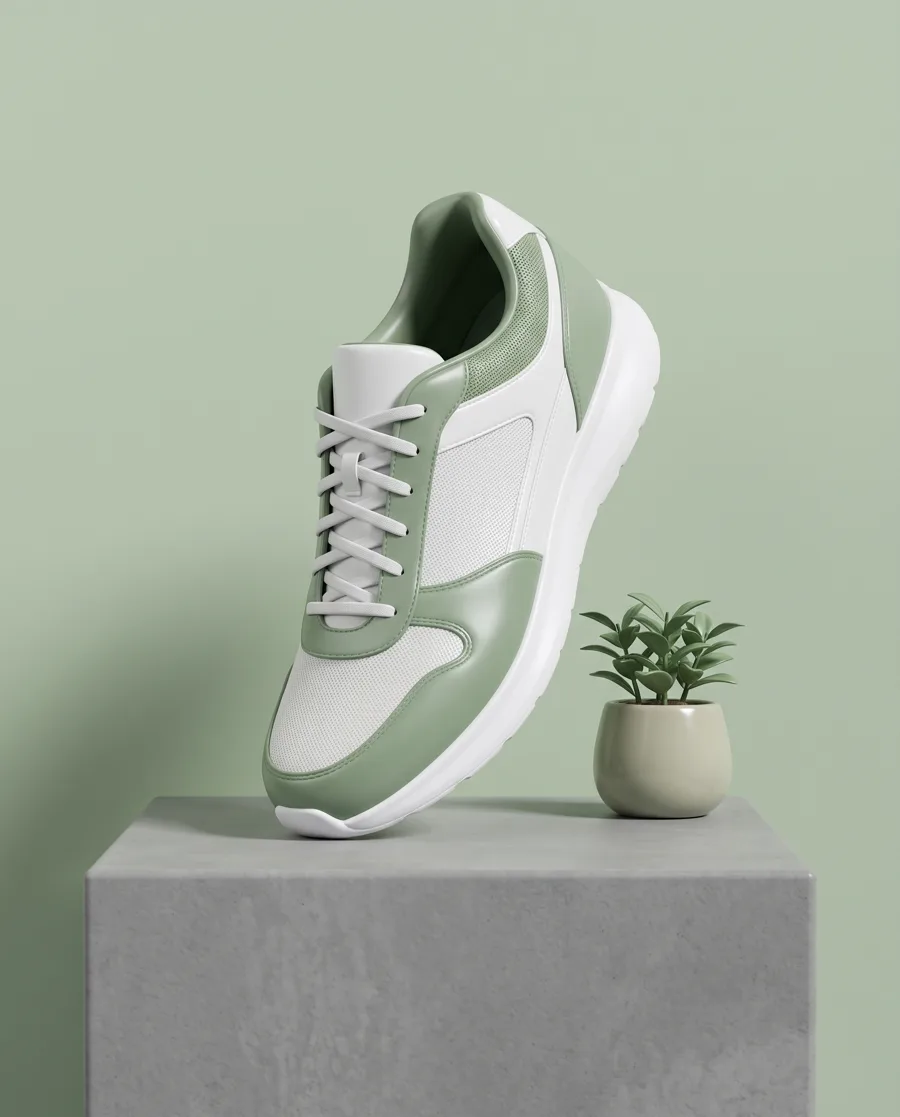
3D product render · Natural light
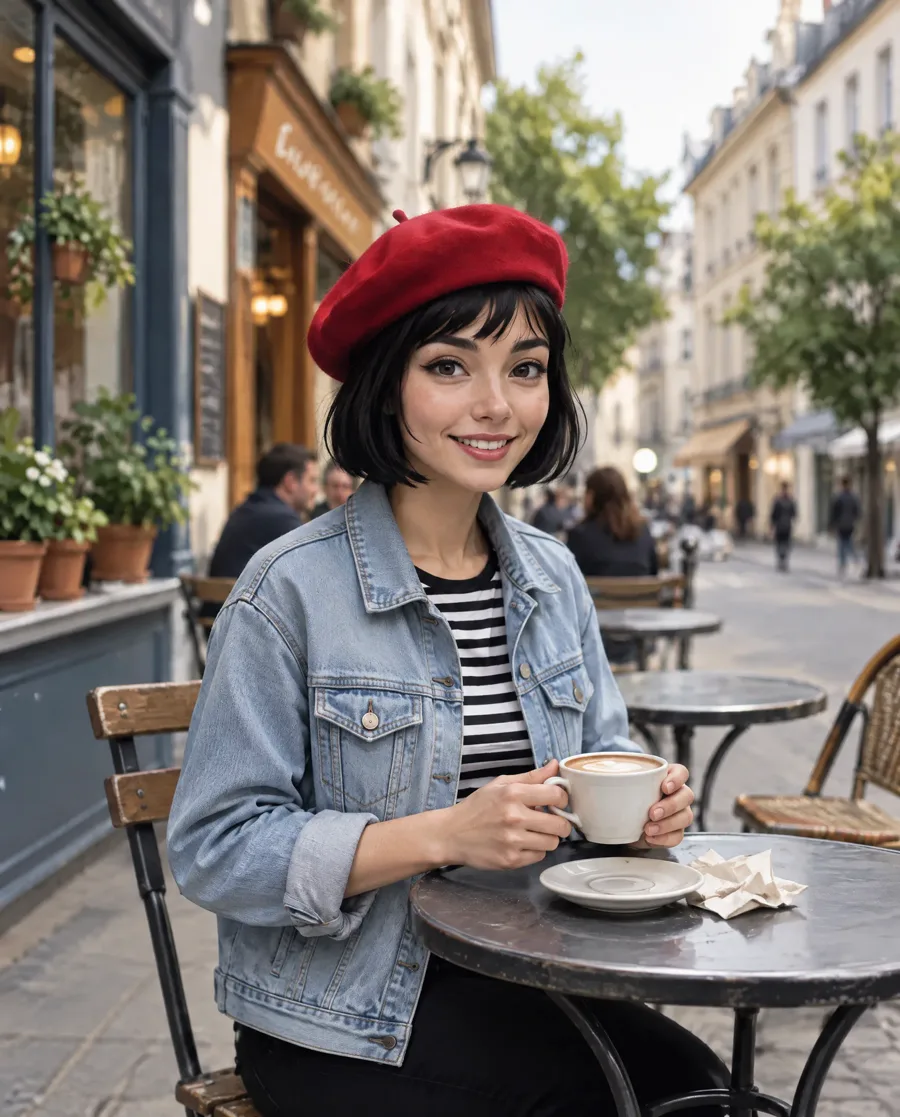 AIReal
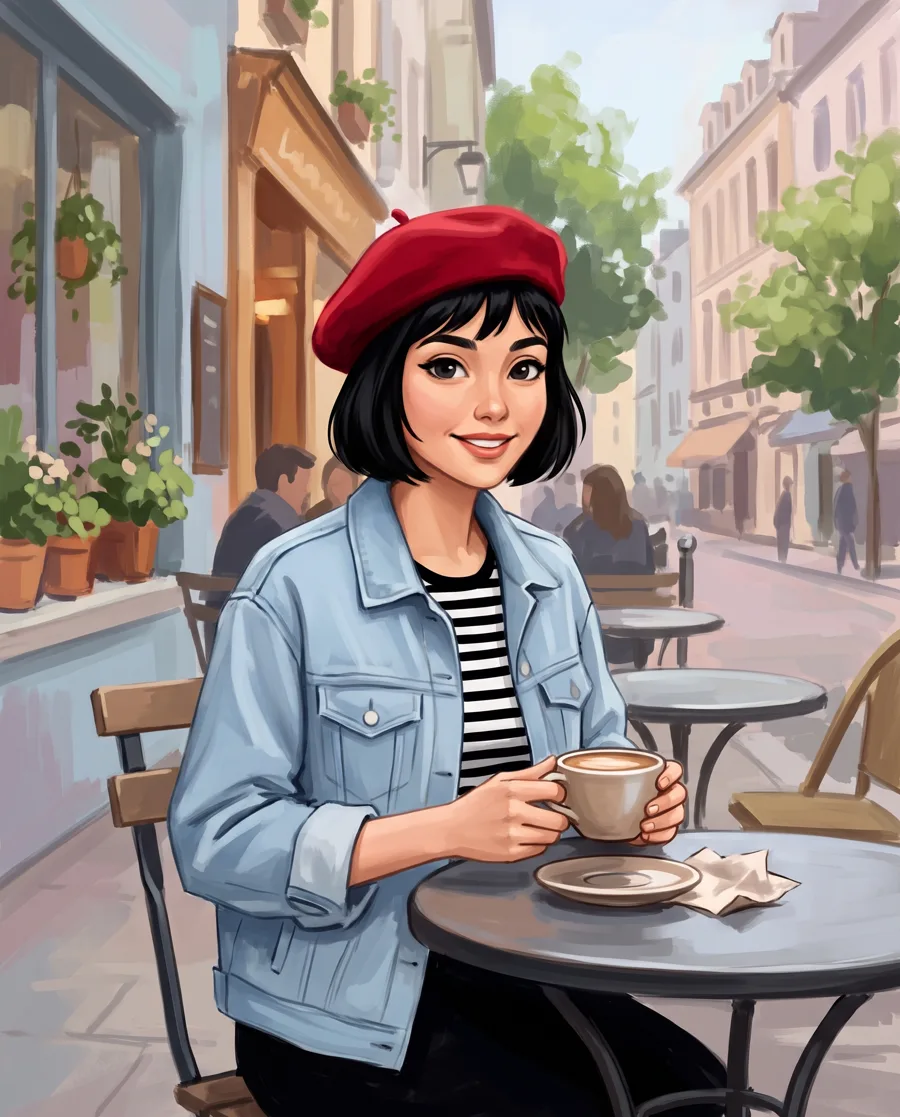
Digital painting · DSLR portrait
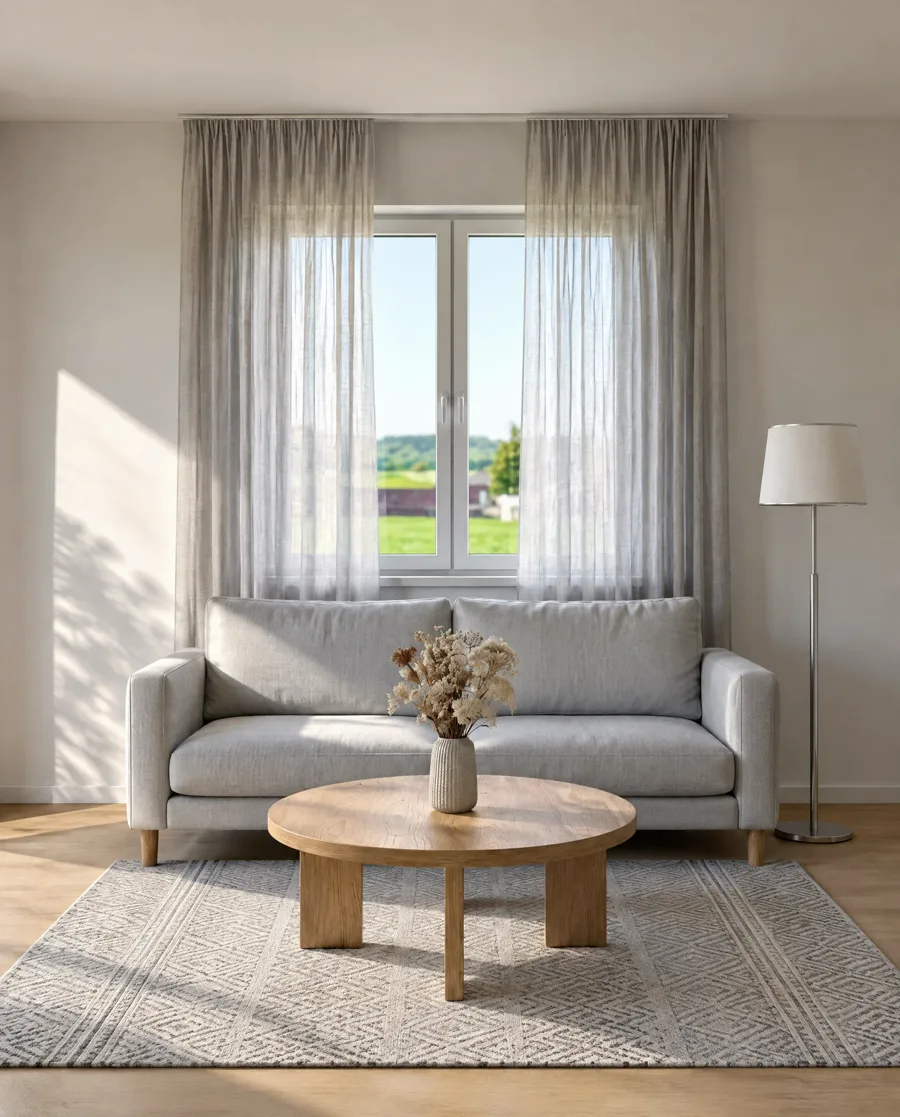 AIReal
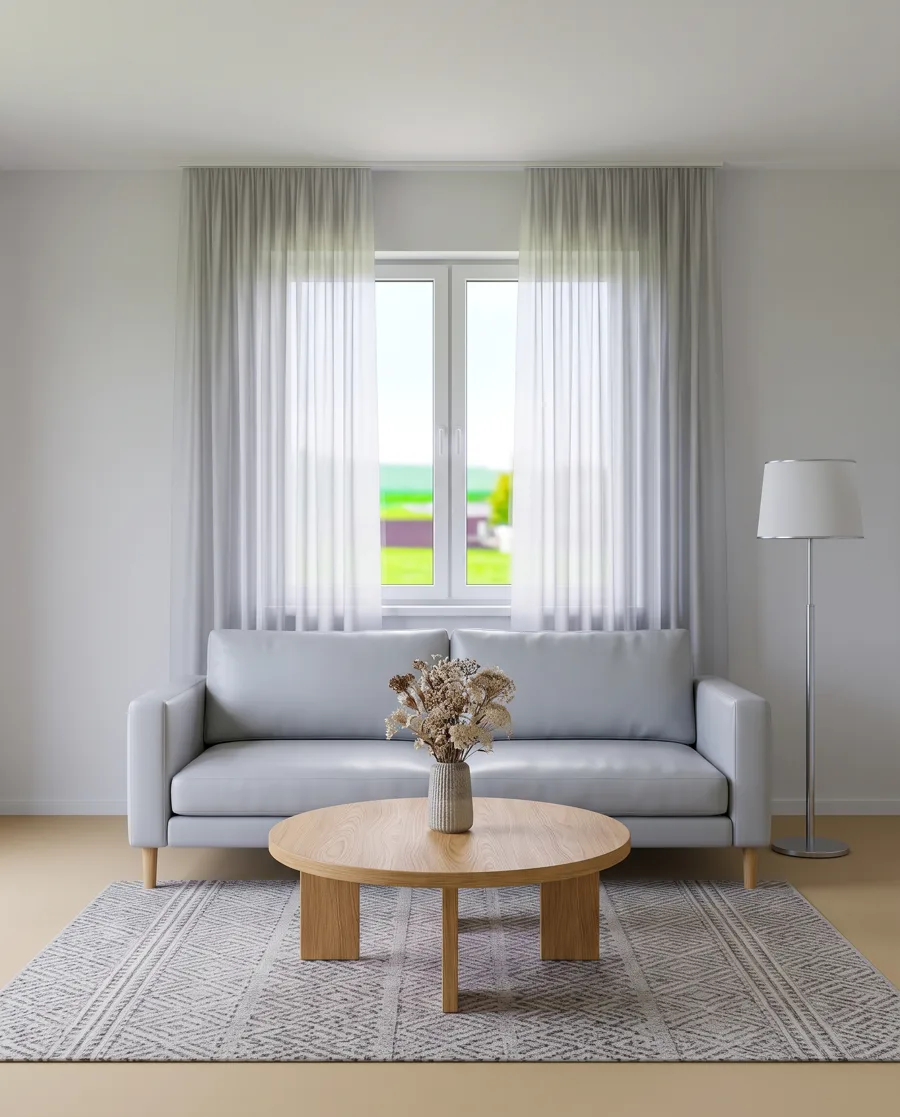
3D room render · Natural light
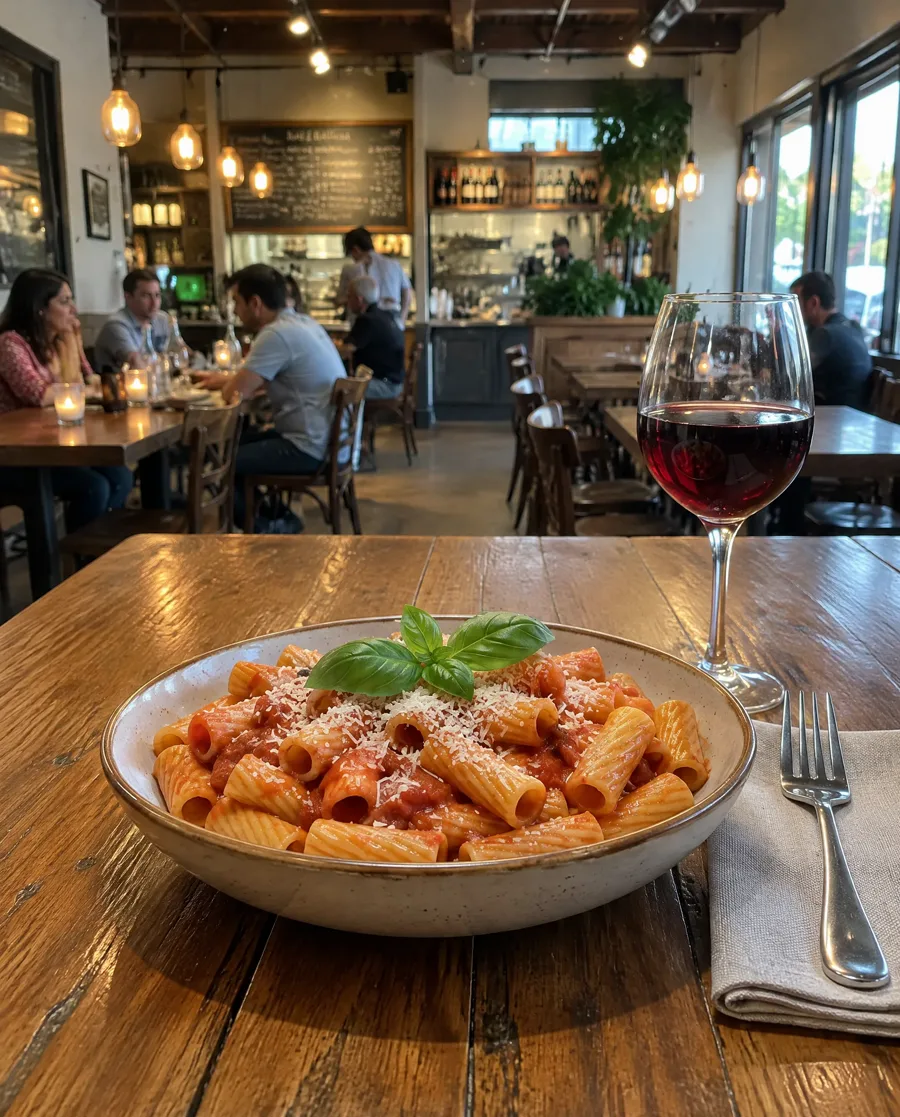 AIReal
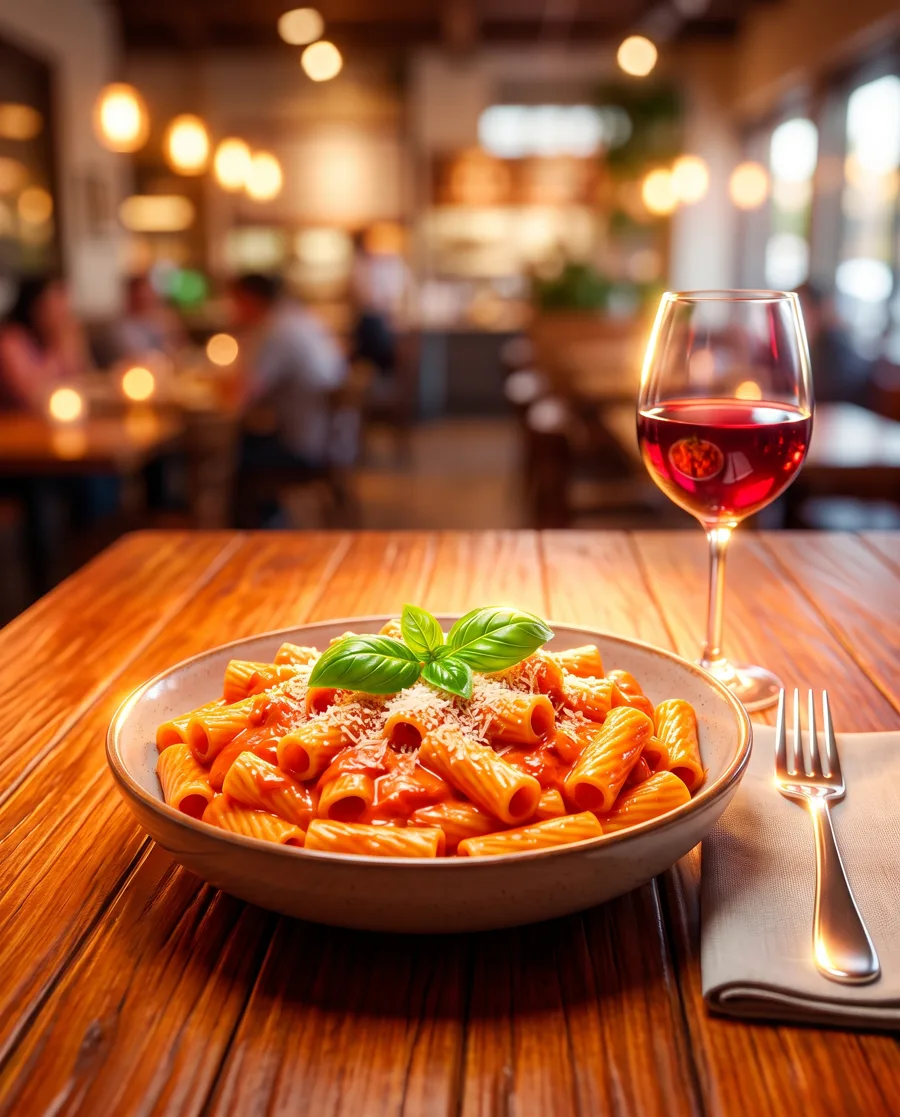
AI food photo · Phone snapshot
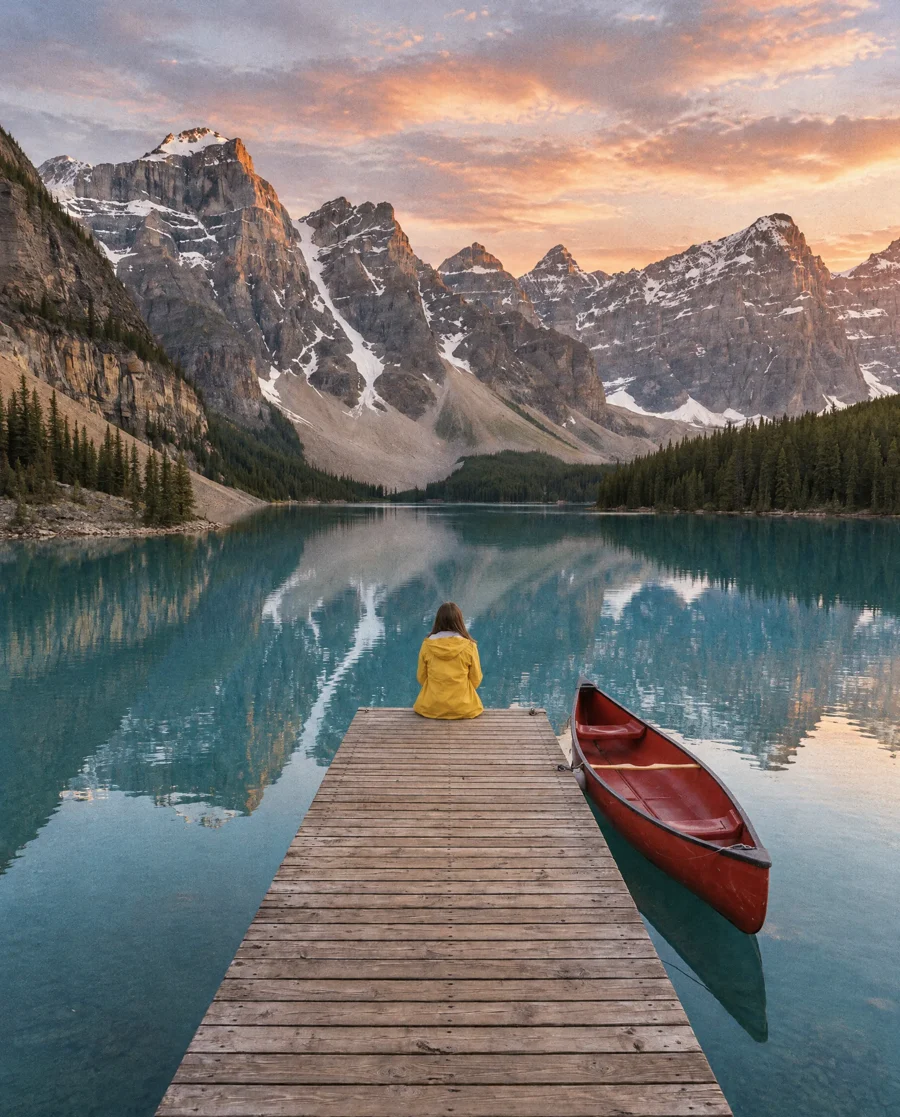 AIReal
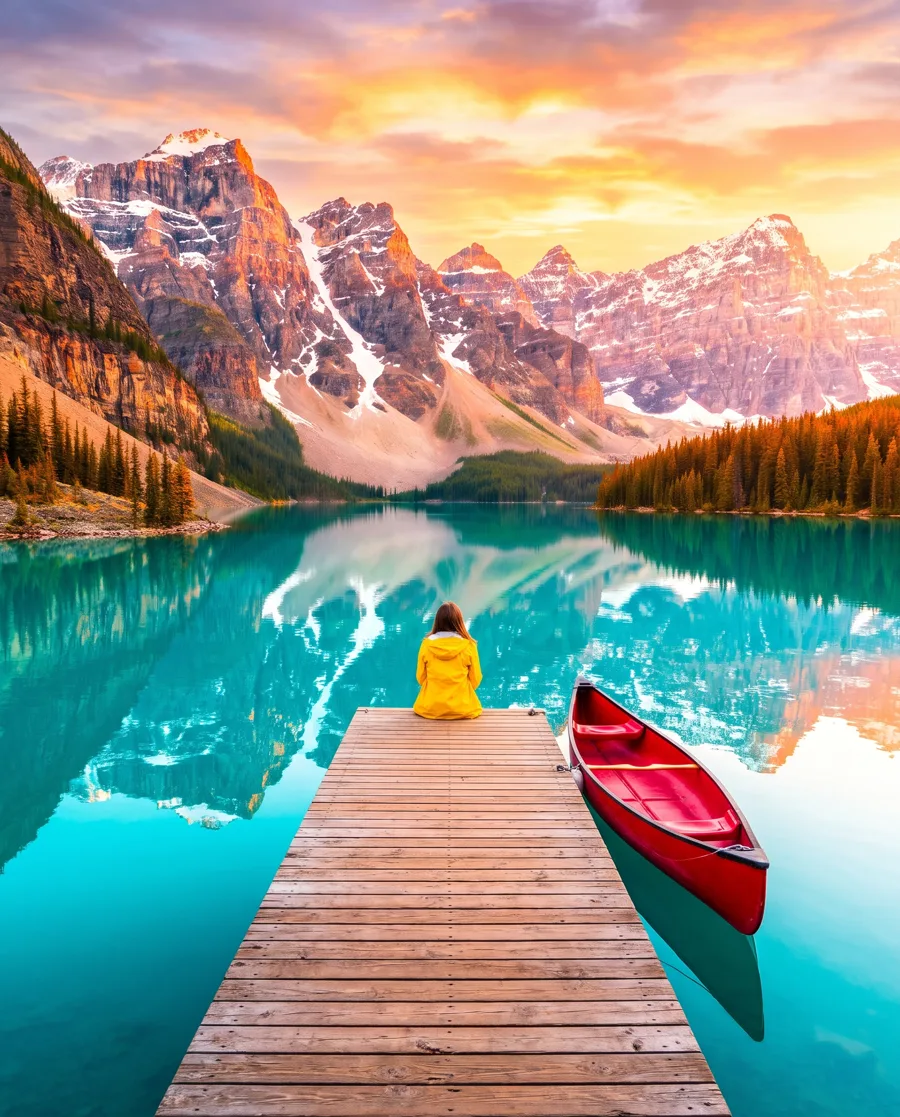
AI travel photo · 35mm film
Make AI photo realistic without changing the face
Make an AI image look real and keep the person. The selfie before and after Phone snapshot, enlarged side by side.
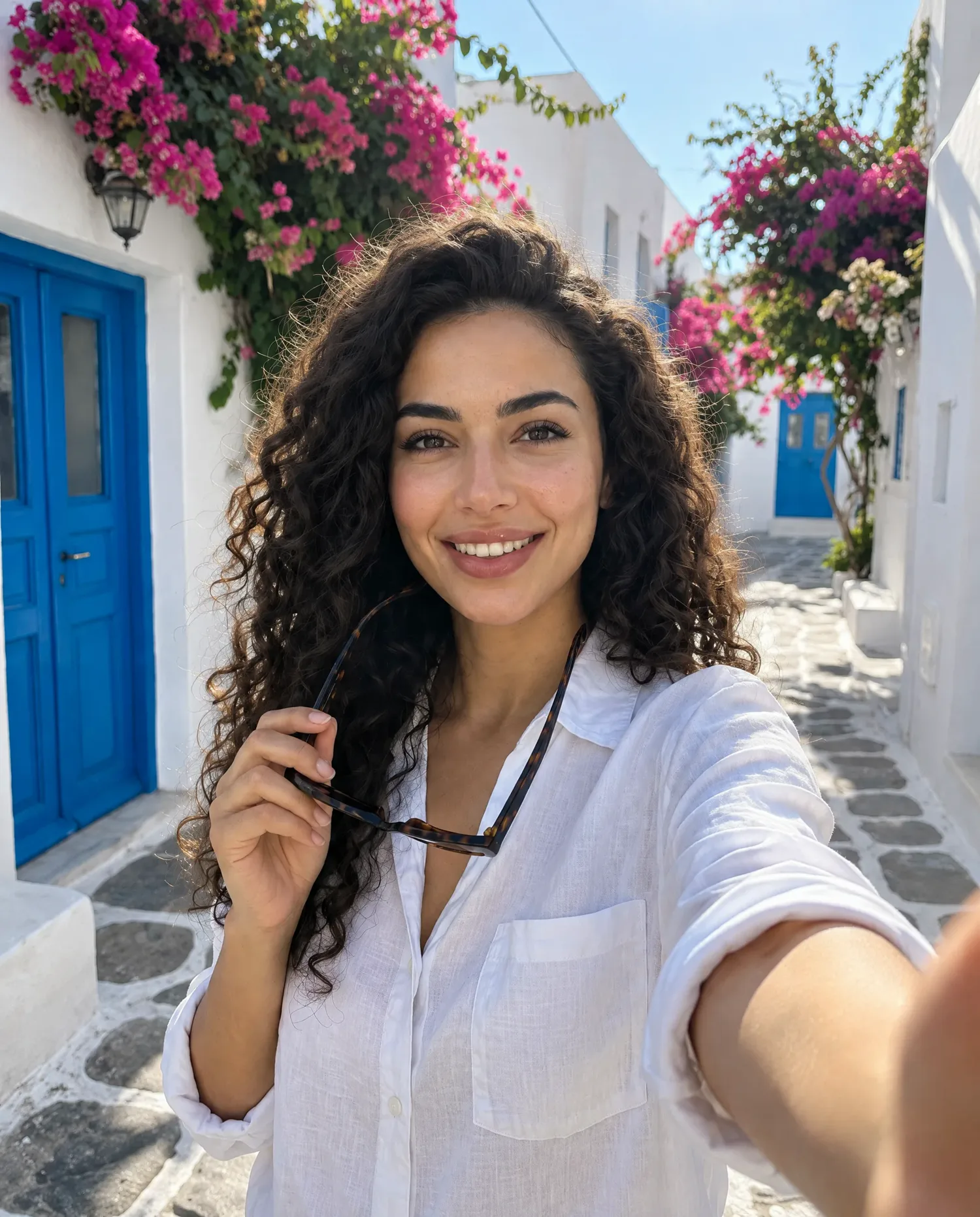
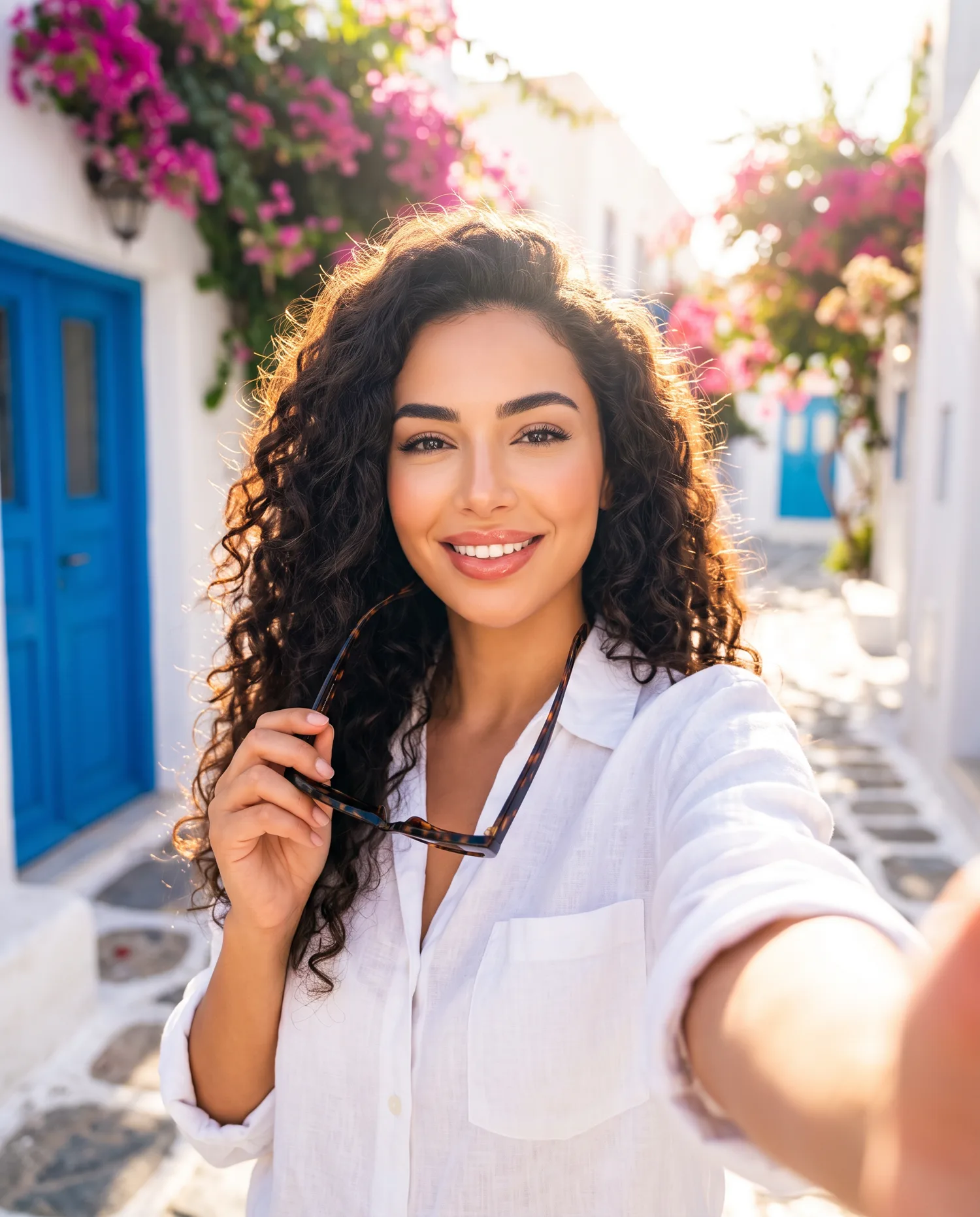 OriginalEdited1
Face
Same eyes, smile and curls. The skin gains pores.
- OriginalEdited2
Hand
Same grip on the same sunglasses, now with real knuckles.
What makes an AI photo look realistic
Four details that make a photo look real and natural, circled on a Natural light result.
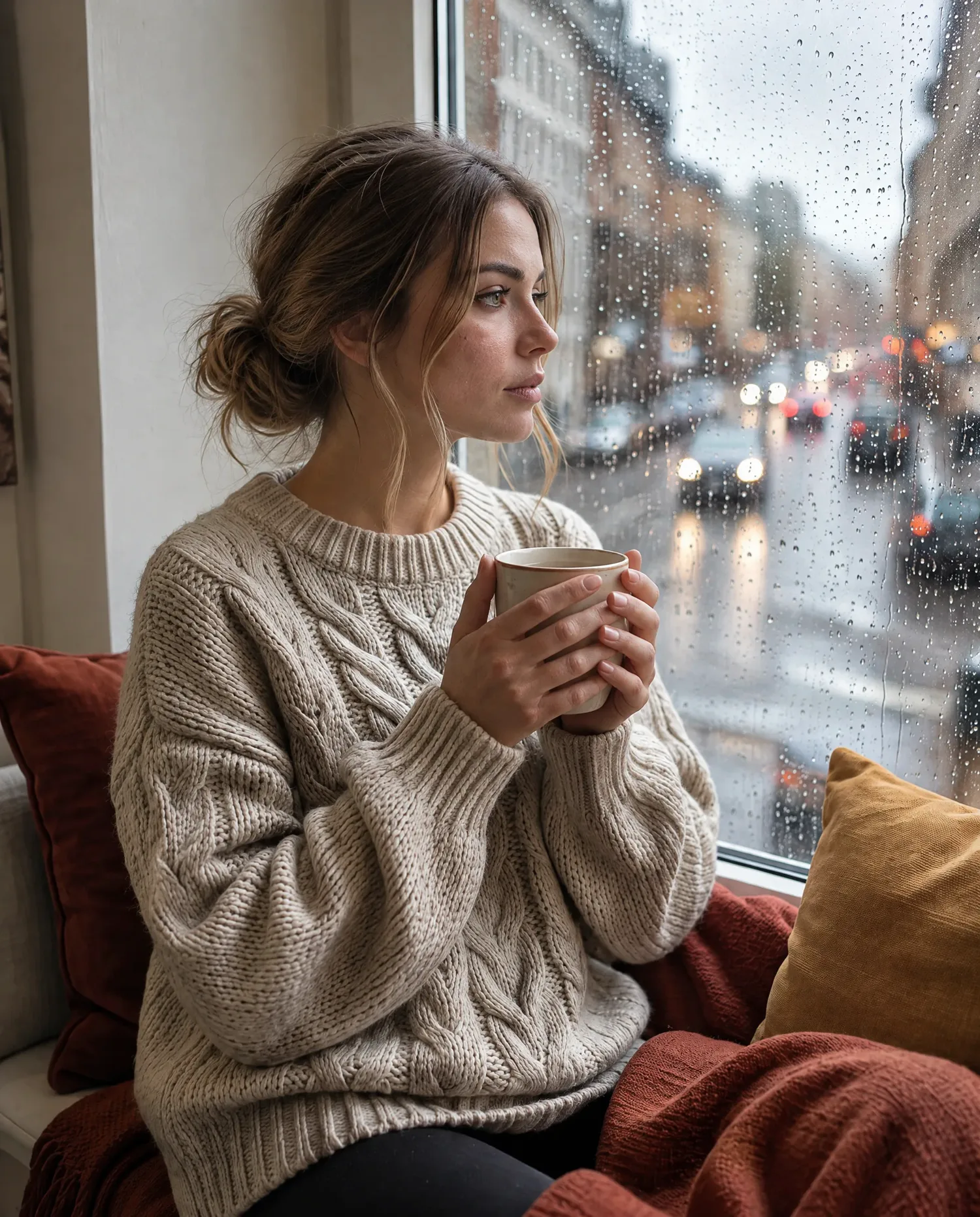
- 1
Pores, fine hairs and uneven tone, not airbrushed porcelain.
Ask for“real skin texture with pores and fine lines”
- 2
Grey daylight from the window side. The orange AI glow is gone.
Ask for“real daylight from one direction”
- 3
Knuckles, nails and a real grip on the mug. Waxy, fused hands give AI away.
Ask for“real hands with knuckles and nails”
- 4
Every cable and loose stitch shows, instead of smooth plastic.
Ask for“real fabric texture”
Pick the camera your realistic photo comes from
Realistic is not one look. The same AI portrait as three cameras would have shot it.
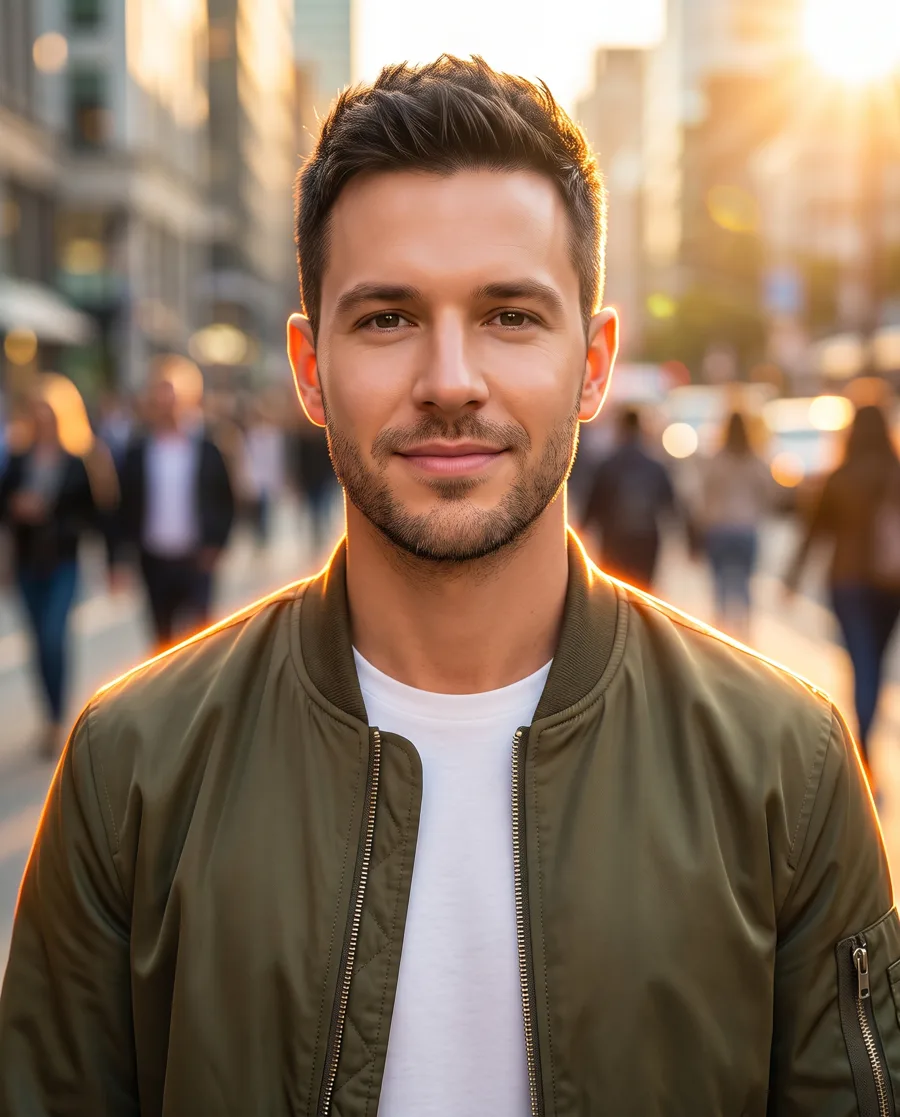
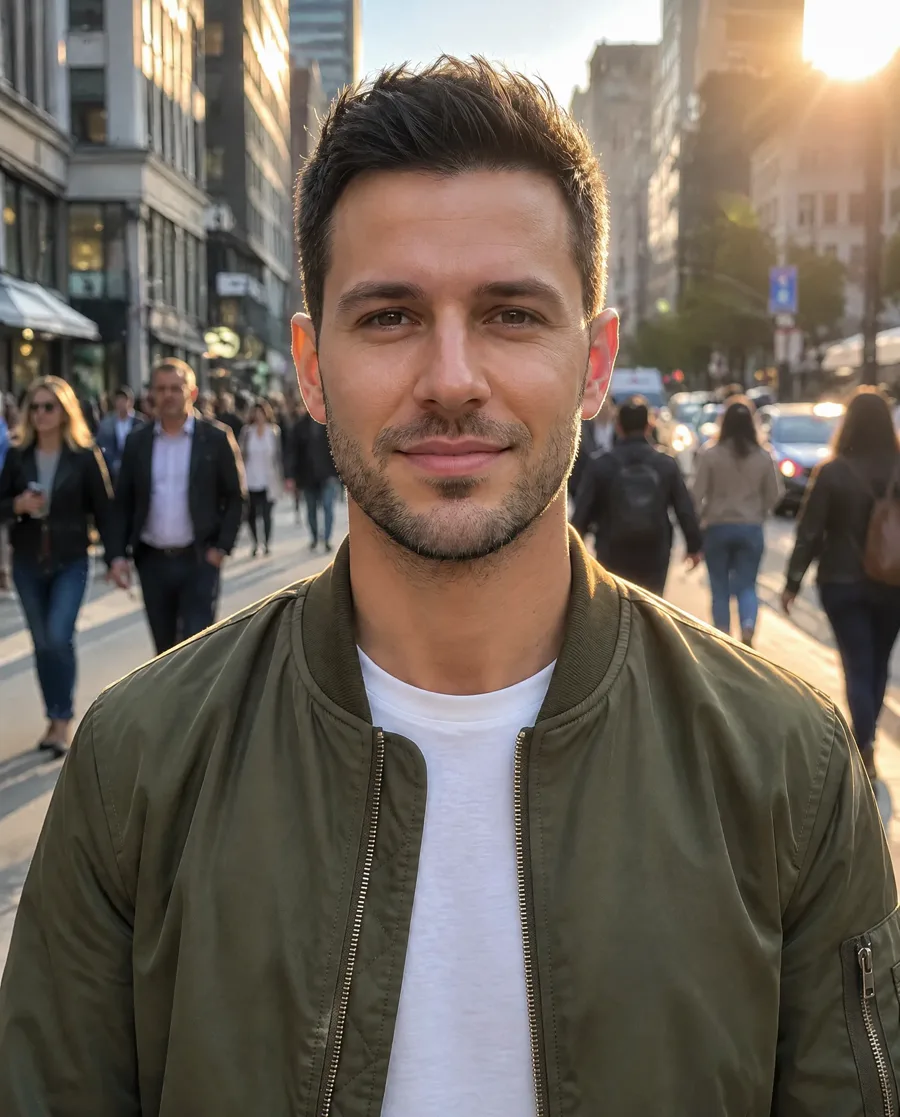
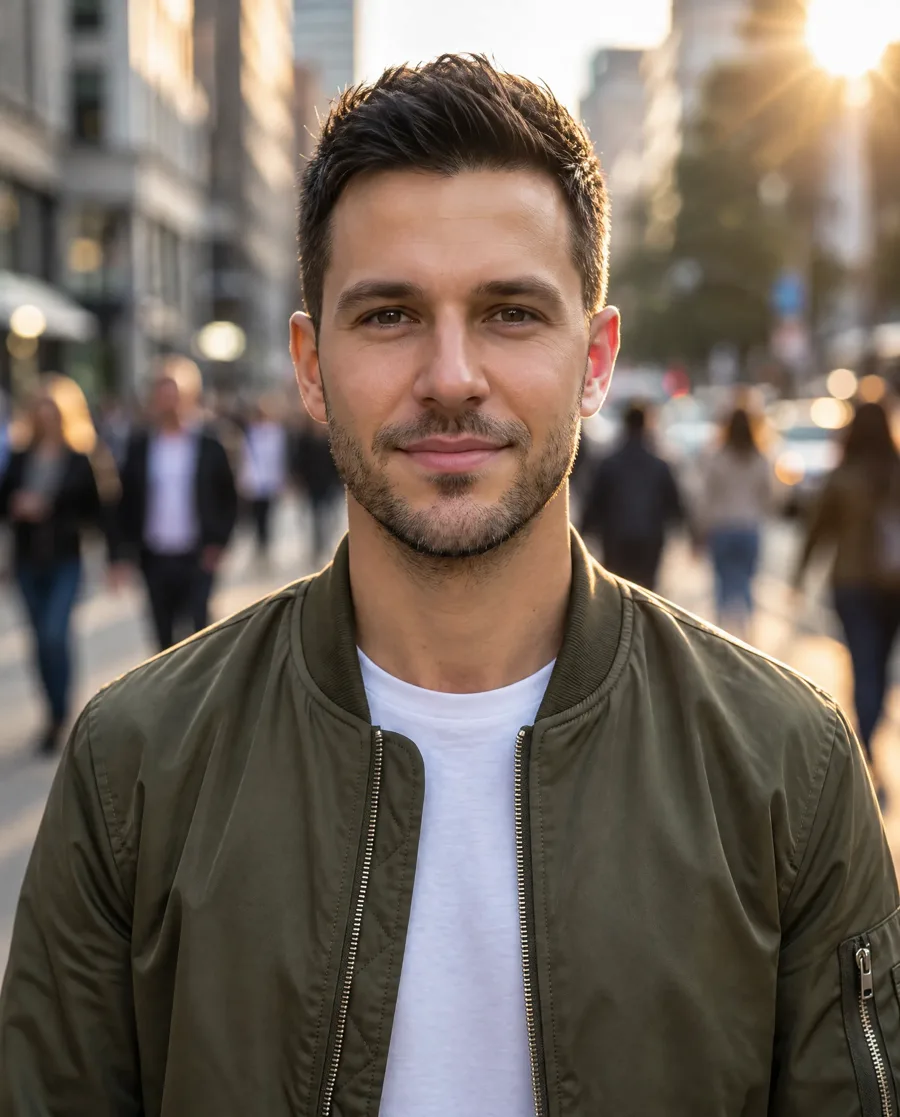
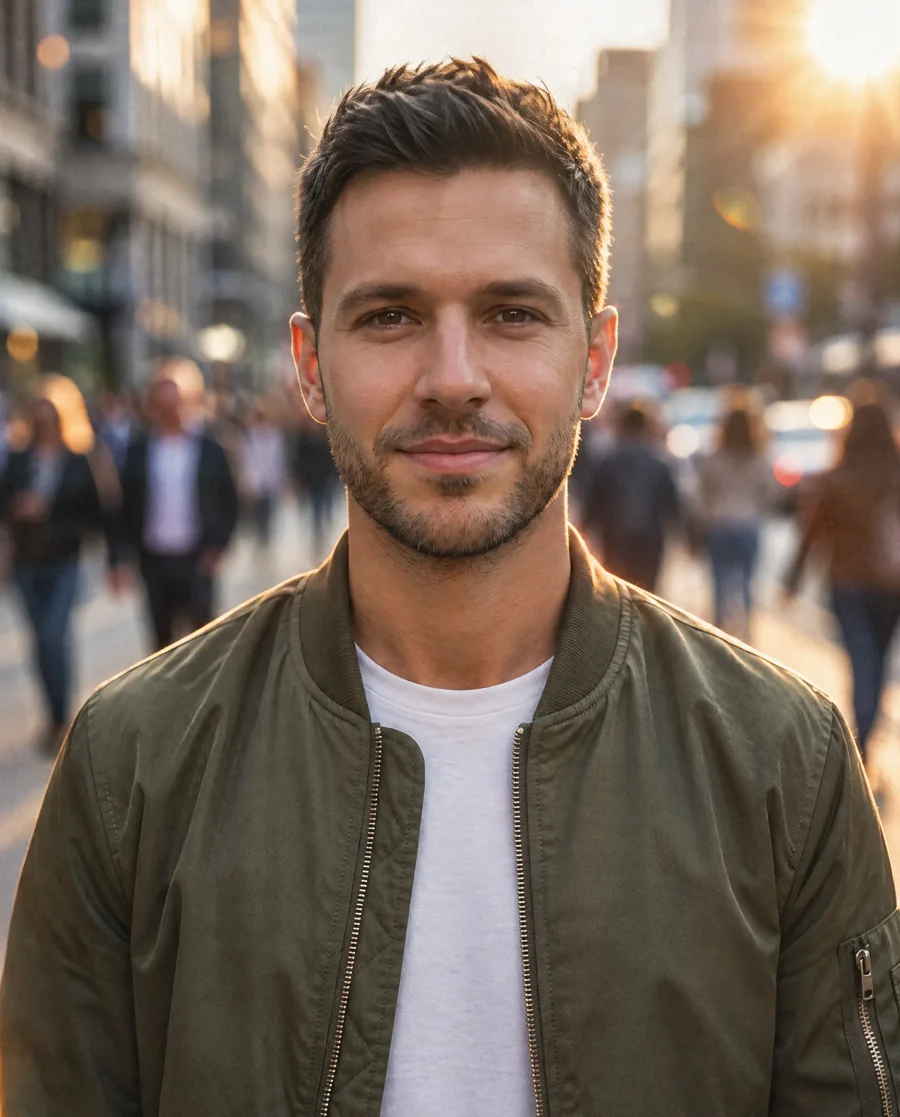
Wide lens · Deep focus · Daylight
The whole street in focus, as a phone sees it. For casual social posts.
See the instruction
“Turn this AI image into a real photo taken on a smartphone: a casual phone snapshot with the phone's wide lens, most of the scene in focus, the light that is really there, real skin texture with pores and fine lines, separate hair strands, real fabric and material texture, slight phone camera noise and true-to-life colors. Remove the airbrushed, glossy and glowing AI look. Keep the same people, faces, expressions, poses, clothes, objects and layout.”
85mm · f/1.8 · Soft background
Sharp eyes, soft background, golden light kept. For headshots and portraits.
See the instruction
“Turn this AI image into a real photo taken on a full-frame DSLR with an 85mm portrait lens at f/1.8: sharp focus on the eyes, natural background blur that still shows a real place, soft natural light, real skin texture with pores and fine lines, separate hair strands, real fabric and material texture, and true-to-life colors. Remove the airbrushed, glossy and glowing AI look. Keep the same people, faces, expressions, poses, clothes, objects and layout.”
35mm · Film grain · Warm tones
Grain, softer contrast and warm color. For a candid, nostalgic look.
See the instruction
“Turn this AI image into a real photo shot on 35mm color negative film: clearly visible film grain across the whole picture, muted film colors with soft contrast and lifted shadows, natural light, real skin texture with pores and fine lines, separate hair strands, real fabric and material texture. Remove the airbrushed, glossy and glowing AI look and the oversaturated colors. Keep the same people, faces, expressions, poses, clothes, objects and layout.”
All three: the same AI image, GPT Image 2.5, the quick settings at the top.
How to make an AI photo realistic
Make AI photo realistic online in three steps, with nothing to install.
- 1
Upload the AI image
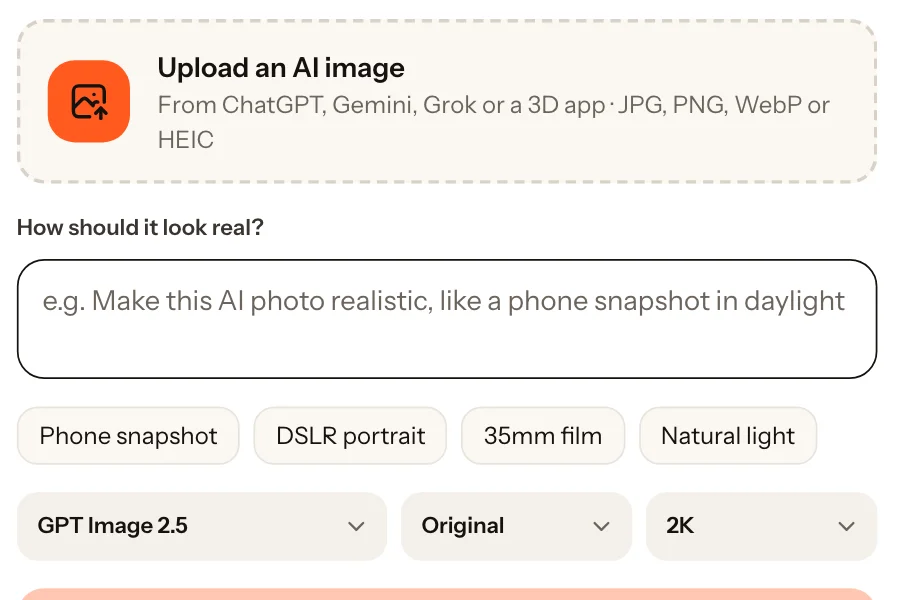
Add a picture from ChatGPT, Gemini, Grok, Stable Diffusion or a 3D app, or tap one of the sample images. JPG, PNG, WebP and HEIC all work.
- 2
Pick a camera, or say what to fix
Tap Phone snapshot, DSLR portrait, 35mm film or Natural light. Or type the part that still looks fake, for example "make the skin on her hands real".
- 3
Compare and download
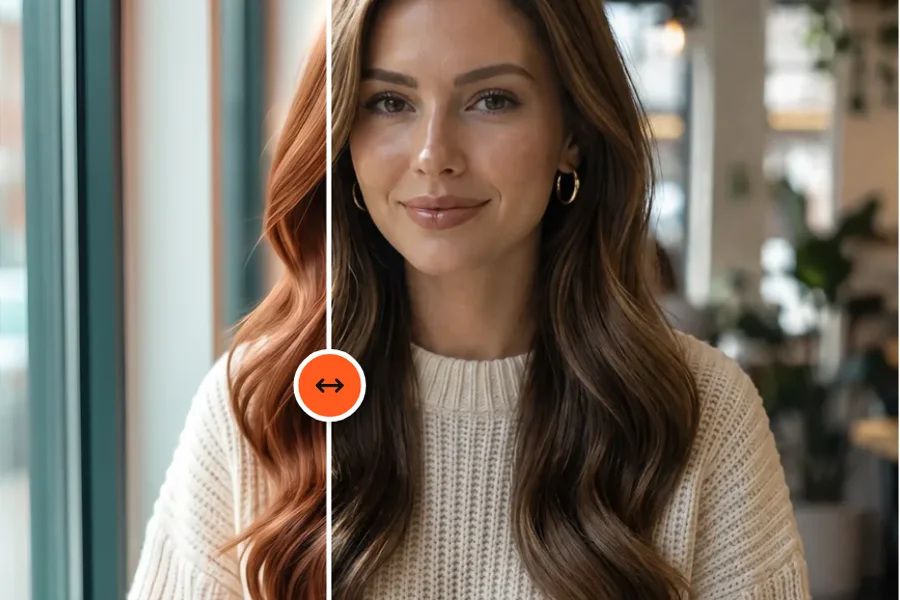
Drag the divider over the original to check the face and pose, then download in 2K or 4K. Not there yet? Edit the result again.
Make AI photo realistic with a prompt
Name the camera, the light and the texture, not "hyperrealistic, 8K". Pick one of each and use the first text here, or the second in any AI generator.
Turn your AI image into this
“Turn this AI image into a real photo: shot on a smartphone with deep focus, soft window light from one side, real skin texture with pores and fine lines. Remove the airbrushed, glossy AI look. Keep the same people, faces, poses and layout.”
Prompt for a new image in any AI generator
“A candid photo of a woman in her twenties by a cafe window, shot on a smartphone with deep focus, soft window light from one side, real skin texture with pores and fine lines. No text, no watermark.”
Make AI photo realistic: questions
To make an AI photo realistic, upload it at the top of this page and tap a camera: Phone snapshot, DSLR portrait, 35mm film or Natural light. The realistic photo shows next to the original within a minute or two. If one part still looks fake, say so in your own words, or build an instruction with the prompt formula.
Yes, to start. This AI to real photo converter gives every new account 10 free credits. One realistic photo with GPT Image 2.5 at 2K uses 4, and 4K adds 2. It runs online in your browser with nothing to install, and downloads have no watermark. After that, credit packs and plans are on the pricing page.
No. Every setting keeps the people, faces, expressions, poses, clothes and layout, and changes how the picture looks shot: skin, light, focus, grain and color. It also removes the color cast of the AI grade, which is why the orange hair in the cafe sample at the top came back brown. Add "keep the hair color" to keep a color as it is.
No, and this tool is not made for that. The result is drawn by an AI model, so it is still an AI image. Use it to make pictures look natural, and say a picture is AI where that matters.
No. An upscaler adds pixels to the same picture, so plastic skin stays plastic, only sharper. This tool redraws the surfaces, light and focus the way a camera would have recorded them, then gives you 2K or 4K.
Images from ChatGPT, Gemini, Grok, Stable Diffusion and other generators, 3D renders and semi-realistic digital paintings, as JPG, PNG, WebP or HEIC. Portraits, fashion, products and rooms all work.
Yes. Describe the part that looks pasted on, for example: "Make the name on the wall look written by hand with a black marker, following the bricks". The rest of the photo stays as it is.
This page is made for AI images close to a photo, 3D renders and semi-realistic paintings like the one above. A flat anime or cartoon face has no real face to keep, so the model invents one, and the person comes out as someone new.
The AI image humanizer keeps an AI photo as it is and removes its AI tells, with a choice of how much to change. This page picks the camera the photo should come from and also converts 3D renders and paintings.
Make AI photo realistic in one upload
Upload it, pick a camera and see it look real next to the original.
- 5 free edits when you sign up
- Failed edits are refunded
- Uploads deleted after 7 days
- Secure checkout by Stripe